18
5. Attach the location-specific Plug Adapter to the AC
Adapter and then plug the AC Adapter into the wall outlet
to begin charging the internal battery of your Guardio
Charger.
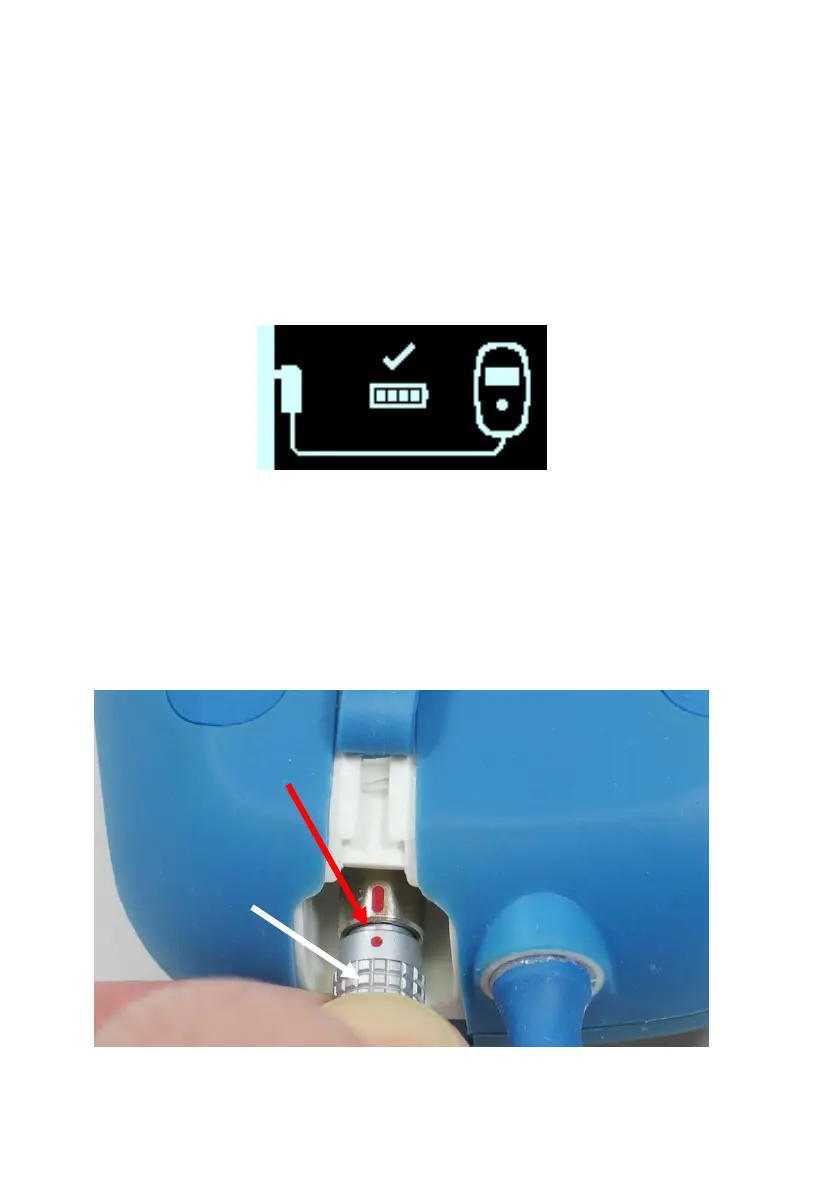
When the Charging Self-Charge Success screen is
displayed on your Guardio Charger (see Figure 12), the
battery in your Guardio Charger is fully charged, as
indicated by the checkmark above the charge level
indicator in the center of the screen.
Figure 12: Charger Self-Charge Success Screen
To disconnect the AC Adapter from your Guardio Charger,
perform the following steps:
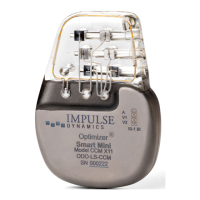
1. Hold and pull back on the metal sleeve of the DC output
connector to disconnect the connector from your Guardio
Charger. See Figure 13.
WARNING: DO NOT TWIST CONNECTOR!
Figure 13: Close-up of the Connector Sleeve
Connector Sleeve
pulled back



 To Next Page