AM110 - Check the window pane at the level sensor of the vacuum rotation filter
Orientation
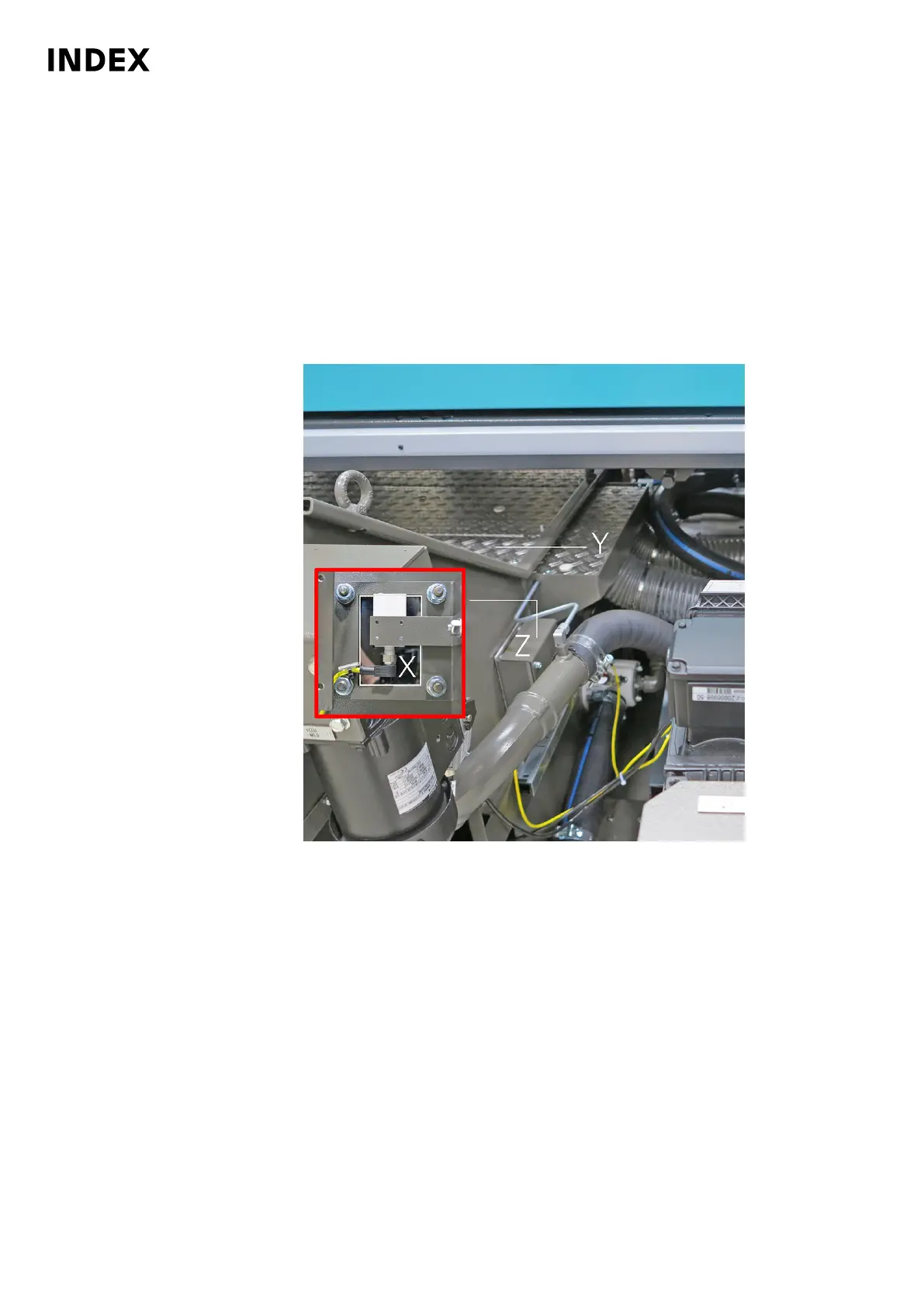
Check the window pane at the level sensor of the vacuum rotation filter. This sensor
is located at the outside of the vacuum rotation filter (see Figure 1). The sensor
monitors the fill level in the cooling lubricant tank. A very dirty window pane may
cause malfunction. Therefore, regular visual inspection from the outside is
necessary. If the Window pane is very dirty, it must be cleaned on the inside.
Procedure
1.
Figure 1: Location of the level sensor on the vacuum rotation filter
X
Inspection window
Y Cover panel
Z Cover of the sensor
Check the window pane at the level sensor of the vacuum rotation filter.
2. Unscrew the cover (Z).
3. Check the window pane on the sensor.
Alternatively, the following procedure can be used!
If the window pane is very dirty, the pane must be cleaned on the inside of the
cooling lubricant tank.
Maintenance Summary - Care activities
30
Maintenance Instructions
MS40-8
DIM078EN - 02.06.2020



 To Next Page