24
24
Data Tab – Data Setup
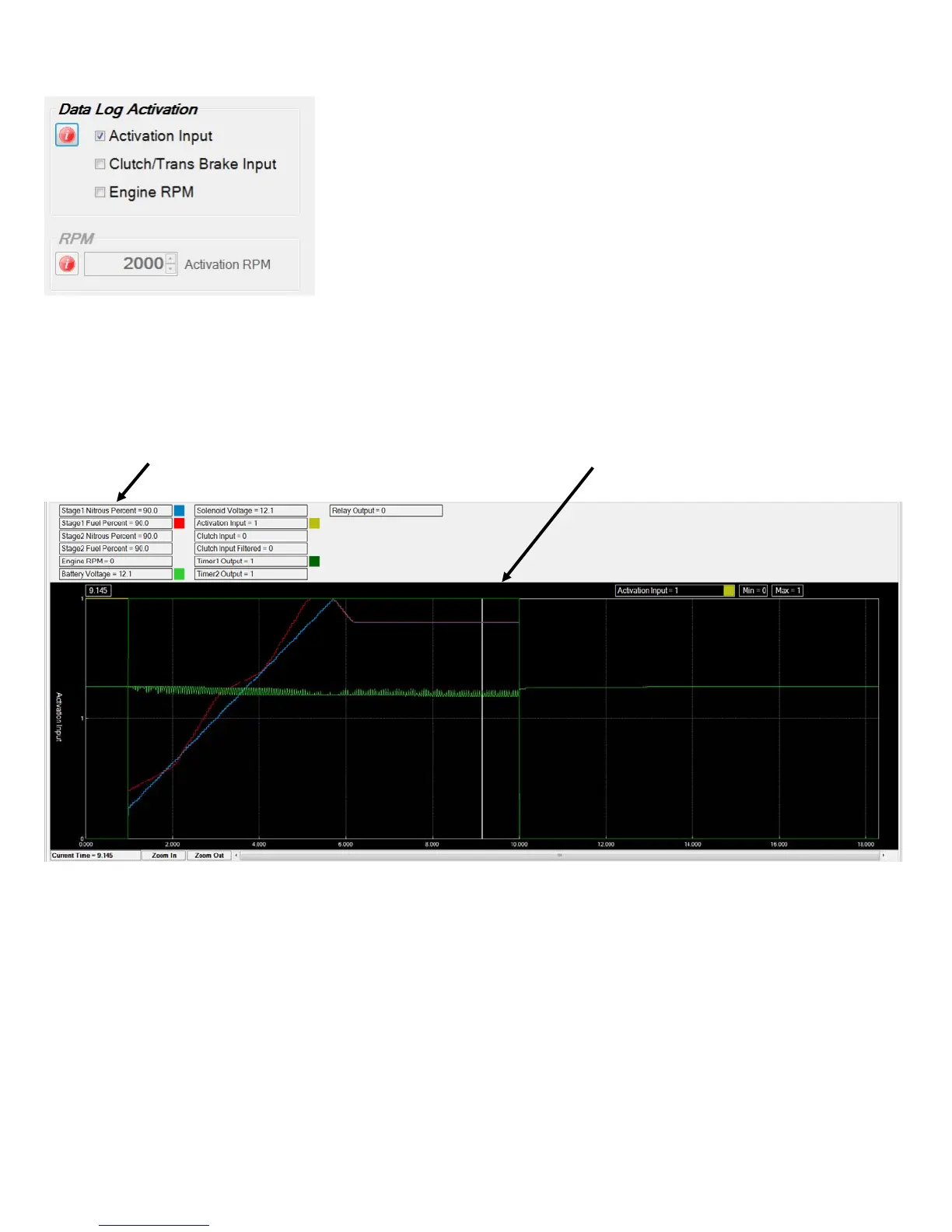
Data Log Acvaon ‐ these sengs determine when the controller begins recording data.
If more than one opon is selected ALL condions must be met before a new data log will
start.
Example ‐ Acvaon input and Clutch/Trans Brake input both selected, a new data log will
begin recording when both inputs are acve. This would be a typical setup when making a
pass at the track. Once staged the Clutch/Trans Brake would be on, then when the wide
open throle switch goes acve the controller would begin a new data log..
Example if on a chassis dyno and the Clutch/Trans Brake input is not being used you would
want to have only Acvaon input selected to start a new data log..
RPM ‐ this seng determines the Engine RPM when the controller begins recording data.
Valid range ‐ 1,000 to 10,000 in 10 RPM increments.
Data Tab – Data Chart
Data Log Navaigaon and keyboard shortcut keys.
Right and Le arrow keys ‐ pan cursor right and le, use SHIFT + Right/Le and CTRL + Right/Le keys to pan by small increments.
I ‐ Zoom in, O ‐ Zoom out.
Le click on chart tle at top of window to turn chart ON/OFF in the graph.
Right click on chart tle at top of window to set chart opons.
Le click on current chart tle (top right side of graph) to select next chart.
Right click on graph to set run start and end me.
To change the grouping of chart tles, hover mouse over top of graph and when the cursor changes, le click and drag graph height up
or down as desired.
The graph sengs will be saved when the program is closed and reloaded when the program is launched.
Click tle to turn on/off Drag chart height here to adjust tle display


 To Next Page