8
8
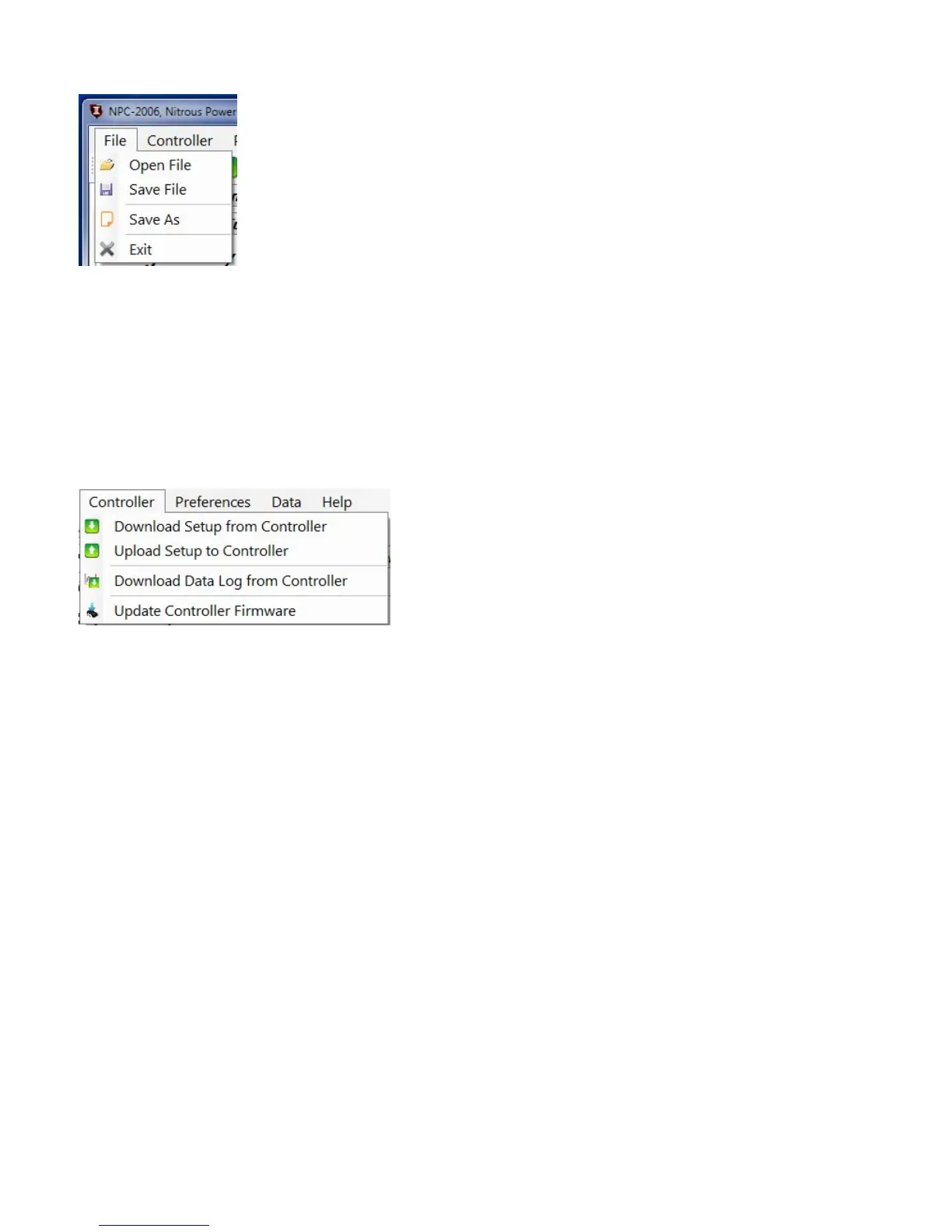
File Menu
Open File—open setup file that has been previously saved to the computer.
Save File—save current setup file to computer. This opon saves the current setup data from the Nitrous Power
Controller soware. It does not save the setup data from the controller to the computer.
Save As—save current setup file to computer with the opon to save as a copy with a different name.
Exit—Exit and close the Nitrous Power Controller soware.
Controller Menu
Important—the controller must be connected to the computer with the USB cable and the controller must be
powered up to use the following menu selecons. Only the Switched +12V power (key on) needs to be on for
USB communicaon, the arming switch should be in the off posion.
Always allow the progress bar in the lower le corner to complete aer starng a download or upload to the
controller.
Download Setup from Controller—read setup data from the controller to the Nitrous Power Controller so‐
ware. Note—aer downloading the setup data from the controller you may use the File Menu, Save File selec‐
on to save the setup data to a file on the computer.
Upload Setup to Controller—write current setup data from the Nitrous Power Controller soware to the con‐
troller. Note—to load a saved setup file from the computer to the controller, first use File Menu, Open File to
load the file. Aer opening the file use this selecon to write the setup to the controller.
Download Data Log from Controller—read data log informaon from the controller. This selecon will read the
most recent data log informaon from the controller. Note—the controller will retain the last data logged even
if the controller is powered off.
Update Controller Firmware—load a new firmware image file into the controller. The firmware is the operang
system for the controller. When a new and/or updated version is released that has addional features, or a fix
for an unforeseen issue, this selecon is used to apply the update to the controller.


 To Next Page