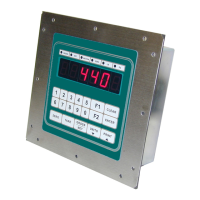
IDS 410/422 User's Manual
27
Parameter 10: Primary Units Type (1 [lb])
The scale is calibrated in the primary units. The UNITS key is used to toggle the weight
display between primary units and alternate units. Enter the number that corresponds with
the primary units:
0 = UNDEFINED, units are not printed.
1 = lb
2 = kg
3 = ton
4 = tne
5 = gram
6 = oz
7 = use print label 1 for units.
8 = use print code 1 for units.
NOTE: when parameter 10 is changed, parameters 13 and 16 must be programmed.
Parameter 11: Decimal Point Position (0 [no decimal point])
Enter the decimal point position for the primary unit’s display. For example, if the scale is
calibrated x 0.05 the decimal position = 2.
Parameter 12: Count-by (1)
Enter the primary unit’s count-by. For example, if the scale is configured for:
x 0.05 count-by = 5
x 0.2 count-by = 2
x 1 count-by = 1
x 5 count-by = 5
x 50 count-by = 50
x 100 count-by = 100
Note: the entry for 0.05 and 5 is the same. The decimal point position (parameter 11)
differentiates between the count-by 0.05 and count-by 5.



 To Next Page