INFOSEC UPS SYSTEM - 4, rue de la Rigotière - 44700 Orvault - FRANCE - www.infosec-ups.com
Hot Line – Tel + 33 (0)2 40 76 15 82 - Fax + 33 (0)2 40 94 29 51 - hotline@infosec.fr – 07 11 AA 59 203 07
13
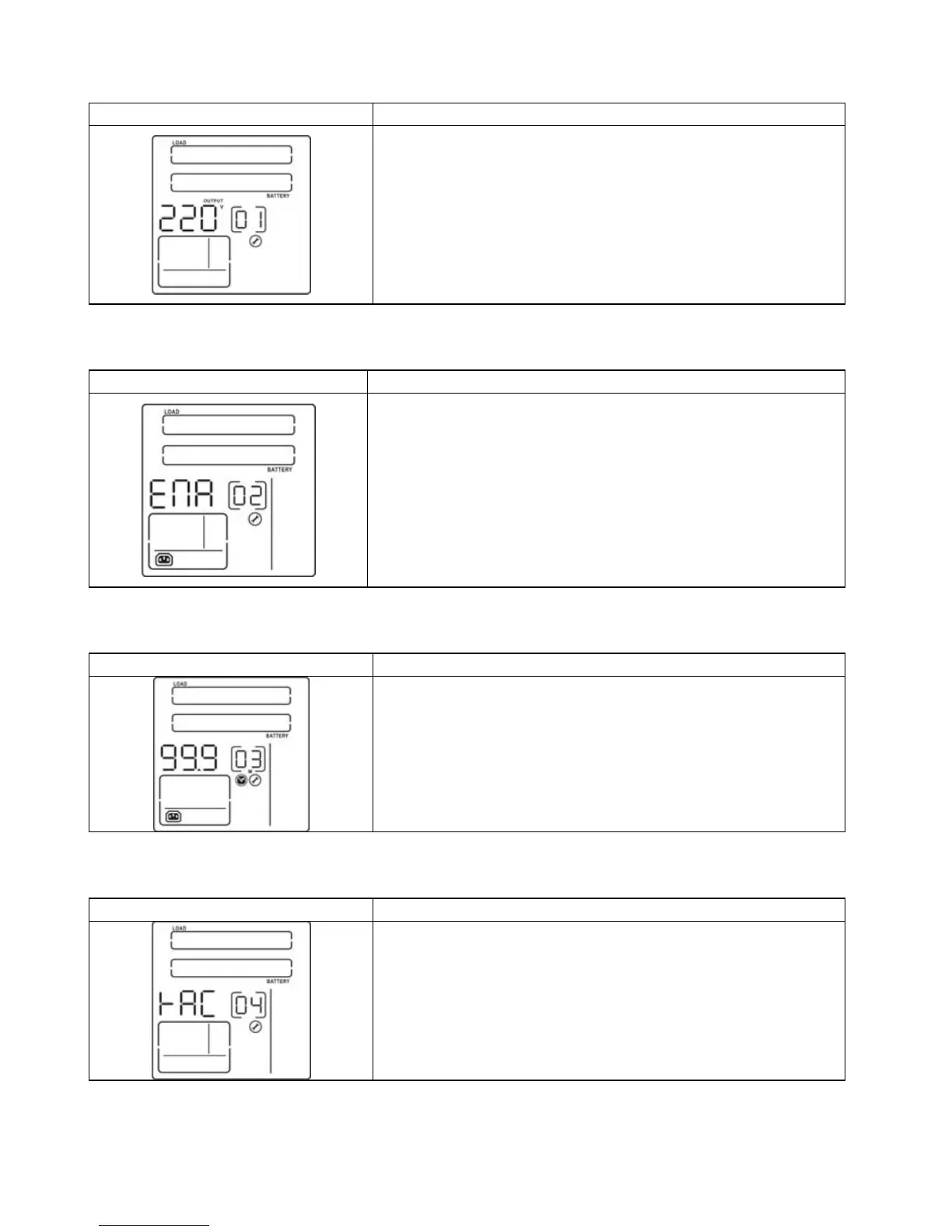
1) Output voltage setting
Interface Setting figures
For 110/120/208/220/230/240 VAC models, you may
choose the following output voltage:
110: presents output voltage is 110 Vac.
120: presents output voltage is 120 Vac.
208: presents output voltage is 208 Vac.
220: presents output voltage is 220 Vac.
230: presents output voltage is 230 Vac.
240: presents output voltage is 240 Vac.
2) Programmable outlets enable/disable
Interface Setting figures
ENA: Programmable outlets enable.
DIS: Programmable outlets disable.
3) Programmable outlets setting
Interface Setting figures
Setting the backup time limits in minutes from
0-999 for programmable outlets which connect to non-
critical devices on battery mode.
4) LCD display direction setting
Interface Setting figures
RAC: The LCD display is horizontal.
TOE: The LCD display is vertical.
5) Exit















 To Next Page