INFOSEC UPS SYSTEM - 4, rue de la Rigotière - 44700 Orvault - FRANCE - www.infosec-ups.com
Hot Line – Tel + 33 (0)2 40 76 15 82 - Fax + 33 (0)2 40 94 29 51 - hotline@infosec.fr – 07 11 AA 59 203 07
6
2.2 Install the UPS
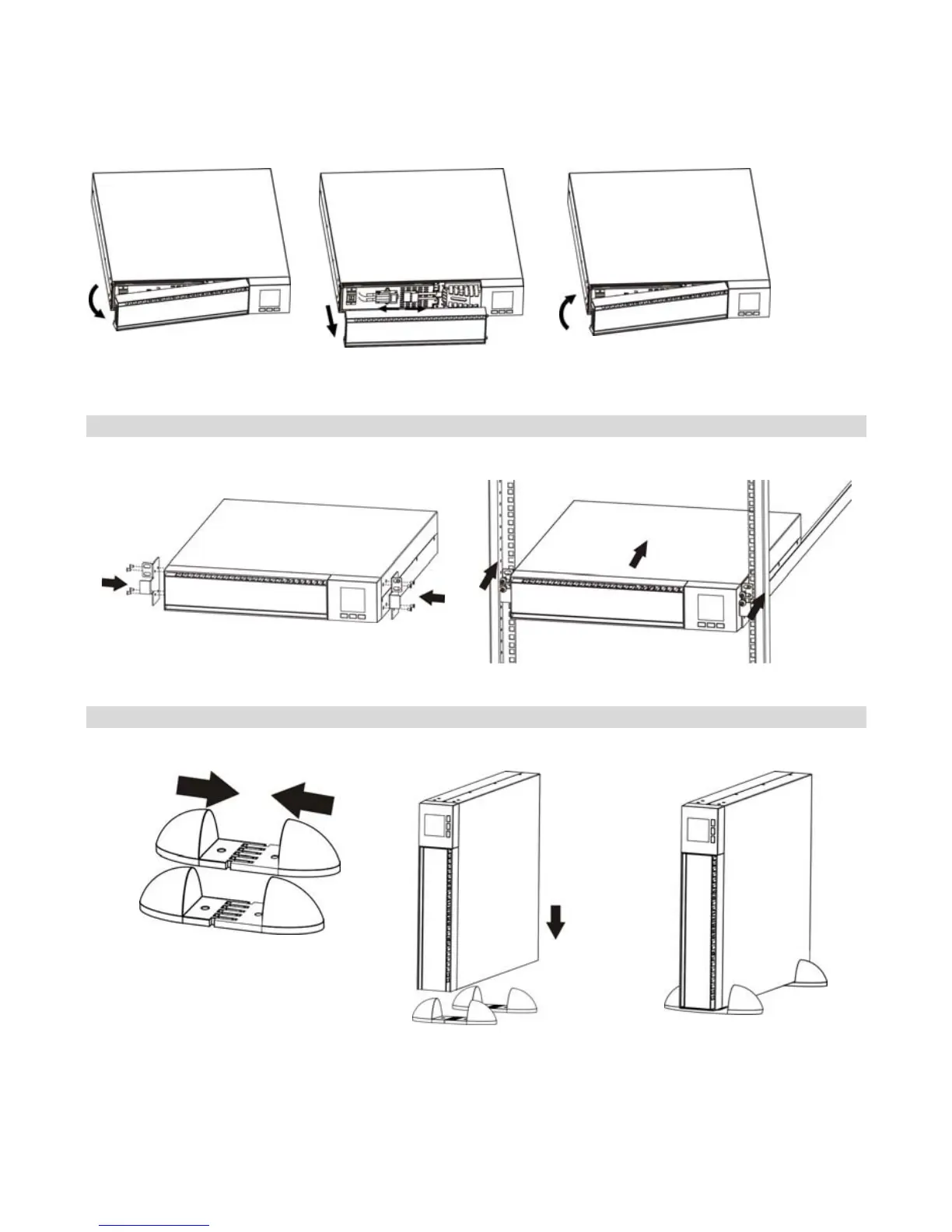
For safety consideration, the E3 LCD RT is shipped without connecting battery wires. Before
installing the UPS, please follow the steps below to re-connect battery wires.
Step 1 Step 2 Step 3
Remove front panel.
Connect the AC input and
re-connect battery wires.
Put the front panel back to the
unit.
Rack-mount installation
Step 1
Step 2
Tower installation
Step 1 Step 2 Step 3
2.3 Setup the UPS
Step 1 - UPS input connection
Plug the UPS into a two-pole, three-wire, grounded receptacle only. Avoid using extension
cords.















 To Next Page