INFOSEC UPS SYSTEM – 4 rue de la Rigotière – 44700 Orvault – France – www.infosec-ups.com
Hot Line Tel : +33 (0)2 40 76 15 82 – fax : +33(0)2 40 94 29 51 – hotline@infosec.fr – 11 11 AA 68 203 16
52
4. Troubleshooting Guide
4.1.
Trouble Shooting
When the UPS malfunctions during operation, you may check the followings:
1. Are the wirings of input and output correct?
2. If the input voltage of the Utility is within the input window of the UPS?
In case problems or symptoms still exist, please proceed the followings for proper adjustment.
Should the problem persists, please contact your local distributor for help.
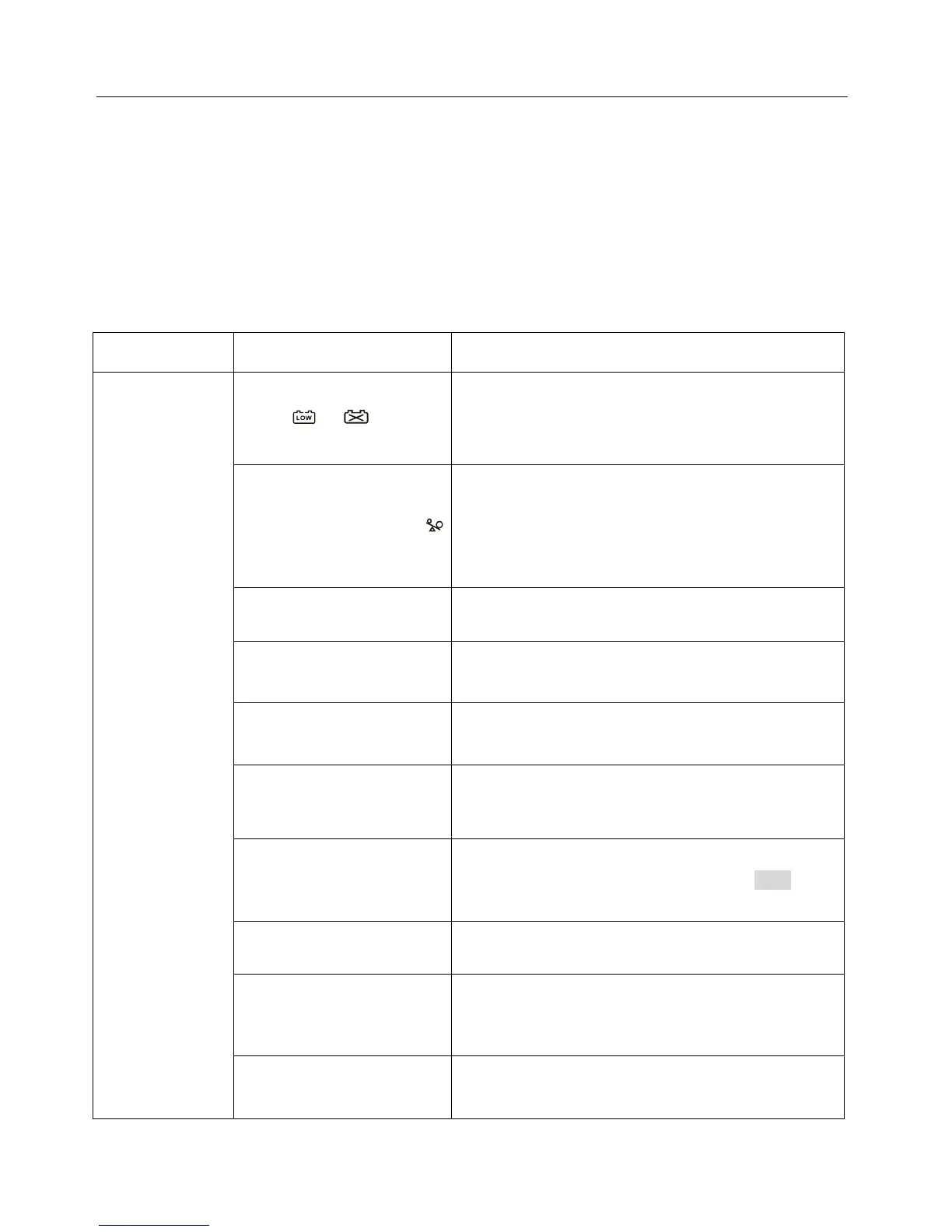
Situation Check Items Solution
UPS Red Fault
LED lights up.
Check the error
code shown on
the LCD screen
Er05,
&
Check to see if the battery connection is properly
done, then re-charge the batteries for 8 hours to
see whether the UPS may backup normally;
otherwise, consult your local distributor right away.
Er06, Er10, Er12 Er28 &
If the CB3 is tripped, please turn off the UPS
completely and keep the CAM switch at position INV
before pressing CB3. Then remove some uncritical
load at the UPS output end. If any damage of the
coating of AC power cord, please replace a new
one.
EPO
Remove the short circuit occurred at the EPO
terminal.
Er11, Er33
Remove the objects blocked onto the ventilation
holes.
Er14
Check the cooling fans on rear panel are working
normally.
Er15
Make sure the UPS is operated normally. If it is on
CVCF mode, you have to turn off and turn on the
UPS again.
Er16, Er27
All of parameters except ID Number in the parallel
UPS must be same. Please refer chapter 3.5.5 to
set them again.
Er21 Reconnect the RJ-45 wire or set a UPS with ID=1.
Er24
When the UPS is on CVCF mode, it is prohibited to
have bypass input. You have to turn off the UPS
and bypass input and re-start the UPS.
Other error code Consult your local distributor for help.














 To Next Page