20
4_3 Charging iSMP4
Before using ISMP4 for the rst time, you need to charge
it for about 4 hours.
After that, you can charge the ISMP4. (3 hours maximum
to recharge the battery to full capacity).
Fast charging: using the USB-C power supply (provided by
Ingenico).
Fast charging: using the docking station (multicradle
provided separately as an accessory).
Slow charging: using the USB-C / USB-A adapter cable
(provided by Ingenico).
CAUTION
Operating the ISMP4 for the rst time without the AC
adapter, and without fully charging the backup battery may
result in loss of data stored in RAM memory. When the main
battery is removed, the backup battery retains date and
time for at least 10 minutes.
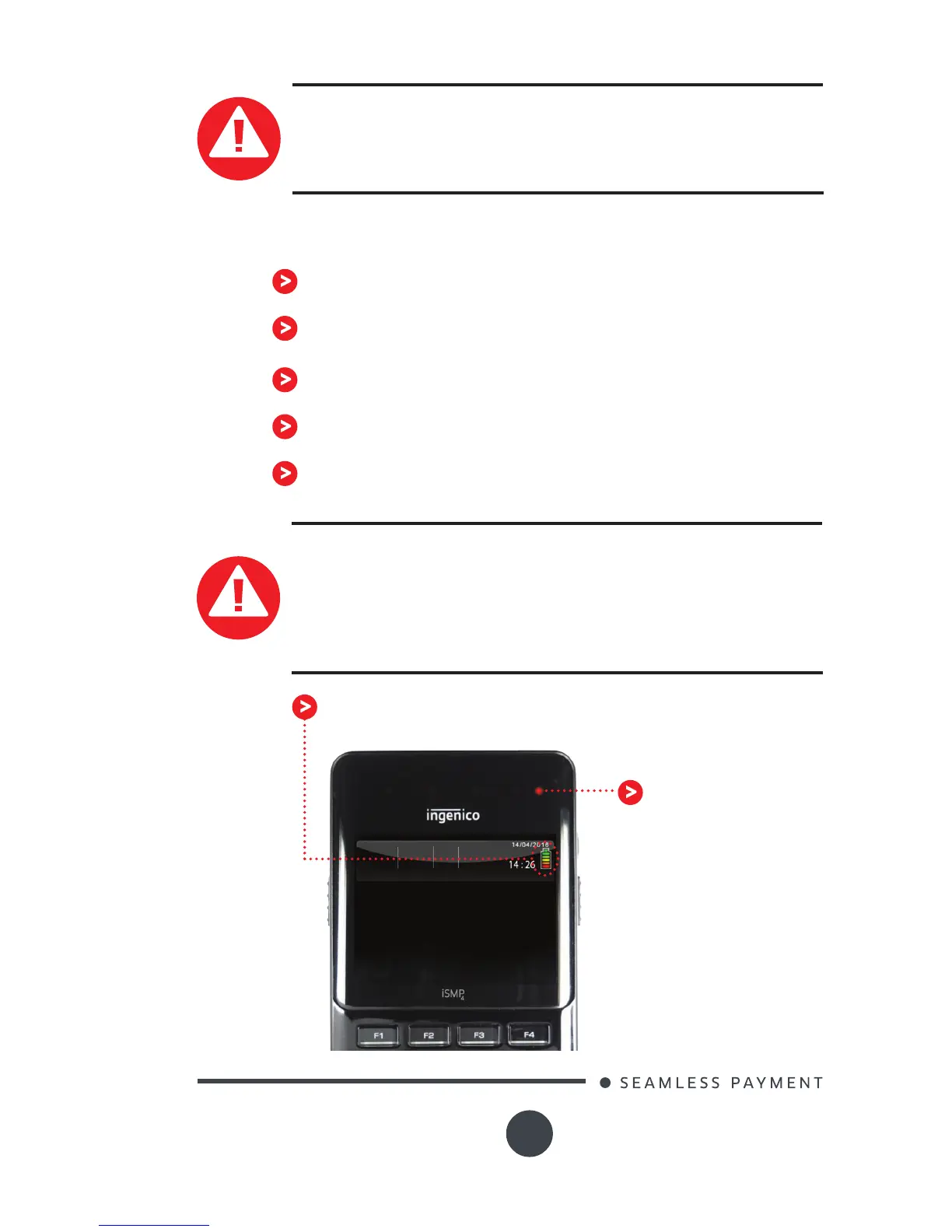
A battery indicator is provided on the ISMP4 screen,
indicating the charge of the module.
Warning
There is a risk of explosion if the battery is incorrectly
replaced or is placed in a re. Please dispose of used
batteries following instructions in section 6.4.
A red LED lights
when the battery
level is too low







 To Next Page