22
CAUTION
Use only Ingenico cable or accessory not to void warranty.
4_6_2 Cable disconnection
Present the device in front of the connector and unplug it
4_7 Payment Integration with Blue-
tooth
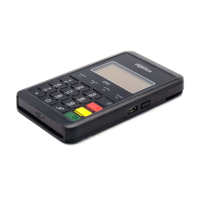
To make it easier for you to use the ISMP4 from your mobile device,
Ingenico provides the «PCL add-on». PCL stands for Payment
Communication Layer.
The PCL add-on is a complete set of tools, libraries, documentation and
samples that will help you to:
pair ISMP4 with smartphone;
trigger the payment function;
remotely manage ISMP4;
use ISMP4 in your payment application.
For more details about all these features and how to get started with
the pairing process, please refer to the add-on documentation specic
to the payment application used by your device or contact your
product reseller.
5_Daily use
5_1 Getting started with iSMP4
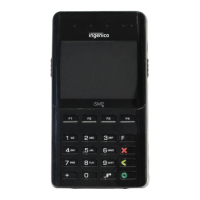
Switch on ISMP4 payment module by pressing the lateral
key.
Follow the ISMP4 initialization procedure. This procedure
differs from a customer to another. Please refer to your pay-
ment service provider.
Business payment application running on the Smartphone
or tablet will be customer specic. Please refer to your
business application provider.






 To Next Page