service@innocn.com
English
9
Specification
29C1F-D
29B2F-P
29inch(73cm)
178°(H) / 178°(V)
0.2628
(H) ×
0.2628
(V)mm
1000:1(TYP)
16.7M
21:9
2560x1080
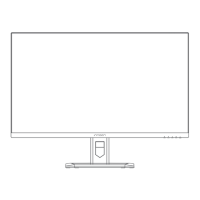
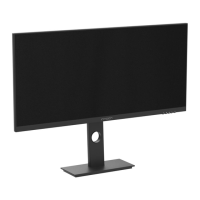
688.6×314.1×49.8 mm
approx. 4.3 kg
688.6×554.1×218.9
mm approx. 6.5 kg
120±5
mm
-90°/+90°
Forward tilting
5°±2°
/Backward tilting
20°±2°
100-240V~ 50/60Hz, 2.0A
75Hz
The standard voltage and power supply may vary with countries, please
refer to the label at the back of the product.
LCD Monitor
Product Model
Product Code
Screen Size
Viewing Angle
Pixel pitch
Contrast ratio
Color
Aspect Ratio
Resolution
Power Input
Refresh Rate
Product Name
Without base
With base
Tilting angle
Height range
-45°/+45°
Rotation angle
Vertical angle
Environmental
conditions
Action
Storage
Temperature: 0°C~ 40°C(32°F ~ 104°F)
Humidity: 10%~90% RH (non-condensing)
Temperature: -20°C~ 60°C(-4°F ~ 140°F)
Humidity: 10%~90% RH (non-condensing)
German Rhine TÜV Low Blue Light Certification
The light the screen radiates contains a blue component, which
may lead to fatigue and discomfort in the eye. The "low blue light"
function tunes down the radiation of blue lights from the screen
and thus reduces eye fatigue arising from the intensive use of the
screen.
Blue light may cause eye fatigue and discomfort. Joint Innovation
now offers the screen that passes German Rhine TÜV Low Blue Light
certification to ensure the comfort and health of users' eyes. Please follow the instructions below
operate the screen to reduce symptoms caused by prolonged exposure to blue light on the screen.
1. Place the screen 20-28 inches (50-70 cm) away from the eyes, with the center of the screen slightly
below the line of sight.
2. When you need to use the screen for a long time, blinking consciously from time to time will help
reduce eye fatigue.
3. Take a 20-minute break every 2 hours.
4. Take your eyes away from the screen when you rest and stare at distant objects for at least 20 seconds.
5. Stretch moderately during rest to relieve physical fatigue or pain.
6.After factory setting, when the low blue light function is set to 50,70,100, it conforms to TUV Rheinland's
low blue light certification
Low Blue Light
(Software
Solution)
www.tuv.com
ID 0217008683
(with
Height range
)
Product
Dimentions


 To Next Page