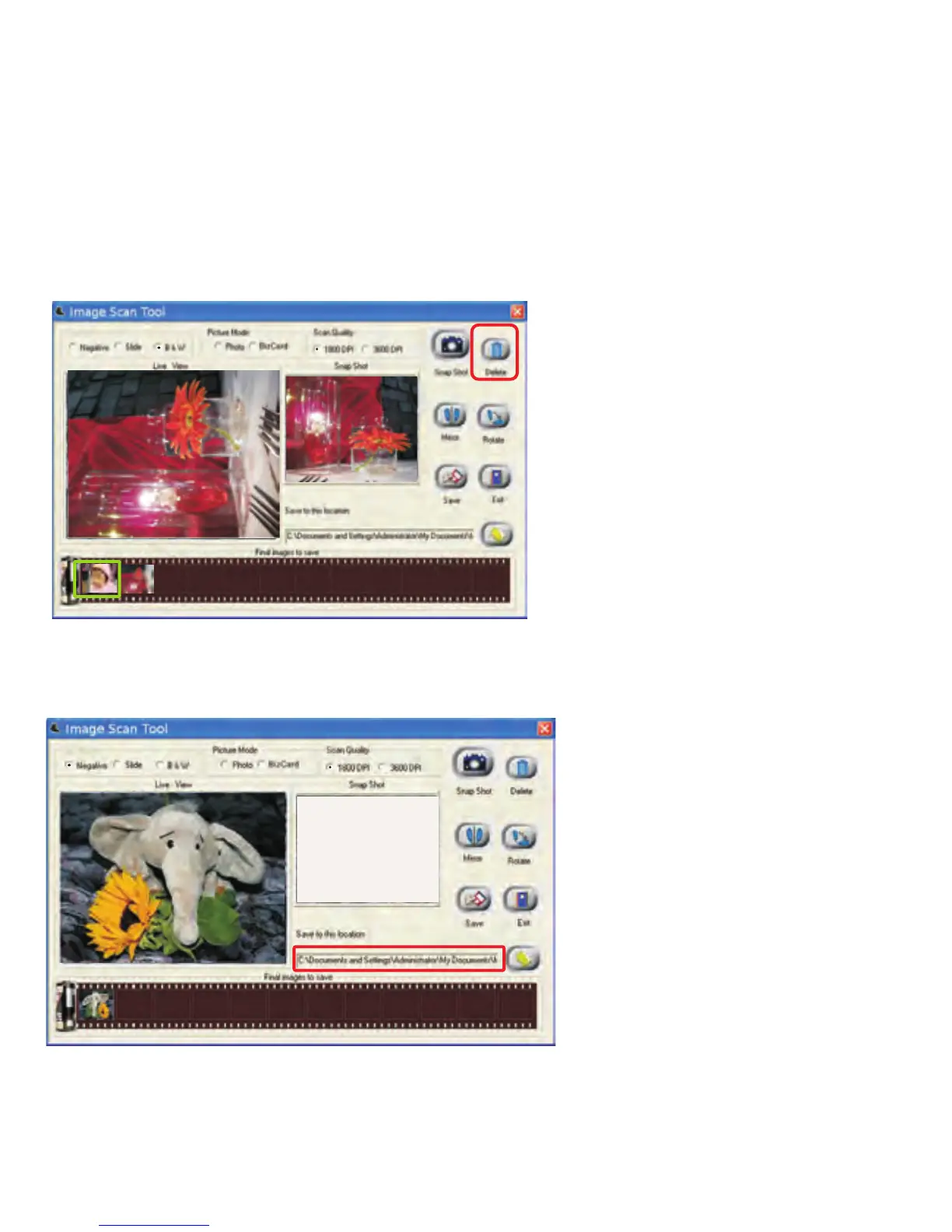
If the user wishes to delete a specific image from the capture pool, simply
click the image under “Final image to save” again, then the selected image
can be deleted by applying the “Delete” button.
After modification, user can save images to the default location at
“C:\Documents and Settings\Users\My Documents\My Pictures”.
-24-


 To Next Page