13
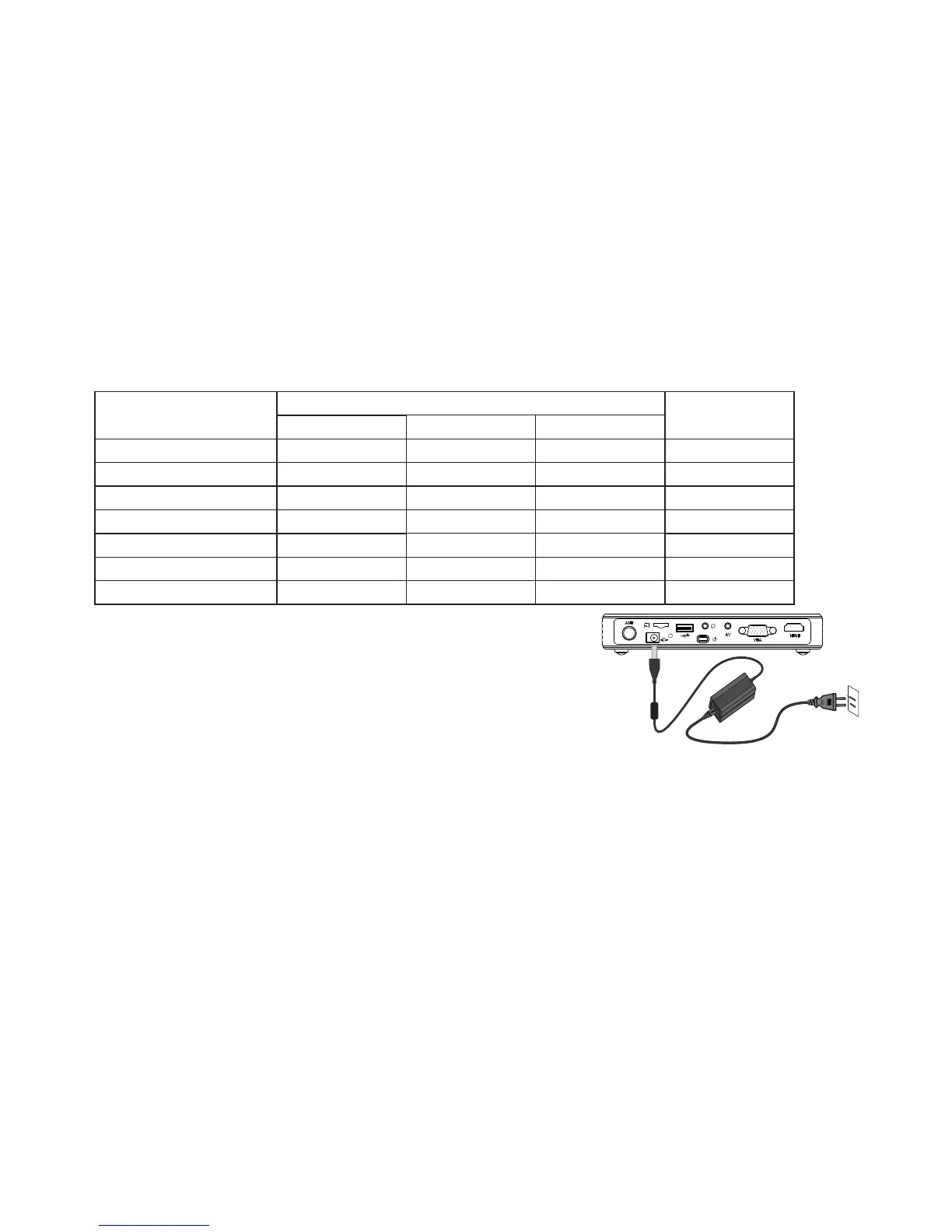
4 Projection size and distance table(just for reference)
Turn the focal wheel to adjust the focal length to obtain a more clear picture.
5 Projector operations
Connect one side of the projector to the AC plug,
the other side to the projector DC port, then press the
power for 3 seconds, the indicator flash till normally
on, then access signal, select the corresponding channel
can get the required image.
Note: When there is no signal for 15 minutes, it will shutdown automatically.
The projector may be equipped with battery, charging indicator light, said charging;
charging indicator off, suggesting the power is full, completely full of power will take
1-4 hours. When using the battery, the remote boot is disabled, you can only press the
body switch key to start the projector.
20
0.50-0.53
40
1.04-1.08
50
1.30-1.34
60
1.56-1.62
80
2.09-2.17
100
2.60-2.70
120 3.16-3.28
16:10
0.53-0.55
1.06-1.10
1.33-1.37
1.59-1.65
2.12-2.20
2.65-2.75
3.22-3.34
16:9
0.57-0.61
1.16-1.20
1.46-1.50
1.75-1.81
2.33-2.41
2.91-3.01
3.49-3.61
4:3
0.63-0.66
1.27-1.31
1.59-1.63
1.92-1.95
2.56-2.59
3.20-3.25
3.84-3.90
Distance(unit:m)
Series number with H
16:10
Size(unit:inch)
Remark: The suggested projection is between
40 inches and 100 inches.



 To Next Page