19
5.6 Connect to Wifi Display Dongle
:
Note: If you do not choose the wireless application, but select the HDMI signal, the wifi
dongle will no image output.
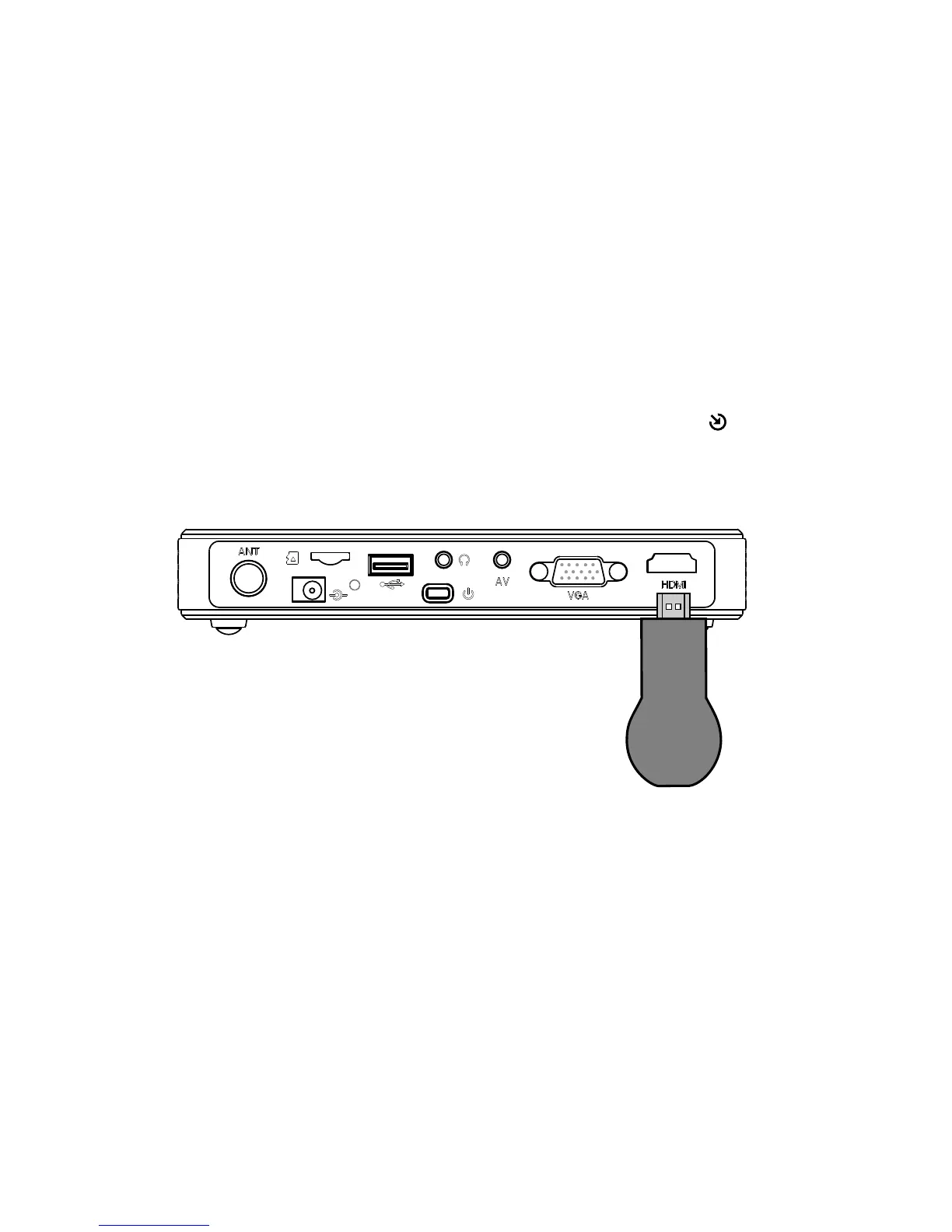
Insert the Wifi display stick to HDMI port upon the projector, press “ ” button and switch to
Wifi display
Connecting method as below photo
*Dongle is an optional purchase



 To Next Page