18
5.5 Connecting to Audio device
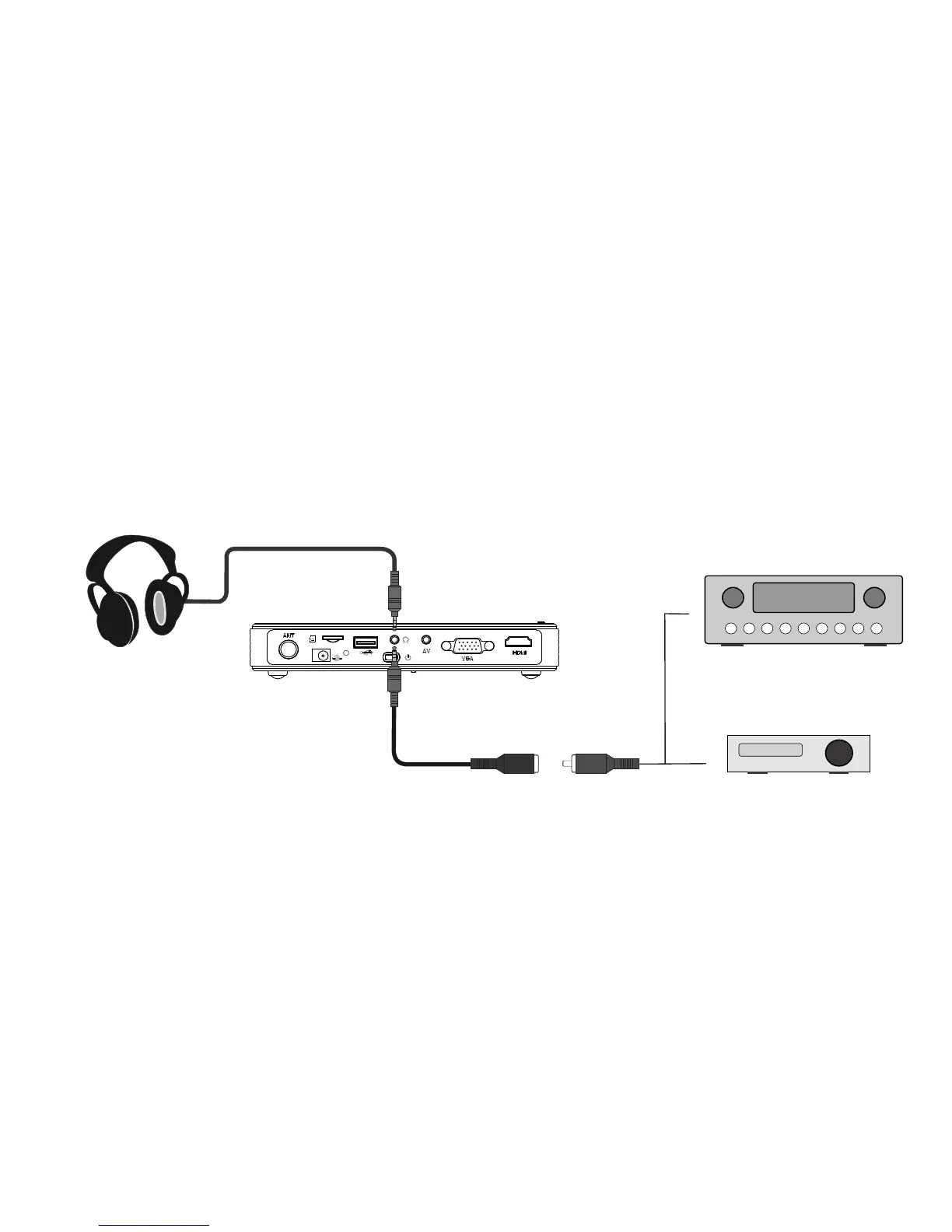
Plug one end of the coaxial audio cable into the projector, the other end to the audio device that support
AC-3/DTS decoding, you can enjoy 5.1 multi-channel surround sound, or plug in the stereo
headphones to appreciate 2.0 stereo.
The complete connection should be like shown below.
Note: There is different definition of the coaxial audio out pine, please use out dedicated coaxial
audio output line.
Headphone
Dedicated coaxial audio output line()optional)
AC-3\DTS decoder
Amplifier support AC-3\DTS decoding



 To Next Page