6.2 Watch 3D Movie
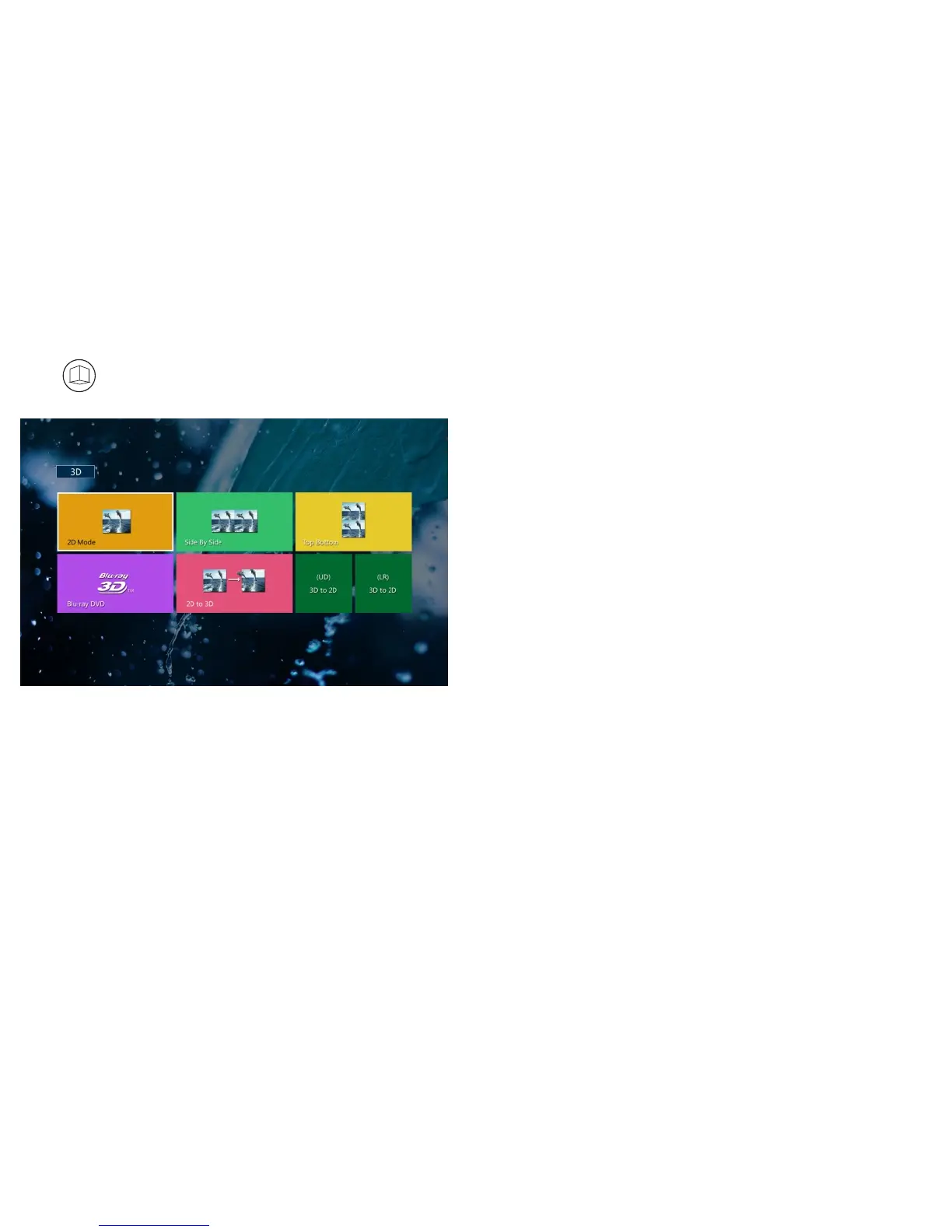
Press on remote or enter “System Setting menu” and select 3D mode, then select the
correct 3D mode inside the projector to play Side by side, Blue-ray, Top bottom format 3D sources.
3
3
D
D
*3D on/off: turn on the 3D option before check 3D content
*Side by side 3D
*top bottom 3D
*Blue-ray 3D (connect to Blue-ray 3D player to play 3D movies)
*2D to 3D (2D movies transfer to 3D directly via projector)
*3D to 2D (side by side, top bottom 3D sources transfer to 2D source)
Note: If connect projector to Blue-ray Player to play 3D movies, please make sure HDMI cable
is higher than 1.4, otherwise the Blue ray Player can not work normally.
27



 To Next Page