17
5.4 Connecting to video device
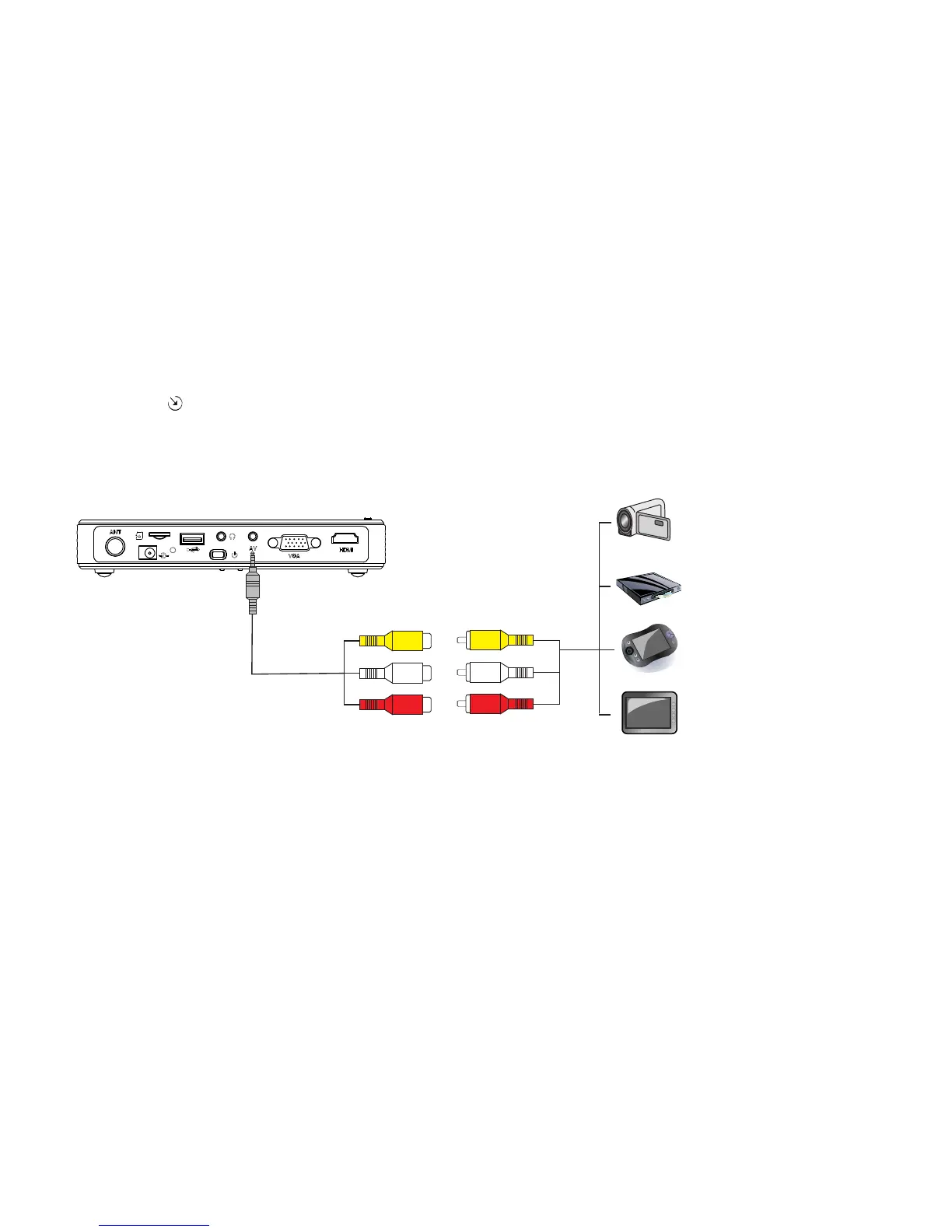
Connect one end of the AV cable to the projector, the other end to the AV equipment corresponding
hole. press on the panel or Source on the remote to change AV channel.
The complete connection should be like shown below.
Note: There is different definition of the AV port, please use the AV cable in the packing.
DVD player/SAT
Game console
Portable media player
DV
Composite AV cable
Projector AV
input cable
yellow
white
red
yellow
white
red



 To Next Page