EasyManua.ls Logo

Insignia NS-OTRC15SS9 - User Manual

Insignia NS-OTRC15SS9
20 pages
Print Icon
To Next Page IconTo Next Page
Loading...
Before using your new product, please read these instructions to prevent any damage.
USER GUIDE
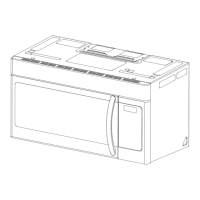
1.5 Cu. Ft. Over-the-Range
Convection Microwave
NS-OTRC15SS9
NS-OTRC15SS9_17-0926_User MAN_V1_ENG.fm Page 1 Friday, February 9, 2018 3:45 PM

Other manuals for Insignia NS-OTRC15SS9

Questions and Answers

  • M
    Michelle MaldonadoAug 1, 2025
    Why Insignia NS-OTRC15SS9 won't start?
    • C
      Christopher CochranAug 1, 2025
      Your Insignia Microwave Oven might not start due to a few reasons: * The electrical cord might not be plugged in. Ensure it is properly plugged in. * The door might be open. Close the door securely and try again. * The wrong operation might be set. Review the instructions to ensure the correct settings are selected.
  • K
    Keith PetersAug 5, 2025
    What to do if my Insignia NS-OTRC15SS9 has arcing or sparking?
    • K
      Kimberly HornAug 5, 2025
      If you notice arcing or sparking in your Insignia Microwave Oven, it could be due to: * Using incorrect materials. Make sure you are only using microwave-safe materials. * Operating the microwave empty. Avoid running the microwave without any contents inside. * Spilled food residue. Clean the microwave with a wet towel to remove any spills.
  • C
    Calvin WhiteAug 9, 2025
    Why is my Insignia NS-OTRC15SS9 Microwave Oven cooking food unevenly?
    • A
      Arthur Andrade Jr.Aug 9, 2025
      Unevenly cooked food in your Insignia Microwave Oven can result from: * Using incorrect materials. Ensure you're using only microwave-safe materials. * Food not fully defrosted. Completely defrost food before cooking. * Incorrect cooking time or power level. Use the correct settings for your food. * Food not turned or stirred. Turn or stir the food during cooking.
  • J
    jsullivanAug 13, 2025
    What to do if my Insignia NS-OTRC15SS9 Microwave Oven is undercooking food?
    • A
      adrienne43Aug 13, 2025
      If your Insignia Microwave Oven is undercooking food, consider these potential causes: * Using incorrect materials. Ensure only microwave-safe materials are used. * Food not completely defrosted. Make sure to fully defrost food before cooking. * Incorrect cooking time or power level. Adjust the cooking time and power level as needed. * Blocked ventilation ports. Ensure that the microwave ventilation ports are not blocked or restricted.
  • B
    Brian JohnsonAug 18, 2025
    What to do if my Insignia NS-OTRC15SS9 Microwave Oven is overcooking food?
    • W
      whitakerjamesAug 18, 2025
      If your Insignia Microwave Oven is overcooking food, it might be due to using an incorrect cooking time or power level. Make sure to use the correct cooking time and power level.
  • R
    Ronald NguyenAug 22, 2025
    Why does the vent fan on my Insignia NS-OTRC15SS9 Microwave Oven turn on by itself?
    • D
      Dylan WilliamsAug 22, 2025
      The vent fan on your Insignia Microwave Oven may automatically start when heat rises from range surface units or burners. It will stay on until the temperature decreases to protect the microwave from excessive temperatures. This is normal operation, and the fan cannot be manually turned off during this time.
  • C
    christopherduranAug 26, 2025
    What does blinking colon mean on Insignia NS-OTRC15SS9 display?
    • K
      Kimberly MortonAug 27, 2025
      The colon blinks to count seconds when the clock is set.

Summary

Important Safety Instructions

Grounding Instructions

Radio Interference

Microwave Energy Exposure Precautions

Cookware and Cooking Materials

Materials You Can Use

Lists materials safe for microwave use, including foil, dinnerware, glassware, and oven bags.

Materials to Avoid

Lists materials that can cause arcing or fire, such as aluminum trays, metal utensils, and paper bags.

Appliance Features

Package Contents

Lists all items included in the microwave package, such as the turntable, wire rack, and filters.

Microwave Oven Components

Details the different parts of the microwave oven, including the control panel, waveguide cover, and turntable.

Control Panel Overview

Setting Up Your Microwave

Installing the Turntable

Step-by-step instructions for correctly installing the turntable assembly for optimal cooking performance.

Using Your Microwave

Microwave Cooking

Guide to operating the microwave function, including setting time and power levels for cooking.

Convection Cooking

Instructions for using the convection feature, including preheating and setting temperatures.

Convection Baking

Convection Without Preheating

Steps for using the convection feature without preheating the oven.

Combination Cooking

Setting the Clock

Using the Kitchen Timer

Quick Cooking Functions

Microwave Defrosting

Defrosting by Weight

Instructions for defrosting food based on its weight using the dedicated function.

Defrosting by Time

Instructions for defrosting food by manually setting the desired defrosting time.

Auto Menu Cooking

Checking Cooking Status

Using Wire Rack and Shelf

Using the Interior Light

Using the Vent Fan

Using the Child Lock

Cleaning and Maintenance

Cleaning the Exterior

Instructions for cleaning the exterior surfaces, door, and control panel of the microwave.

Cleaning the Interior

Guidance on cleaning the interior cavity, waveguide cover, and removing odors.

Cleaning and Replacing Filters

Cleaning Exhaust Filters

Steps for removing, cleaning, and reinstalling the exhaust filters.

Replacing Charcoal Filter

Instructions for replacing the charcoal filter in non-vented installations.

Changing Light Bulbs

Countertop Light Replacement

Procedure for replacing the exterior light bulb underneath the microwave.

Interior Microwave Light Replacement

Procedure for replacing the interior light bulb inside the microwave cavity.

Troubleshooting Common Issues

Customer Service Contact

Product Specifications

One-Year Limited Warranty

Warranty Definitions

Defines terms used in the warranty, such as Product and Warranty Period.

Warranty Coverage Duration

Specifies the duration of the warranty coverage, which is one year from the purchase date.

What the Warranty Covers

Details what the warranty covers, including repair or replacement of defective products.

Obtaining Warranty Service

Provides instructions on how to contact Insignia for warranty service and support.

Warranty Validity Area

States that the warranty is valid only in the United States and Canada.

Exclusions from Warranty Coverage

Lists items and conditions not covered by the Insignia warranty, such as misuse or cosmetic damage.

Insignia NS-OTRC15SS9 Specifications

General IconGeneral
BrandInsignia
ModelNS-OTRC15SS9
CategoryMicrowave Oven
TypeCountertop
Capacity1.5 cu. ft.
Power1000 watts
TurntableYes
Display TypeLED
Cooking PresetsYes
Turntable Diameter12.4 inches
ColorStainless Steel
Child Safety LockYes
Power Levels10
Defrost FunctionYes
TimerYes
Voltage120V
Control TypeElectronic

Related product manuals