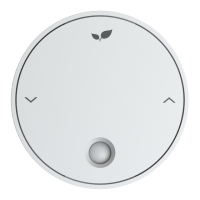
The Ignite Wireless series is a domestic central heating system designed to control two independent channels, typically central heating and hot water. It allows users to switch these channels on and off in response to commands from the supplied Thermostat or remotely using a computer or smartphone.
Function Description
The central heating channel is switched on and off based on commands from the Thermostat. The hot water channel, if applicable, operates according to programmed time intervals set by the user when in Auto Mode. The system is designed for fixed wiring and requires installation by a qualified electrician or heating engineer in accordance with BS 7671 (IEE Wiring Regulations) or an equivalent standard.
Usage Features
Thermostat Operation:
The Thermostat features an Up Key, Down Key, Signal Strength indicator, Call for Heat Indicator, Temperature display, Current Central Heating Function, Current Hot Water Function, Time display, and Battery Life indicator.
Receiver Operation:
The Receiver includes a Call for Heat/Hot Water Indicator, Wifi Connection Status, Left Key, and Right Key.
Basic Functions (Heating):
- Off: Switches off the heating.
- Auto: Follows the Heating Schedule, which can be adjusted via an online account. The default schedule includes varying temperatures throughout the day and night.
- Man (Manual): Keeps the heating on at a set temperature.
- Boost: Temporarily switches on heating for a set period (default 1 hour at 20 degrees). 'BOOST CH' flashes to indicate active boost. After the programmed time, the Thermostat returns to its previous function.
- Adjusting Temperature: Use the Up and Down buttons to set the desired room temperature. Pressing the 'CH MODE' key cycles through the different heating modes.
- Program Advance: Allows users to 'jump' to the next profile temperature in the schedule. This feature is active only in auto mode. Pressing 'ADV CH' a second time cancels the program advance.
Basic Functions (Hot Water):
- Off: Switches off the hot water.
- Auto: Follows the Hot Water Schedule, adjustable via an online account. The default schedule includes specific on/off times.
- Man (Manual): Switches on hot water and maintains the cylinder at the temperature set by the cylinder thermostat.
- Boost: Temporarily switches on hot water for a set period (default 1 hour). 'BOOST HW' flashes to indicate active boost. After the programmed time, the hot water function returns to its previous state.
- Adjusting Mode: Pressing the 'HW MODE' key cycles through the hot water modes.
- Program Advance: Allows users to 'jump' to the next scheduled hot water setting. This feature is active only in auto mode. Pressing 'ADV HW' a second time cancels the program advance.
Setting the Clock:
If connected to the internet, the clock sets automatically. For manual setting, press and hold 'BOOST CH' and 'BOOST HW' keys simultaneously. Use the Up and Down keys to set hours, then 'ADV CH' to move to minutes, and then days (1 = Sunday, 7 = Saturday). To exit, press 'BOOST CH' and 'BOOST HW' simultaneously.
Connecting the System:
The Thermostat can be added to an online account via the "Inspire Home Automation" app (available on Android/iPhone) or through the website www.inspirehomeautomation.co.uk/start. For additional Thermostats, select "User -> Add Device" within the app. Initial setup requires being in the same location as the Inspire system.
Maintenance Features
Installation Guidelines:
- Receiver Installation: Before commencing work, isolate the power supply. Remove the front cover by undoing two screws. The unit is for fixed wiring only. Use cutters to break out the tab for surface mount cable and secure with the supplied clamp. 1mm² cable is recommended, ensuring no bare copper is visible. All wiring must conform to IEEE regulations. The Ignite Receiver is a class 2 device and does not require an earth, but existing earth leads may need to be joined to maintain continuity. The circuit must be protected by a 3 amp fuse.
- Combi Boiler without Room Thermostat or Timer: Install the Ignite Receiver as a wall mount. Disconnect any internal timers. Consult the boiler manual for wiring external controls, typically involving removing a wire link on the boiler terminal block and wiring these terminals to terminals 3 & 4 on the Inspire Terminal board. Connect the Receiver Live (L) and Neutral (N) to the same fused spur as the boiler.
- Combi Boiler with Existing Room Thermostat:
- Wired Thermostat: Remove existing Thermostat wiring from the boiler and follow the steps for "Combi Boiler without Room Thermostat or Timer."
- Wireless Thermostat with built-in receiver: Remove the existing receiver from the boiler and follow the steps for "Combi Boiler without Room Thermostat or Timer."
- Wireless Thermostat with external receiver: Note existing wiring, remove the old receiver, and install the Ignite Receiver as a wall mount. Wire the identified wires into the appropriate terminals on the Ignite Receiver (refer to diagrams for 3 or 4-wire setups).
- System Boiler with Existing Controls: Take clear photos of existing programmer wiring. Identify and label each wire according to its function (Live, Neutral, CH ON/OFF, HW ON/OFF). Install the identified wires into the appropriate terminals on the Ignite Receiver. Add a link wire between terminals 4 & 5 on the Receiver. If an existing wired Room Thermostat is present, its wiring must be removed at the wiring centre, and the thermostat terminals Live and Switched Live/Call linked.
- System Boiler without Existing Controls: If the boiler is newly installed without controls, wire as a standard S or Y Plan.
Thermostat Installation:
- Pull the thermostat away from the wall mount. A back panel can be removed by twisting it anti-clockwise if not needed to cover single gang back boxes.
- Install the wall mount.
- Install batteries in the Thermostat, then place it over the wall mount until it clicks into place.
- For Landlord or Calendar versions, secure the Thermostat with three small Phillips screws.
- Wall Mount Installation: If a single gang back box exists, secure the wall mount using two M3.5 screws. If not, use the wall mount as a template, mark the two holes (60.3 mm apart), drill 5mm holes for supplied wall plugs, and fix with appropriate plugs and screws. Be aware of buried cables before drilling.
Location Considerations:
- Thermostat Placement: Ideally, mount the Thermostat on an internal wall at a height of 1.5m. Avoid draughts (front doors, windows), heat sources, and direct sunlight. The room where the Thermostat is located must have a working radiator, and any Thermostatic Radiator Valve (TRV) must be removed.
- Receiver Placement: Place the Receiver at least 1 meter away from metal objects like boilers or hot water cylinders. Do not install underneath the boiler to avoid potential water damage.
- Radio Signal: The signal travels in a straight line and degrades with distance and objects. The Thermostat and Receiver should ideally communicate through no more than two single-skin brick or stud walls. If signal is poor, consider an Ignite Signal Booster.
Testing the System:
- Signal: Press a Thermostat button to illuminate the display and ensure at least 3 signal bars are visible.
- Central Heating Test: Press 'CH MODE' until the CH Selector hovers over Man. Press the Up key to raise the temperature until a flame icon appears. Check the Ignite Receiver; 'CH' will flash, the flame will illuminate, and the unit will call for heat. Verify the boiler fires up and zone valves move. Press 'CH MODE' again to turn off heating.
- Hot Water Test: Press 'HW MODE' until the HW Selector hovers over Man. Check the Ignite Receiver; 'HW' will flash, the flame will illuminate, and the unit will call for heat. Verify the boiler fires up and zone valves move. Press 'HW MODE' again to turn off hot water. If the boiler doesn't fire, temporarily increase the cylinder stat to max.
- If tests fail, refer to the Troubleshooting section.
Additional Resources:
- Ignite Smart Sensor: For humidity, room temperature differences, or avoiding heating empty houses.
- Ignite Signal Booster: To improve signal strength for Thermostats, especially in older properties with thick walls, or when positioning the Thermostat further from the Receiver.
- Video Tutorials: Available at www.inspirehomeautomation.co.uk/videos.
- Phone App: Download from www.inspirehomeautomation.co.uk/apps or by searching "Inspire Home Automation" in app stores.
- Troubleshooting: Visit www.inspirehomeautomation.co.uk/help for a FAULT FINDING GUIDE, FAQ, and contact information.

 Need help?
 General

 To Next Page