EasyManua.ls Logo

Instant Pot ultra - User Manual

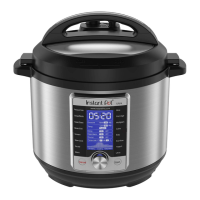
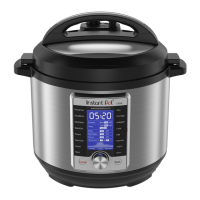
Instant Pot ultra
30 pages
Print Icon
To Next Page IconTo Next Page
Loading...
ULTRA
User Manual

Questions and Answers

  • E
    Erica BakerSep 8, 2025
    Why does the display flash 'Lid' on my Instant Pot ultra Electric Pressure Cooker?
    • P
      Paul HerreraSep 9, 2025
      The 'Lid' message flashes because the lid position is incorrect for the selected program. Close the lid for pressure cooking or open it for sautéing.
  • J
    jeanmasonSep 12, 2025
    Why does my Instant Pot ultra Electric Pressure Cooker beep intermittently and display the 'Ovht' message?
    • J
      Julie TylerSep 12, 2025
      The 'Ovht' message indicates overheating. Starch deposits at the bottom of the inner pot might be clogging heat dissipation. Stop the cooker and inspect the bottom of the inner pot.
  • T
    Tiffany RangelSep 13, 2025
    Why does my Instant Pot ultra make occasional ticking or light cracking sounds?
    • A
      Amy BrockSep 13, 2025
      Occasional ticking or light cracking sounds are normal. It can be the sound of power switching and the expanding pressure board when the temperature changes. Ensure the bottom of the inner pot is dry before cooking. Wipe it if it's wet.
  • P
    Patty BarnesSep 15, 2025
    What to do if my Instant Pot Kitchen Appliances smells and smokes on initial use?
    • S
      Susan KennedySep 15, 2025
      Don't worry, this is normal and harmless. The smell and smoke are caused by the heating of a protective substance applied to the heating element during manufacturing. It usually occurs only on the first use, so no action is required.
  • S
    Sarah Bailey MDSep 17, 2025
    Why am I unable to change the program on my Instant Pot Kitchen Appliances when a cooking program is in progress?
    • N
      nfisherSep 17, 2025
      Once a cooking program has started on your Instant Pot Kitchen Appliances, you cannot switch to another cooking program. To select a new program, press the “Cancel” key to stop the current cooking program.

Summary

Important Safeguards

General Safety Instructions

Essential safety rules and precautions for operating the Instant Pot cooker.

Safe Operation and Handling

Guidelines on safe operation, handling hot liquids, and electrical safety.

Accessory and Food Precautions

Advice on using approved accessories and handling specific foods during cooking.

Pre-Use Checks and Warnings

Ensuring components are clean and free from debris before operation.

Power Cord Safety

Instructions for safe use of the power cord and grounding plug.

Specifications

Product Specifications and Pressure Ratings

Details on cooker model, power, dimensions, weight, and working pressure.

Product Overview

Key Components Identification

Diagram and labels for the Instant Pot Ultra's main parts and accessories.

Anti-block Shield Installation;Removal

Instructions for installing and removing the anti-block shield.

Control and Features

Control Panel Overview

Explanation of the LCD display, central dial, and buttons on the control panel.

Cancel Button Functions

Details on how to use the Cancel button for various operations.

Start Button Function

Description of the Start button's role in initiating cooking.

Cooking Program Options (Part 1)

Overview of available cooking programs and their adjustable settings.

Cooking Program Options (Part 2)

Details on additional cooking programs and their features.

Getting Started

Initial Setup and Cleaning

Instructions for unpacking, cleaning, and preparing the cooker for first use.

Condensation Collector Installation

Steps to install the condensation collector at the rear of the cooker.

Steam Release Valve Installation

Guide on how to install the steam release valve onto the lid.

Lid Operation and Inner Pot Handling

Instructions for removing the lid and handling the inner pot.

Sealing Ring and Lid Placement

Ensuring correct sealing ring installation and lid locking procedure.

Pressure Cooking

Pressure Cooking Programs

List of available pressure cooking programs and initial setup steps.

Starting a Pressure Cooking Cycle

Connecting power and initiating the cooking process.

Quick and Easy Start Method

Step-by-step guide for a quick start cooking process.

Program Settings Adjustment

How to adjust parameters for specific cooking programs.

System Settings Configuration

Adjusting sound, temperature unit, and altitude settings.

Initial Test Run Procedure

Optional test run with water to check cooker functionality.

Preheating and Cooking Cycles

Understanding the preheating phase and the cooking cycle.

Pressure Release Methods

Explanation of Natural Release and Quick Release methods.

Non-Pressure Cooking

Non-Pressure Cooking Programs Overview

Introduction to programs like Sauté, Slow Cook, and Warm.

Initiating Non-Pressure Cooking

Steps for starting non-pressure cooking using Quick and Easy Start or custom settings.

Slow Cook, Warm, and Ultra Modes

Details on using Slow Cook, Warm, and Ultra for non-pressure cooking.

Sauté Function Guide

Instructions for using the Sauté function with temperature options.

Making Yogurt: Heat Milk

Step-by-step process for heating milk for yogurt preparation.

Making Yogurt: Cool Milk and Ferment

Steps for cooling milk, adding starter culture, and fermenting yogurt.

Cooking and Safety Tips

Safety Tips for Operation

Crucial safety advice regarding steam release and lid operation.

Pressure Release and Liquid Guidelines

Tips on pressure release methods and required liquid amounts.

Cooking Time and Delay Program Notes

Factors affecting cooking time and recommendations for the Delay program.

Care and Cleaning

Cleaning Procedures

Instructions for cleaning the inner pot, lid, and other components.

Sealing Ring and Outer Body Care

Proper handling of the sealing ring and cleaning the outer body.

Troubleshooting

Lid and Float Valve Issues

Solutions for problems with closing/opening the lid and float valve.

Steam Leaks and Display Errors

Addressing steam leaks from the lid/valve and display error codes.

Cooking Errors and Sounds

Troubleshooting common cooking errors, codes, and sounds.

Warranty

Limited Warranty Terms

Details on the warranty period, coverage, and exclusions.

Warranty Disclaimers and Registration

Information on implied warranties, limitations, and product registration.

Instant Pot ultra Specifications

General IconGeneral
ModelUltra
Altitude AdjustmentYes
Stainless Steel Inner PotYes
Voltage120V ~ 60Hz
Keep WarmYes
MaterialStainless Steel
Warranty1-year limited warranty
Capacity6 quarts
FunctionsPressure Cooker, Slow Cooker, Rice Cooker, Steamer, Saute, Yogurt Maker, Warmer, Sterilizer
DisplayLarge LCD display
Pressure LevelsHigh and Low
Power1000 Watts
Dimensions13 x 12.5 x 12.5 inches
Weight11.8 pounds
Delay StartYes
Cooking Programs16 Smart Programs

Videos

How to Use the Instant Pot Ultra - Beginner's Guide

How to use the Instant Pot Ultra (3 quart)

Related product manuals