DOSE IT – Operating instructions V08 Operation
www.integra-biosciences.com 19
4.5 Performing the dispensing process
4.6 Working in P
UMP mode
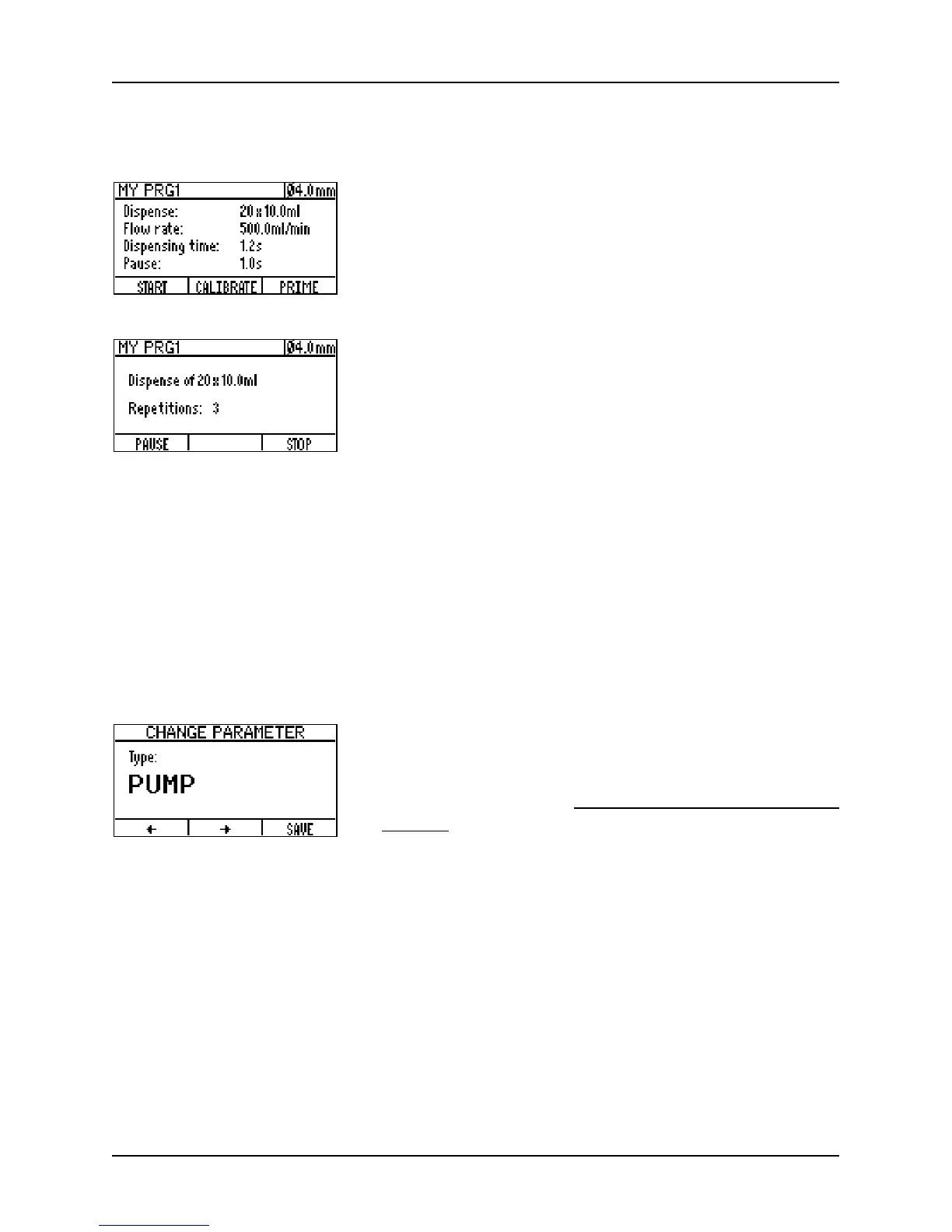
1 In the APPLICATION window select a program and press
S
TART to access the program window. Press PRIME to fill
the tubing with liquid until no more bubbles are in the
tube and calibrate if necessary.
To begin dispensing, press S
TART.
2 While dispensing, there are two possibilities to interrupt
the process:
• P
AUSE – the process is interrupted after completing
the dispensing of the current dose.
• S
TOP – the process is interrupted immediately.
After interruption, the process can either be continued, aborted or parameters can be
changed (the latter is not possible in the customize mode). If parameters have been
changed, the user is asked to either save or discard the changes before exiting the
program.
The completion of the program is announced by a beep and a message appears on the
screen.
To continuously pump a liquid instead of dispensing it,
change the T
YPE-parameter from DISPENSE to PUMP. To
set the other parameters follow the instructions de-
scribed above and in “4.2.2 Program parameters” on
page 13.
The calibration procedure in P
UMP mode works as described above. Note that the
calibration volume is indicated in the calibration window and that it varies depending on
the tubing size and on the selected flow rate.
To use a pumping program, follow the instructions on the screen. Note that you can
change the flow rate without interrupting the pumping by using the arrow keys (not
possible within customized mode).



 To Next Page