DOSE IT – Operating instructions V08 Operation
www.integra-biosciences.com 15
4.3 Adjusting the dispensing program
4.3.1 Choosing the language
N
OTE
Because it is easiest to operate the DOSE IT by following the instructions on
the screen, please select the language you are most familiar with.
Pump Defines continuous pumping of a liquid. Direction
Flow rate
Time
Wait Defines the duration of the interval between two steps.
Manual mode means that the next step has to be activated
manually.
1'' – 9 h 59' 59''
manual
Cycles Defines the number of cycles of a sequence. A cycle
always initiates a return back to a defined step, e.g. step 1.
You can define several cycles within your customized
sequence.
Number of
cycles
1 –999,
Goto step ¥
- No operation, used as default setup of step. -
Step Description Parameter
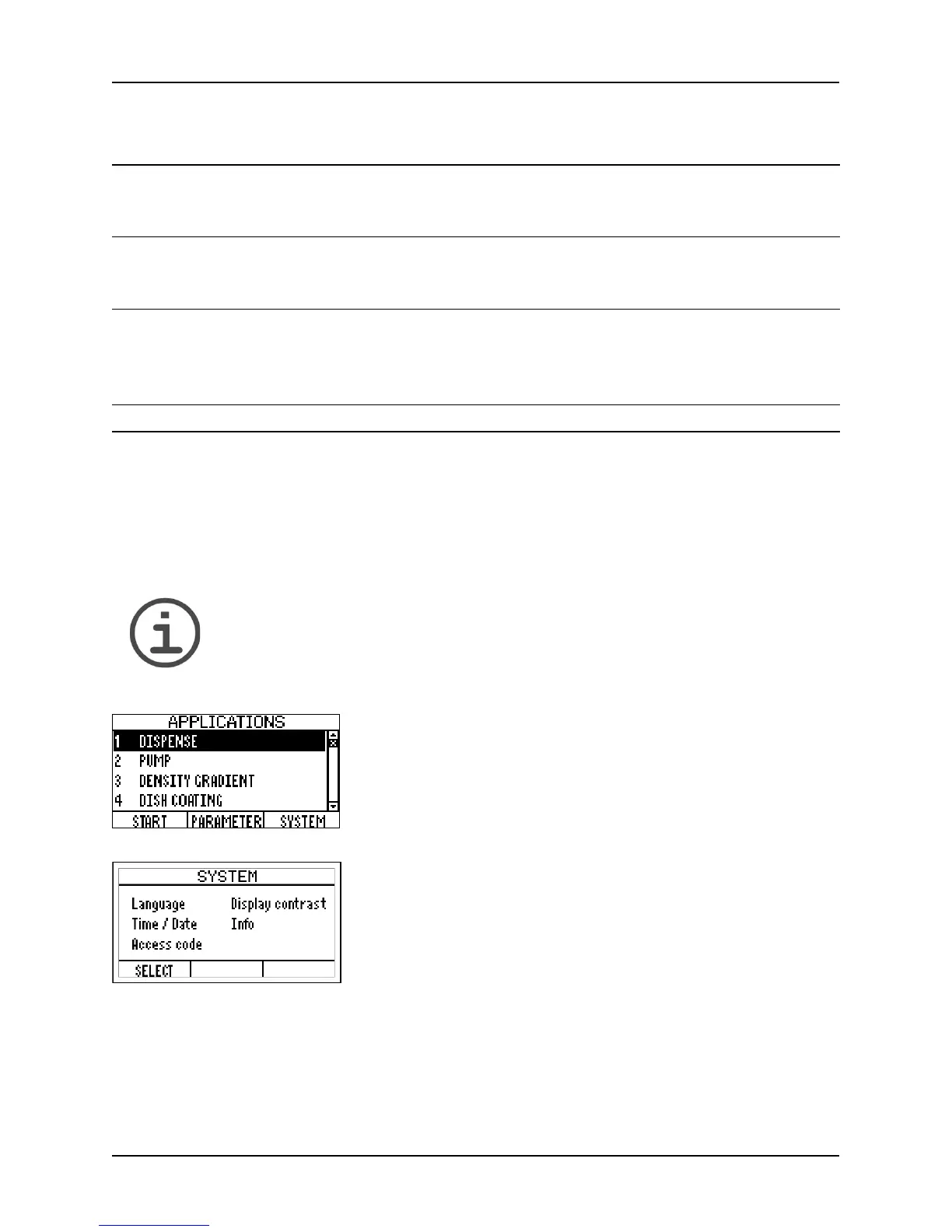
1 Switch on the DOSE IT by pressing the mains switch at
the back.
The A
PPLICATIONS window appears. The first four
programs in the application list are already pre-defined
with default values.
2 Press SYSTEM to access the SYSTEM window and set the
language of your choice by accessing the LANGUAGE
menu.
In the S
YSTEM window you can also set the display
contrast, the date and the time, and an access code, if
required.



 To Next Page