DOSE IT – Operating instructions V08 Operation
16 INTEGRA Biosciences AG
4.3.2 Access code
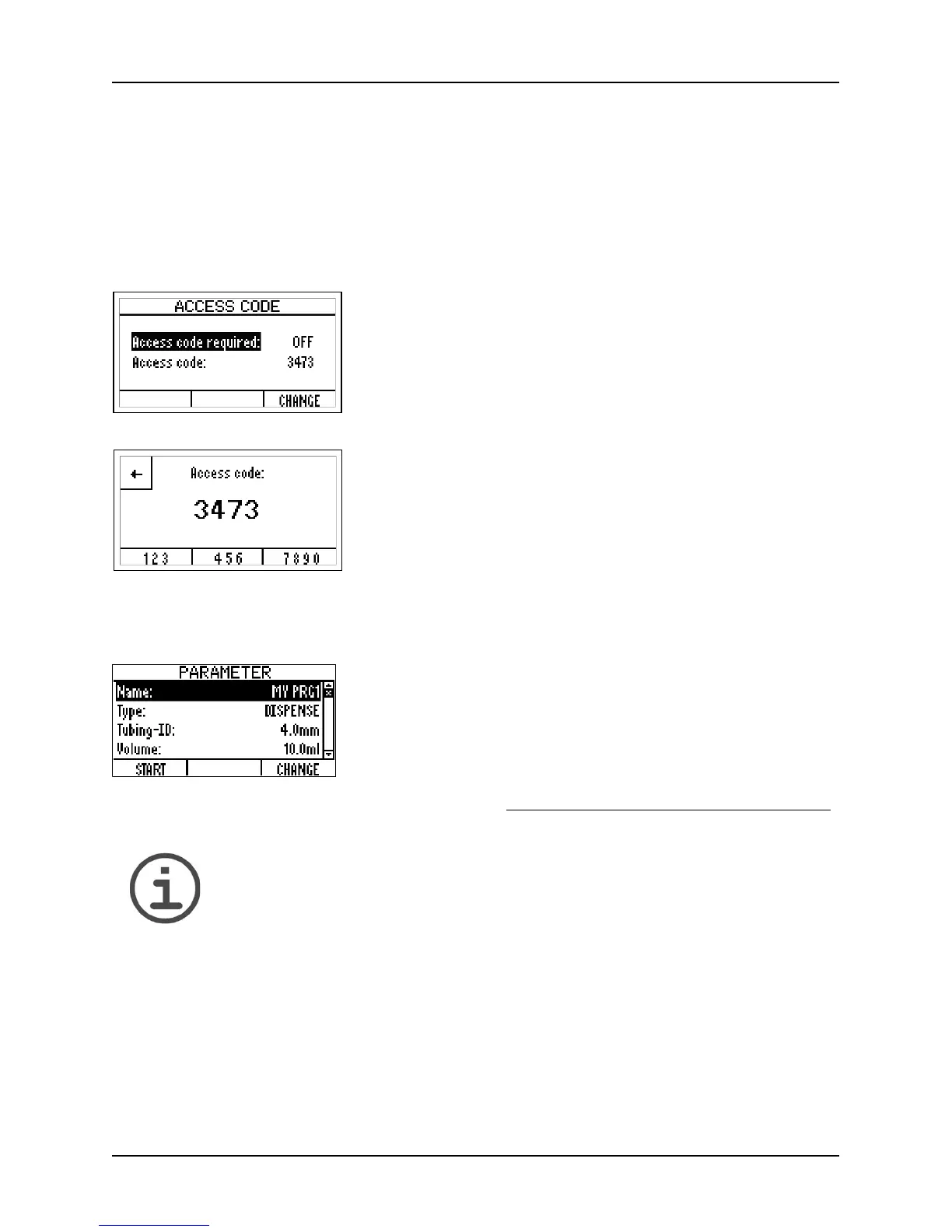
The DOSE IT system and parameter settings can be protected by a code, if activated
(Access code required ON). Before any parameter changes can be performed, an access
code must be entered. A standard user can only run defined programs.
Select the A
CCESS CODE window and enter the default access code “3473” by typing the
appropriate key until the correct number appears on the screen. Press the back-key.
4.3.3 Setting the dispensing parameters
N
OTE
The DOSE IT has a memory capacity for storing 20 programs, all of which
can be configured according to your specific applications.
1 Select the line “Access code required” and press
C
HANGE. Use the arrow keys to select “Access code
required: ON” and press S
AVE.
2 For changing the Access code select this line and press
S
AVE.
3 Change the default access code to your personal code,
if required. Enter the numbers by the arrow keys and
select the digit with the function keys (, ). Keep this
code in a save place. Press S
AVE.
1 Press the back-key to exit the SYSTEM window and to
return to the A
PPLICATION window. Press PARAMETER to
configure the program that is backlit.
2 Use the arrow keys to select the listed parameters and
press C
HANGE to set different values.
All parameters and their values are described in “4.2.2
Program parameters” on page 13.



 To Next Page