DOSE IT – Operating instructions V08 Operation
18 INTEGRA Biosciences AG
4.4 Calibrating the pump
NOTE
The calibration procedure tunes the pump to deliver a precise output. The
output of the pump is determined by the tubing's inner diameter; therefore a
calibration is necessary for tubing with different inner diameter. Also calibrate
the pump after changing the fluid to be pumped. It is recommended to
calibrate the pump at regular intervals to maintain its precision.
I
MPORTANT NOTE
A calibration value is stored for each of the 20 programs that can be saved.
Therefore a calibration for each of the 20 programs is necessary, even when
the tubing inner diameter remains the same. Within each program, only the
last calibration value is saved, hence calibrate whenever there is a change in
the viscosity of the pumped liquid, of the flow rate or of the tubing inner
diameter.
Each step within a customized program has to be calibrated separately.
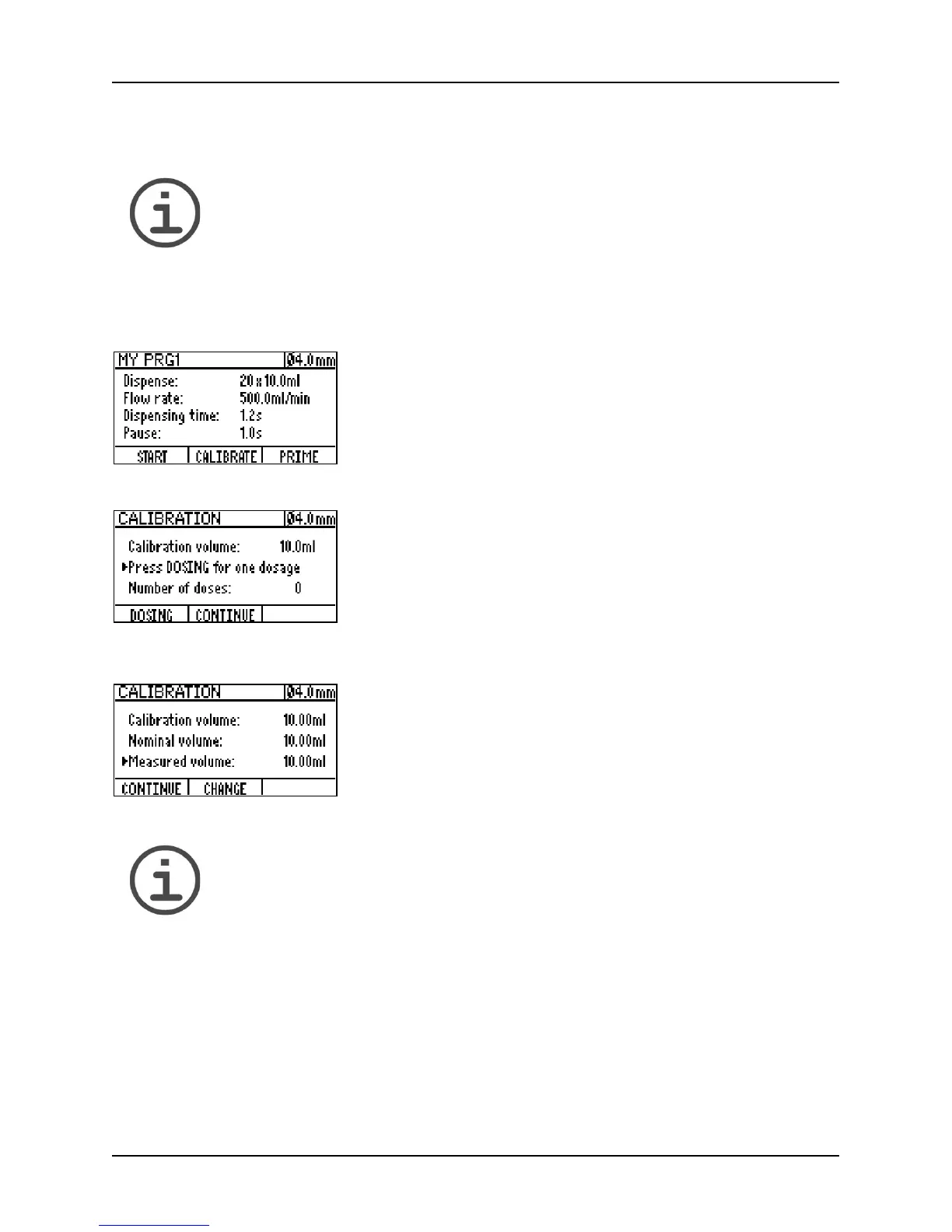
1 Select a program and press START to access the
program window. Put the tubing end with the aspiration
tube in the liquid that has to be dispensed and press
P
RIME to fill the tubing with liquid without bubbles.
2 Press the CALIBRATE button to enter the calibration
dialogue window and DOSING to obtain a calibration
sample. To reduce the measurement error it is possible
to obtain up to ten such dosing samples (by repeatedly
pressing the D
OSING button).
3 After one or more calibration samples have been
dispensed and measured, press the C
ONTINUE button
and enter the measured volume (CHANGE button). To
end the calibration procedure press CONTINUE.



 To Next Page