46
Basic Operation
—Continued
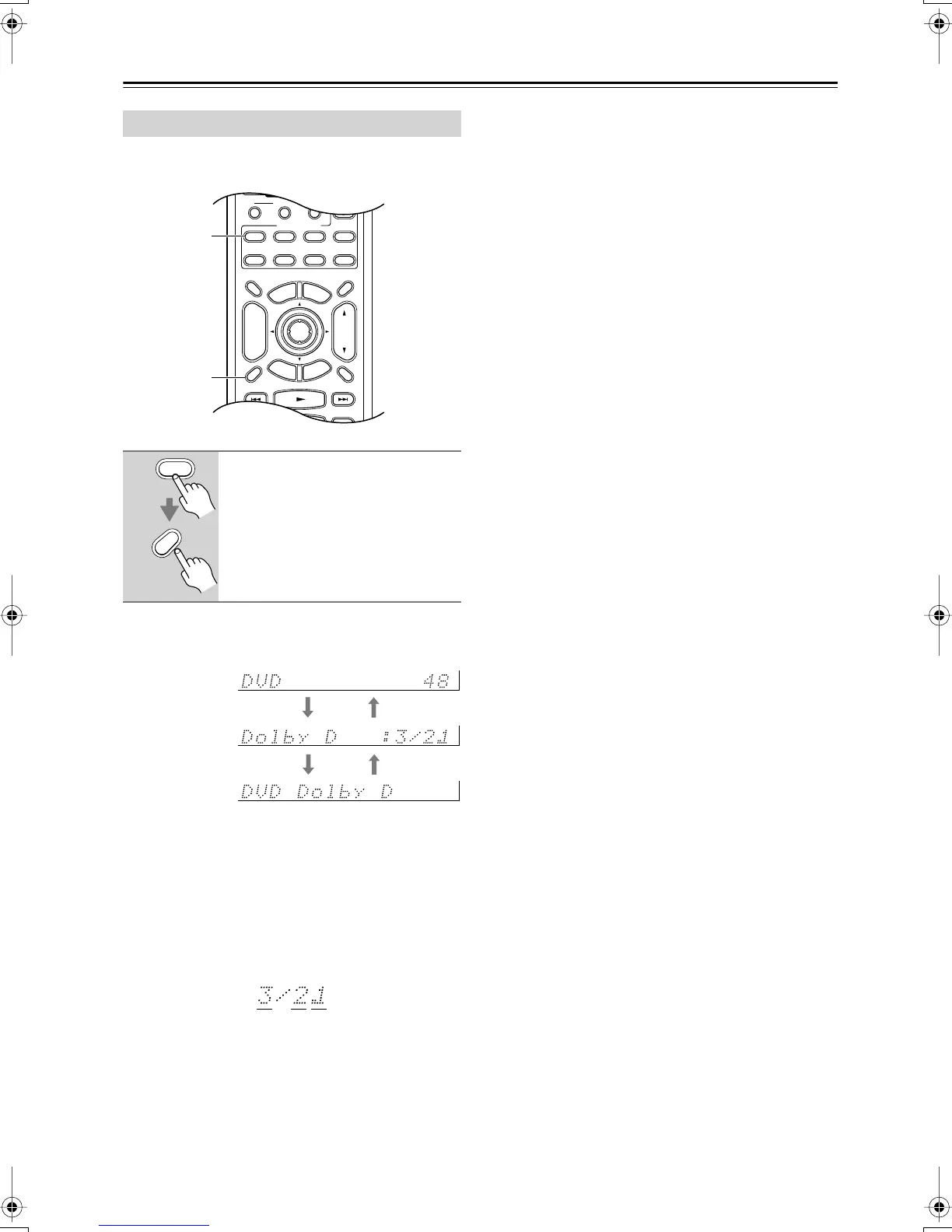
You can display various information about the current
input source as follows.
The following information can typically be displayed for
input sources.
*If the input signal is analog, no format information is
displayed. If the input signal is PCM, the sampling fre-
quency is displayed. If the input signal is digital but not
PCM, the signal format is displayed. Information is dis-
played for about three seconds, then the previously dis-
played information reappears.
Interpreting Surround Channel Values
A: The number of front channels (3 means front left,
front right, and center).
B: The number of surround channels (2 means surround
left and surround right).
C: LFE channel for subwoofer (1 means yes).
Displaying Source Information
Press the [Receiver] button, and
then press the [Display] button
repeatedly to cycle through the
available information.
Display Muting
RandomRec
E
x
i
t
G
u
i
d
e
Prev
CH
--
/
---
Dimmer
Tape
TV
Input
Sleep
Enter
T
o
p
M
e
n
u
M
e
n
u
S
e
t
u
p
R
e
t
u
r
n
VOL
CH
Disc
SATTV VCR Cable
DVD
Receiver
CD
Macro
123
MD/CDR
+
-
Input Selector
Remote Mode
Zone 2
Receiver
Display
Receiver
Display
Input source &
volume
Signal format*
or sampling
frequency
Input source &
listening mode
ABC
DTR-4.5En.book Page 46 Tuesday, August 10, 2004 9:39 AM



 To Next Page