75
Controlling Other Components
—Continued
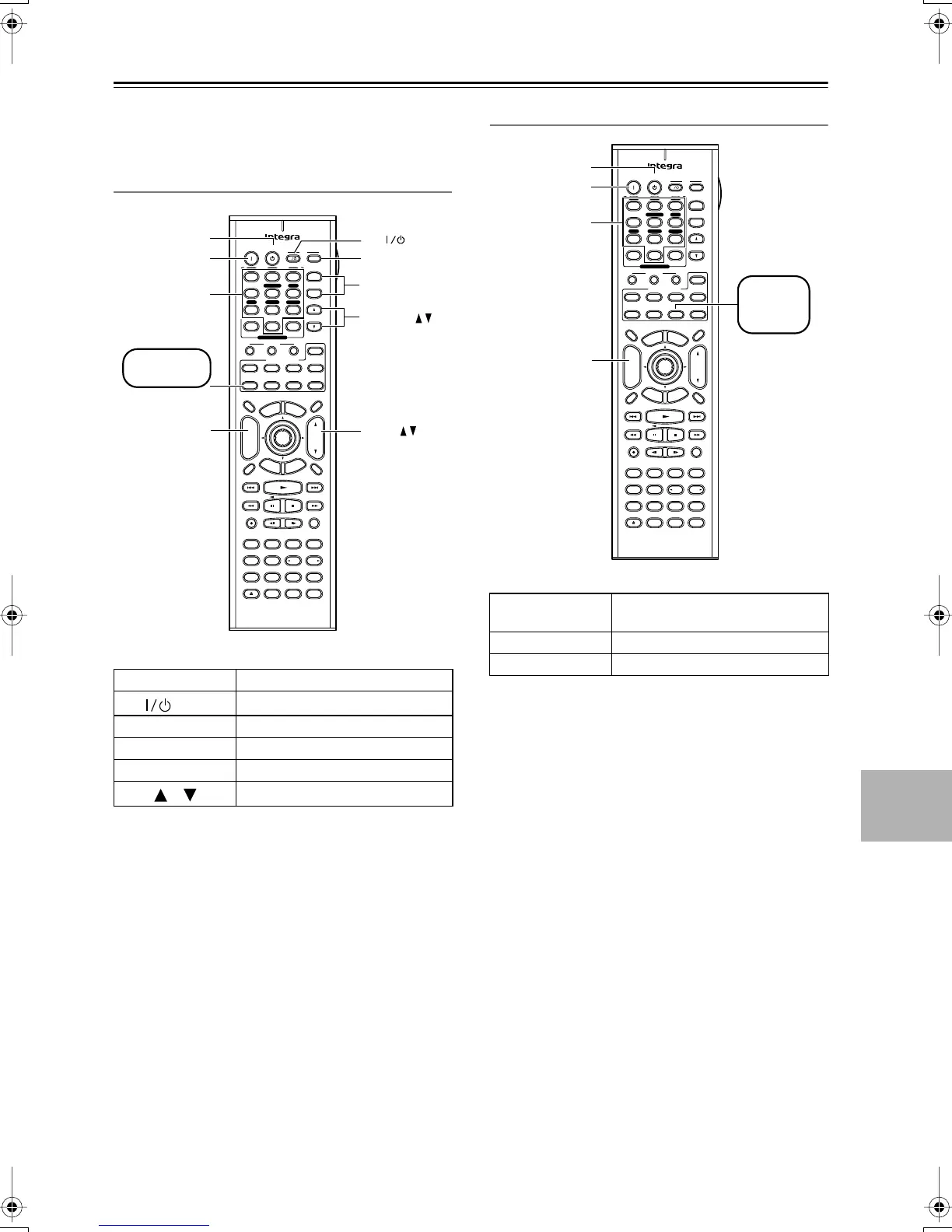
To control another component, point the remote control-
ler at it and use the buttons as explained below (you must
select the appropriate remote control mode first).
Controlling a TV
Buttons marked with an asterisk can always be used to
control a TV regardless of the currently selected remote
controller mode.
The following buttons control the AV Receiver.
[VOL]: Adjusts the volume of the AV receiver.
[Muting]: Mutes the AV Receiver.
Controlling a Cable Receiver
The following buttons control the AV Receiver.
[VOL]: Adjusts the volume of the AV receiver.
[Muting]: Mutes the AV Receiver.
[On], [Standby]
Set the TV to On or Standby
TV [ ]
Tu rn the TV on or off
Number buttons
Enter numbers
[CH +/–]
Select channels on the TV
[TV INPUT]
Select inputs on the TV
VOL [ ]/[ ]
Adjust the TV’s volume
On Standby
TV
Display Muting
RandomRec
Last Memory
AngleSubtitleAudio
MemorySearchA
-
BRepeat
RC
-
587M
E
x
i
t
G
u
i
d
e
Prev
CH
TV CH
TV VOL
--
/
---
Dimmer
Tape
TV
Input
Sleep
Input
I
Enter
Test Tone
CH SEL
Surround
Direct
StereoAll ST
Level
+
Level
-
L Night
DSP DSP
T
o
p
M
e
n
u
M
e
n
u
S
e
t
u
p
R
e
t
u
r
n
VOL
CH
Disc
SATTV VCR Cable
DVD
Receiver
CD
+
10 0
Clear
123
456
789
+
-
Video OffOpen /Close
Macro
123
MD/CDR
Cine Fltr
+
-
Input Selector
V1 V2 V 3
CD Tape
DVD
Multi CH
Tuner
Remote Mode
Zone 2
CH
TV Input
TV CH +/–
VOL
On
*
*
*
*
Standby
TV VOL
TV
Number
buttons
Press [TV]
first
*
[On], [Standby]
Set the cable receiver to On or
Standby
[CH +/–]
Select cable channels
Number buttons
Enter numbers
On Standby
TV
Display Muting
RandomRec
Last Memory
AngleSubtitleAudio
MemorySearchA
-
BRepeat
RC
-
587M
E
x
i
t
G
u
i
d
e
Prev
CH
TV CH
TV VOL
--
/
---
Dimmer
Tape
TV
Input
Sleep
Input
I
Enter
Test Tone
CH SEL
Surround
Direct
StereoAll ST
Level
+
Level
-
L Night
DSP DSP
T
o
p
M
e
n
u
M
e
n
u
S
e
t
u
p
R
e
t
u
r
n
VOL
CH
Disc
SATTV VCR Cable
DVD
Receiver
CD
+
10 0
Clear
123
456
789
+
-
Video OffOpen /Close
Macro
123
MD/CDR
Cine Fltr
+
-
Input Selector
V1 V2 V 3
CD Tape
DVD
Multi CH
Tuner
Remote Mode
Zone 2
CH
On
Standby
Number
buttons
Press
[CABLE]
first
DTR-4.5En.book Page 75 Tuesday, August 10, 2004 9:39 AM



 To Next Page