26
Using preset radio stations
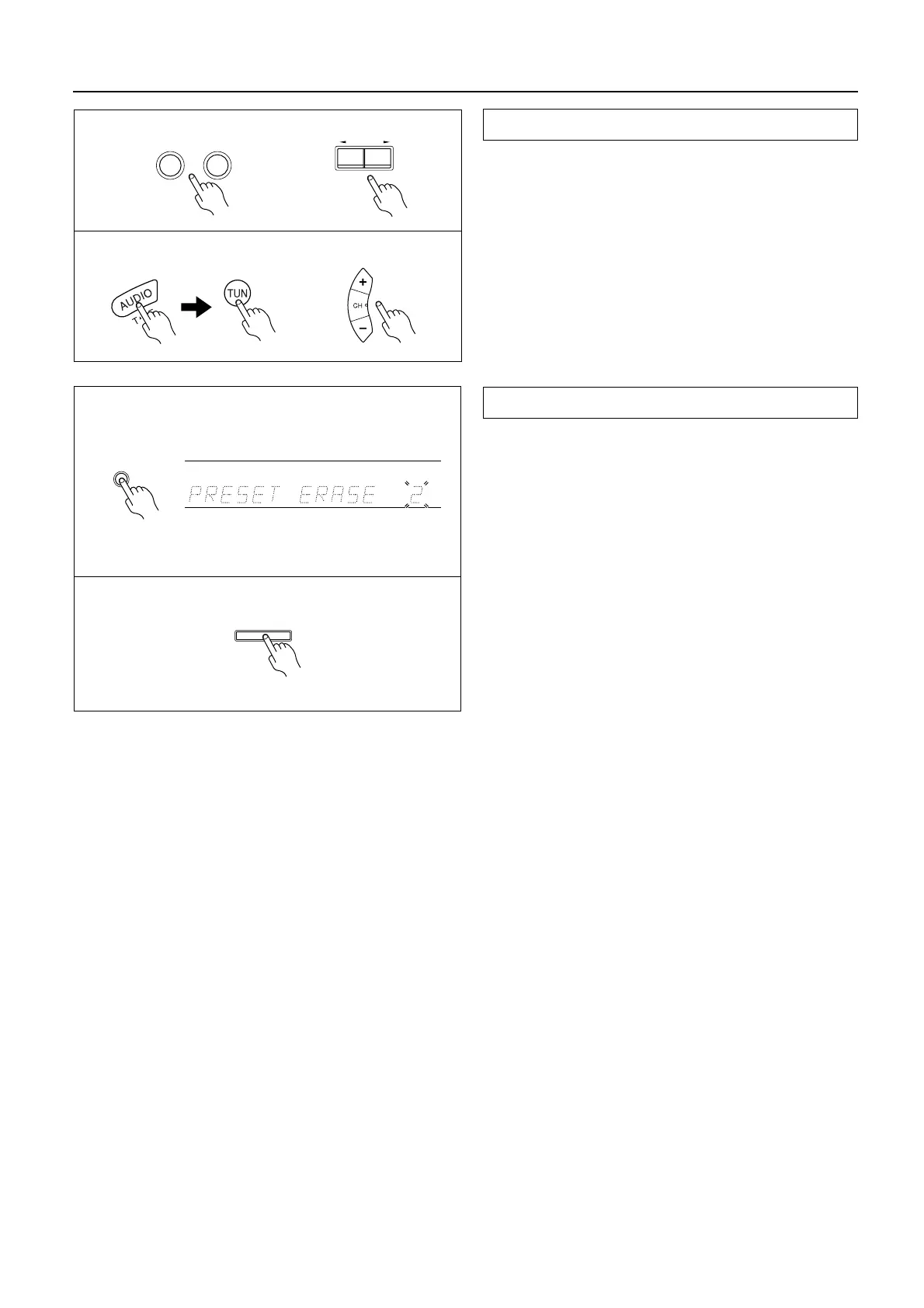
1. Select the tuner as the source by pressing the AM or
FM input selector button on the main unit.
2. Enter the desired preset number using the Preset/
Mode ADJ √/® button.
Remote controller operation
1. Press the MODE AUDIO button.
2. Select the tuner as the source by pressing the TUN
input selector button on the remote controller.
3. Press the CH (– or
+) button.
1. Select the preset station you wish to remove as
explained in the previous section.
2. Press the Memory button twice.
“PRESET ERASE” appears on the display.
3. While “PRESET ERASE” is displayed, press the Enter
button.
• Once the preset station has been cancelled, the
memory location can be used to store another sta-
tion.
Selecting a preset station
Cancelling preset stations
Remote controllerRemote controller
FM
AM
UpDown
Preset/Mode ADJ
1
1, 2
2
3
Memory
ch
2
3
Enter



 To Next Page