30
Enjoying Music and Movies in the Sub-room
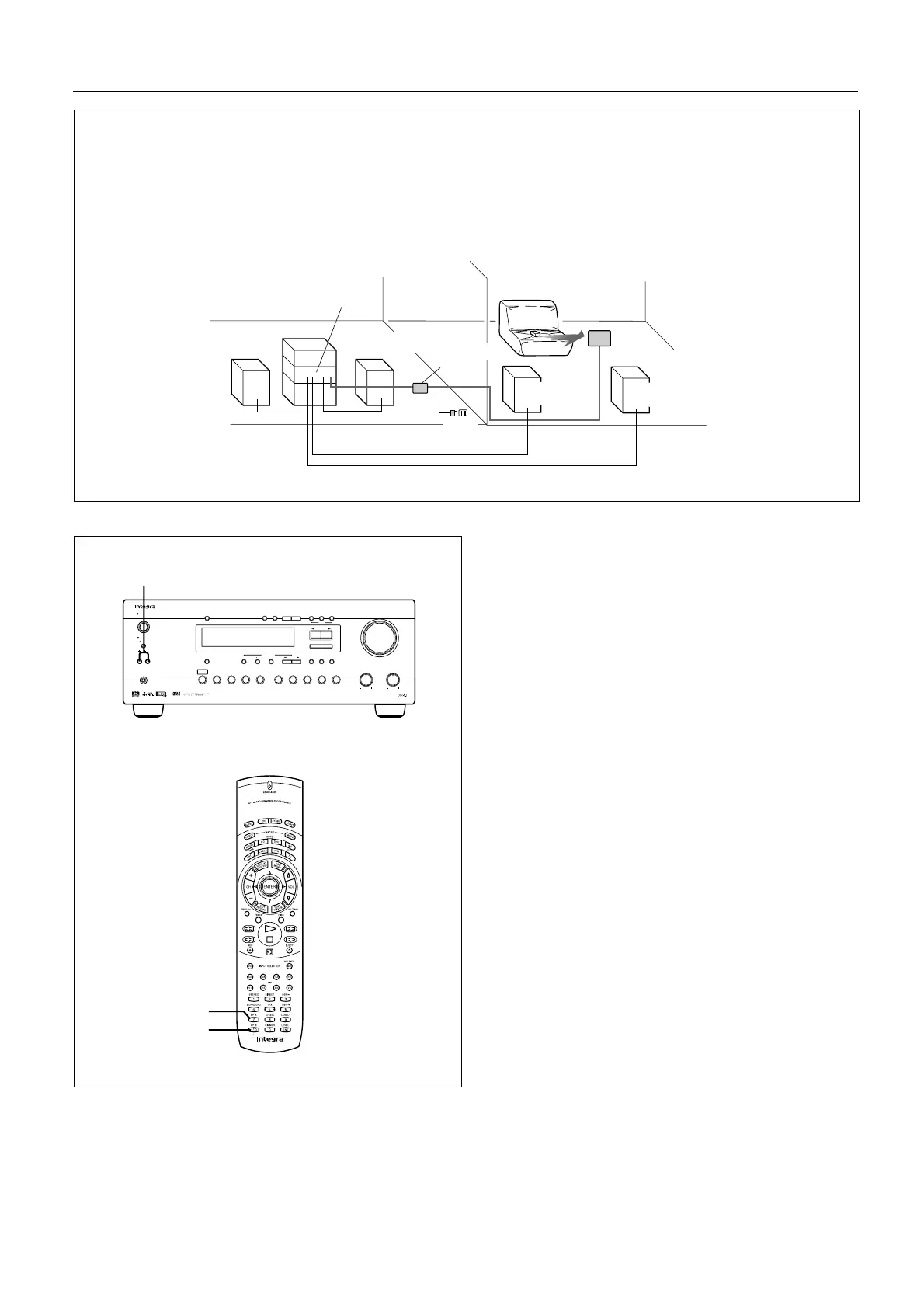
Outline of Multi-room Remote System
If you connect Onkyo Multi-room Remote System components as shown below, you can control the components
from an adjacent sub-room as well as from the room where the DTR-5.1 is located.
You can operate the main unit with the remote control-
ler from the main room and Sub-room.
Use the remote controller to control the system in the
sub-room. Pointing the remote controller toward the
remote sensor.
Note:
• If you are listening to music both in the main room
and sub-room, turn Speakers A and B on. However, if
you select Multi CH Input or use Surround mode in the
main room, the audio in the sub-room will be muted.
• If you are listening to music only in the sub-room,
press the Speakers A button to turn off the speaker
output in the main room.
When you finish listening to music in the sub-room,
turn down the speaker volume to the minimum so
that a sudden loud volume will not surprise you next
time you use the system.
• Please note that some third-party multi-room system
components may not be fully compatible with the
Onkyo multi-room system components.
MAIN ROOM SUB ROOM
DTR-5.1
Remote
sensor
Remote
controller
Speaker B
(Sub room)
Speaker B
(Sub room)
Speaker A
(Main room)
Speaker A
(Main room)
Power
supply
Connecting
block
SP A
Speakers A/B
SP B
Standby/On
Standby
Speakers
A
B
Phones
Bass
Treble
Master Volume
Multi CH
Input
Video 1
VCR
Video 2 Video 3 Tape
FM
AM Phono CDDVD
Dimmer
Memory
CH Level
Mode
Down UpTuning
FM Mode
Stereo
DSP
Re-EQDisplay
Listening Mode
CH Stereo5
/DTS
Surround
Digital/
Analog
SP/SYS
Setup
On
O
f
f
Power
Late Night/
Front Effect
LFE Level
Control
UpDown
Enter
Preset/Mode ADJ
HOME THEATER CONTROLLER
RC-424M



 To Next Page