68
Advanced Setup
—Continued
Here you can set listening mode-related settings and
functions.
Note:
• This procedure can also be performed on the AV
receiver by using its [Setup] button, arrow buttons, and
[Enter] button.
Audio Adjust Functions
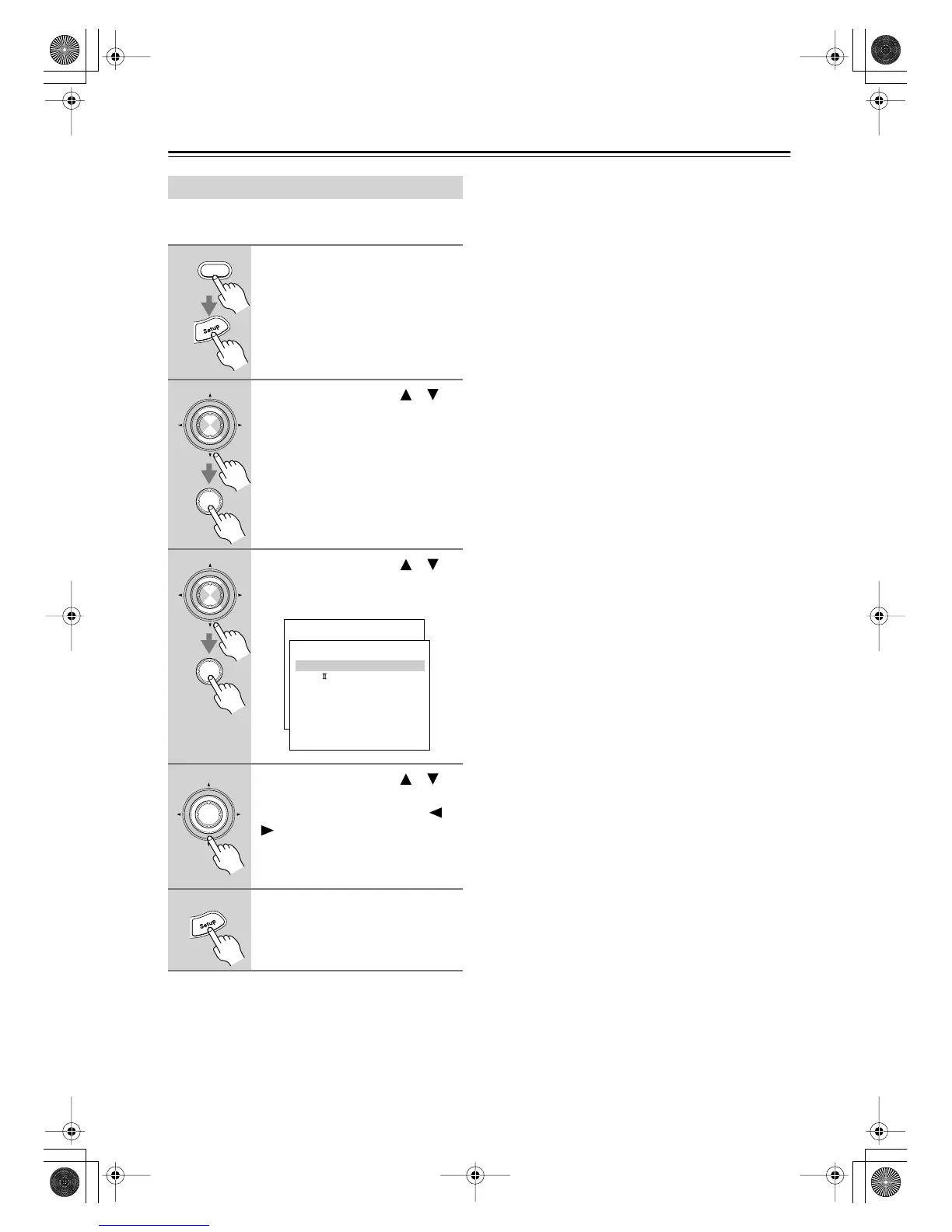
1
Press the [Receiver] button fol-
lowed by the [Setup] button.
The main menu appears onscreen.
2
Use the Up and Down [ ]/[ ]
buttons to select “4. Audio
Adjust,” and then press [Enter].
The Audio Adjust menu appears.
3
Use the Up and Down [ ]/[ ]
buttons to select menu items,
and then press [Enter].
4
Use the Up and Down [ ]/[ ]
buttons to select the settings,
and use the Left and Right [ ]/
[] buttons to set them.
The settings are explained below.
5
When you’ve finished, press the
[Setup] button.
The setup menu closes.
Receiver
Enter
Enter
Enter
Enter
Menu
------------------------
1.Initial Setup
2.Speaker Setup
Advanced Setup
3.Surround Setup
4.Audio Adjust
5.Listening Mode Preset
6.Preference
Basic Setup
4.Audio Adjust
------------------------
2.PL x/Neo:6
3.Enhance
4.Orchestra
5.Unplugged
6.Studio-Mix
7.TV Logic
8.Mono Movie
9.Theater-Dimensional
1.Mono
Enter
DTR-6.5,5.5En.book Page 68 Wednesday, July 28, 2004 9:07 AM



 To Next Page