Appendix
En-102
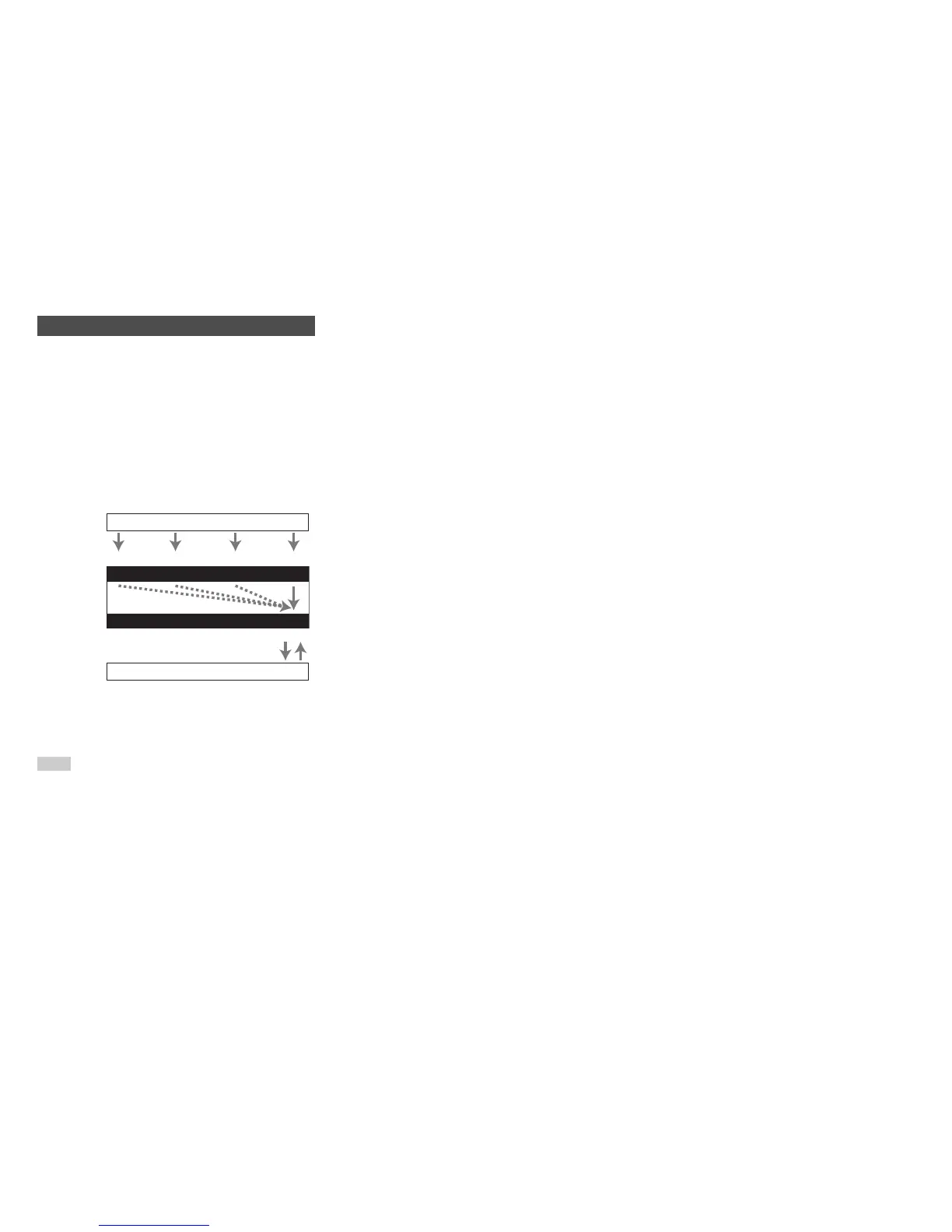
Audio components can be connected by using any of the
following audio connection formats: analog, optical,
coaxial, or HDMI.
When choosing a connection format, bear in mind that the
AV receiver does not convert digital input signals for
analog line outputs and vice versa.
If signals are present at more than one input, the inputs will
be selected automatically in the following order of priority:
HDMI, digital, analog.
*1
Depends on the “Audio TV Out” setting (➔ page 74).
*2
This is possible when “Audio Return Channel” is set to
“Auto” (➔ page 75), the TV/CD input selector is selected,
and your TV is ARC capable.
Tip
• When a signal is input via HDMI and the corresponding input
selector is selected, the HDMI indicator lights. In the case of an
optical or coaxial connection, the DIGITAL indicator lights. In
the case of an analog connection, neither of the HDMI and
DIGITAL indicators light.
Audio Connection Formats
IN
OUT
Blu-ray Disc/DVD player, etc.
AV receiver
TV, projector, etc.
HDMICoaxial Analog
Audio Signal Flow Chart
HDMI
Optical
*1
*1 *1
*1 *2



 To Next Page