19
password to connect to the visitors network. Up to 63 characters are allowed in this eld.
» Validity: inform for how many hours you want the visitors network to be available, after that time the visitors network
will be disabled. If you want the visitors network to be always available, select the option
Always
.
» Shared bandwidth among guests: if you wish to limit the bandwidth available to your visitors you can choose how
many Mbps they can use.
Note: the elds
2.4 GHz Wi-Fi Network Name
,
5 GHz Wi-Fi Network Name
and
Wi-Fi Network Password
allow the
following characters:
Space ! “ # $ % & ‘ ( ) * + , - . / 0 1 2 3 4 5 6 7 8 9
: ; < = > ? @ A B C D E F G H I J K L M N O P Q R S
T U V W X Y Z [ \ ] ^ _ ` a b c d e f g h i j k l m
n o p q r s t u v w x y z { | } ~
4.7. Parental control
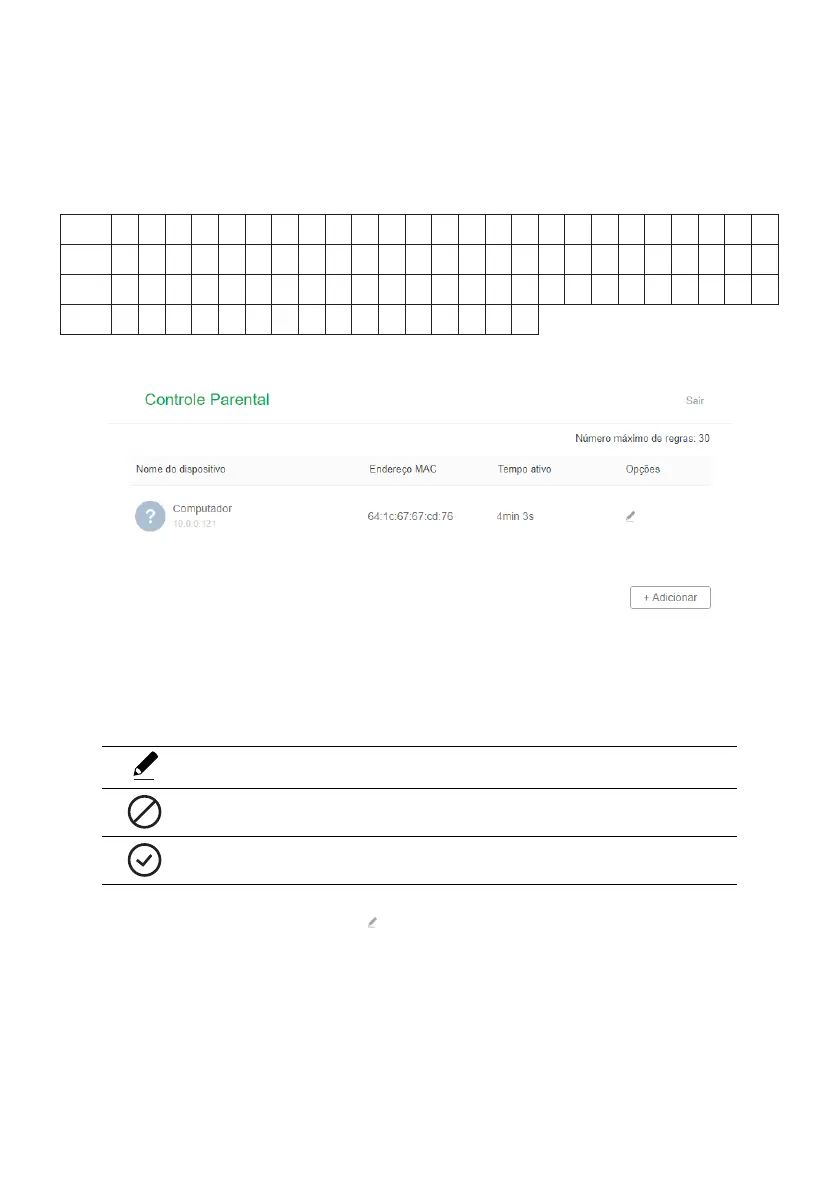
Parental control conguration screen
In the menu
Parental control
,
it is possible to congure the time of access to the internet and the websites that each device
will be able to access.
When accessing the menu
Parental Control
, a list of connected devices will be displayed, informing the name, MAC
address, active time and options for each device. The available options are:
Edit the time and sites that the device will be able to access.
Disables parental control for the device, allowing full internet access (icon displayed only when there is a rule
congured for the device).
Enables parental control for the device, allowing access to only the specied sites and at the congured time (icon
displayed only when parental control is disabled for the device).
The following options are available when clicking :
» Device name: you can change the default device name for easy identication.



 To Next Page