12
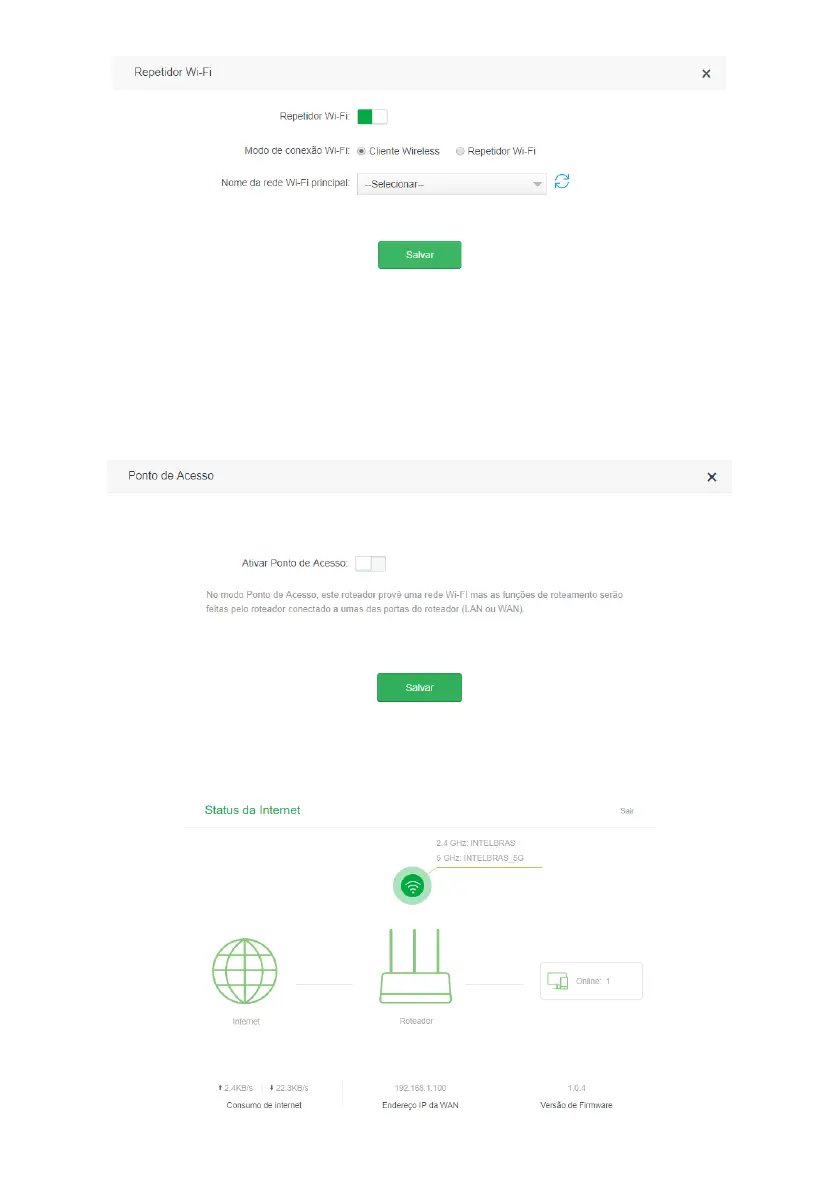
Wireless client conguration screen
Access point
With this mode, the product will not perform routing, but will only serve to provide Wi-Fi and cable access to an existing
network. In this use scenario, the port
WAN
will work as a
LAN
port.
To use the mode
Access Point
, you will need to access the product's web conguration interface (through the IP address
10.0.0.1
or the link
http://meuintelbras.local
) and navigate to the menu
Wi-Fi Network Settings>Access Point.
On this
screen, enable the option
Activate
Access Point
and click
Save.
Access point conguration screen
4.3. Internet status
Internet status screen



 To Next Page