22
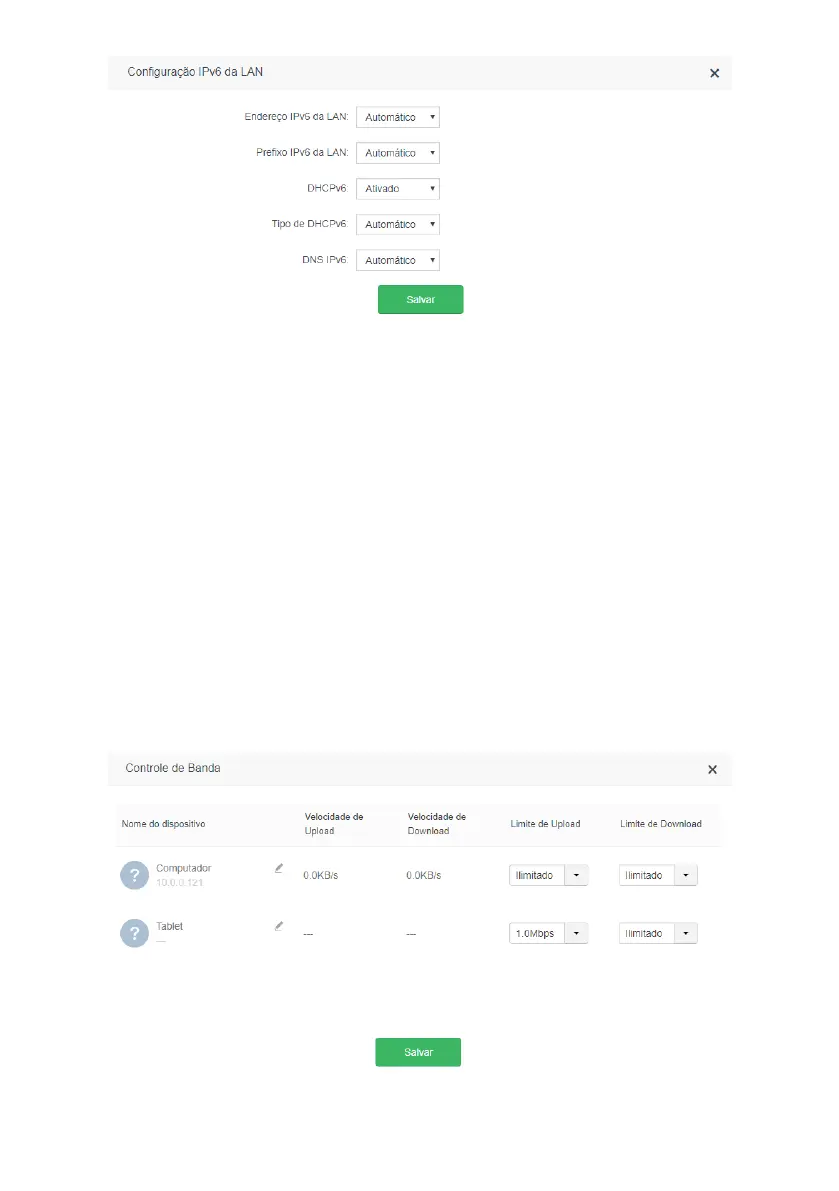
IPv6 LAN conguration screen
The menu
LAN IPv6 settings
groups the settings related to your IPv6 connection on the router LAN.
Below we will explain each available option.
» LAN IPv6 address: allows you to congure the IPv6 address of the router LAN. Select
Manual
if you want to congure
a specic IPv6 address.
» LAN IPv6 Prex: allows you to congure the router’s LAN IPv6 prex. Select
Manual
if you want to congure a specic
prex. Depending on the type of connection used on the WAN, you may need to congure a prex reported by your
operator or ISP.
» DHCPv6: enables or disables the DHCPv6 server on the router LAN.
» Type of DHCPv6: allows you to choose how the DHCPv6 server will deliver the IPv6 addresses to the devices on the
router’s LAN. Choose
Manual
if you want to congure a specic address range.
» DNS IPv6: allows you to congure the DNS servers that will be sent to the devices on the router’s LAN. Choose
Manual
if you want to use specic DNS servers.
When you nish the settings, click on the button
Save
to apply the changes.
4.9. Advanced settings
The following describes the options available in the menu
Advanced settings
of the ACtion RF 1200 web interface.
Band control



 To Next Page