21
Date and time
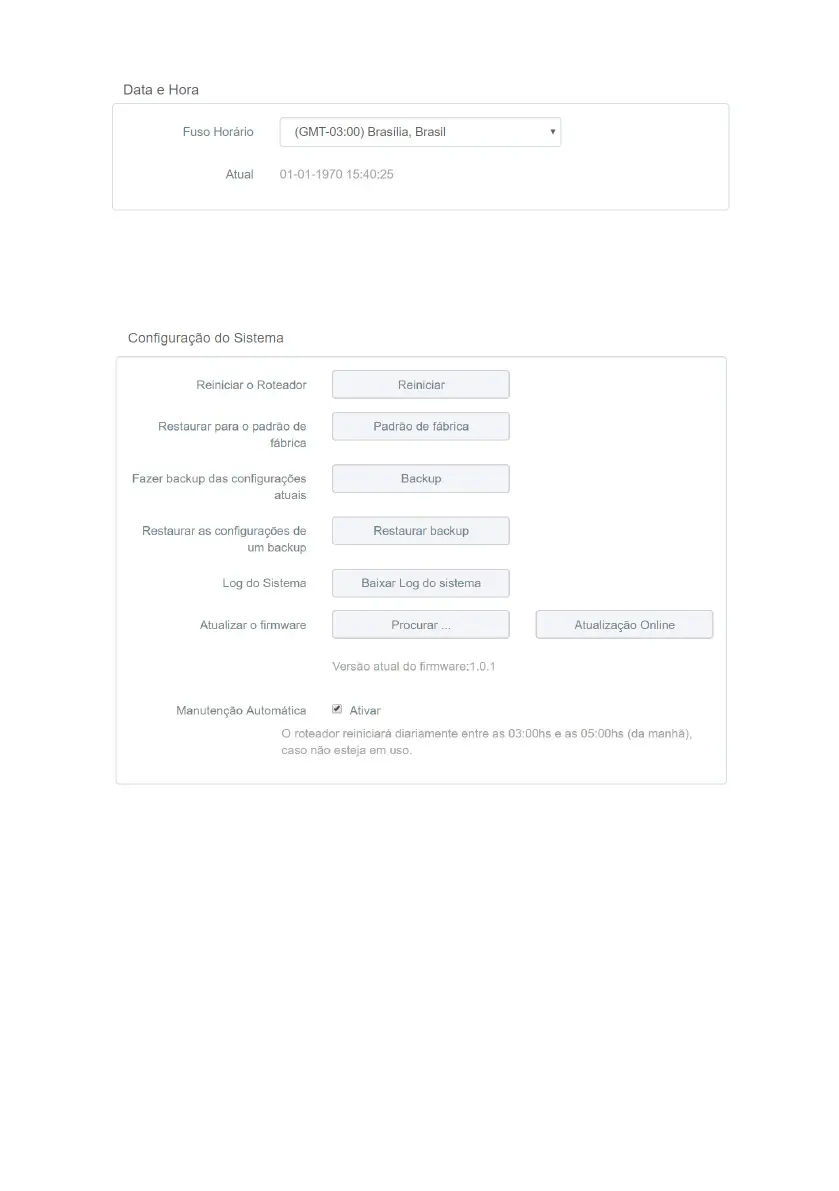
Date and time settings
You can select the time zone of your region and view the current RF 301K time.
The system date and time will be updated when RF 301K has Internet access.
System settings
System settings
» Restart router: if you wish to restart your router, you can perform this procedure in two ways:
1. Through the conguration web interface: click on the
Restart
button, conrm the operation and wait by following the
instructions on the screen;
2. You can simply remove the power cord from your router and plug it in again, or remove the power supply from the
outlet and plug it in again;
» Restore to factory default: you can return RF 301K to factory default settings. In this case all your current settings
will be lost.
To restore the product to factory default settings via
web interface
:
1. In the menu
System Settings
of the web conguration interface, click the
Factory Default
and conrm the operation;
2. Wait while the conguration is restored, following the directions displayed by the web interface.
To restore the product to factory default settings via
the physical RST/WPS button
:
1. Plug the router into the outlet and wait for it to start;
2. Press the button
WPS/RST
, located on the back of your RF 301K, for approximately 20 second;
3. Release the button
RST/WPS
and wait while the setting is restored. This will take about 1 minute.



 To Next Page