48 TruVision 11/31 Series IP Camera Configuration Manual
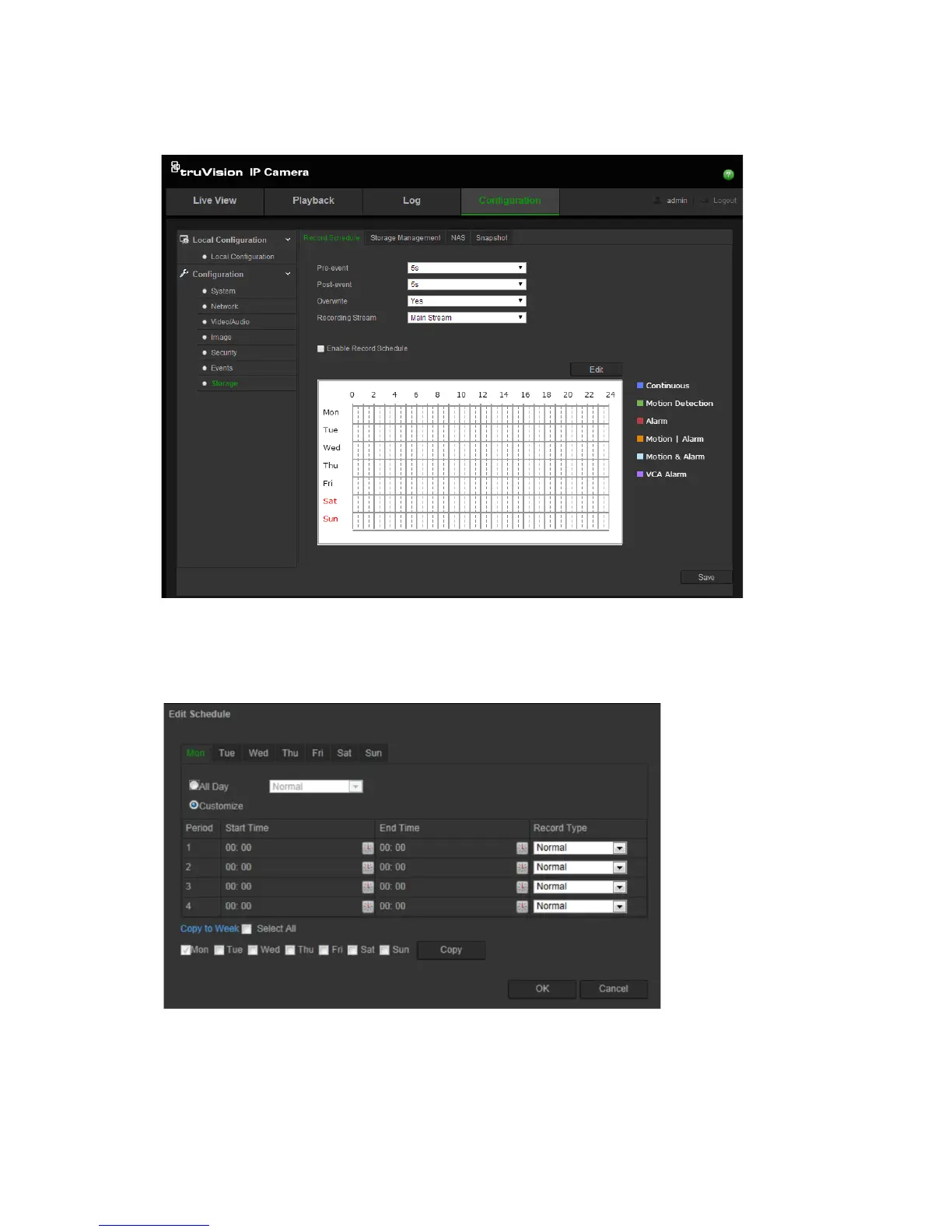
To set up a recording schedule:
1. Click Configuration > Storage > Record Schedule.
2. Click the Enable Record Schedule box to enable recording.
Note: To disable recording, deselect the option.
3. Click Edit to edit the recording schedule. The following window appears:
4. Select whether the recording will be for the whole week (All Day recording) or
for specific days of the week.
If you have selected “All day”, select one of the record types to record from
the drop-down list box:




 To Next Page