Chapter 1 — Use the IP30
20 IP30 Handheld RFID Reader User Guide
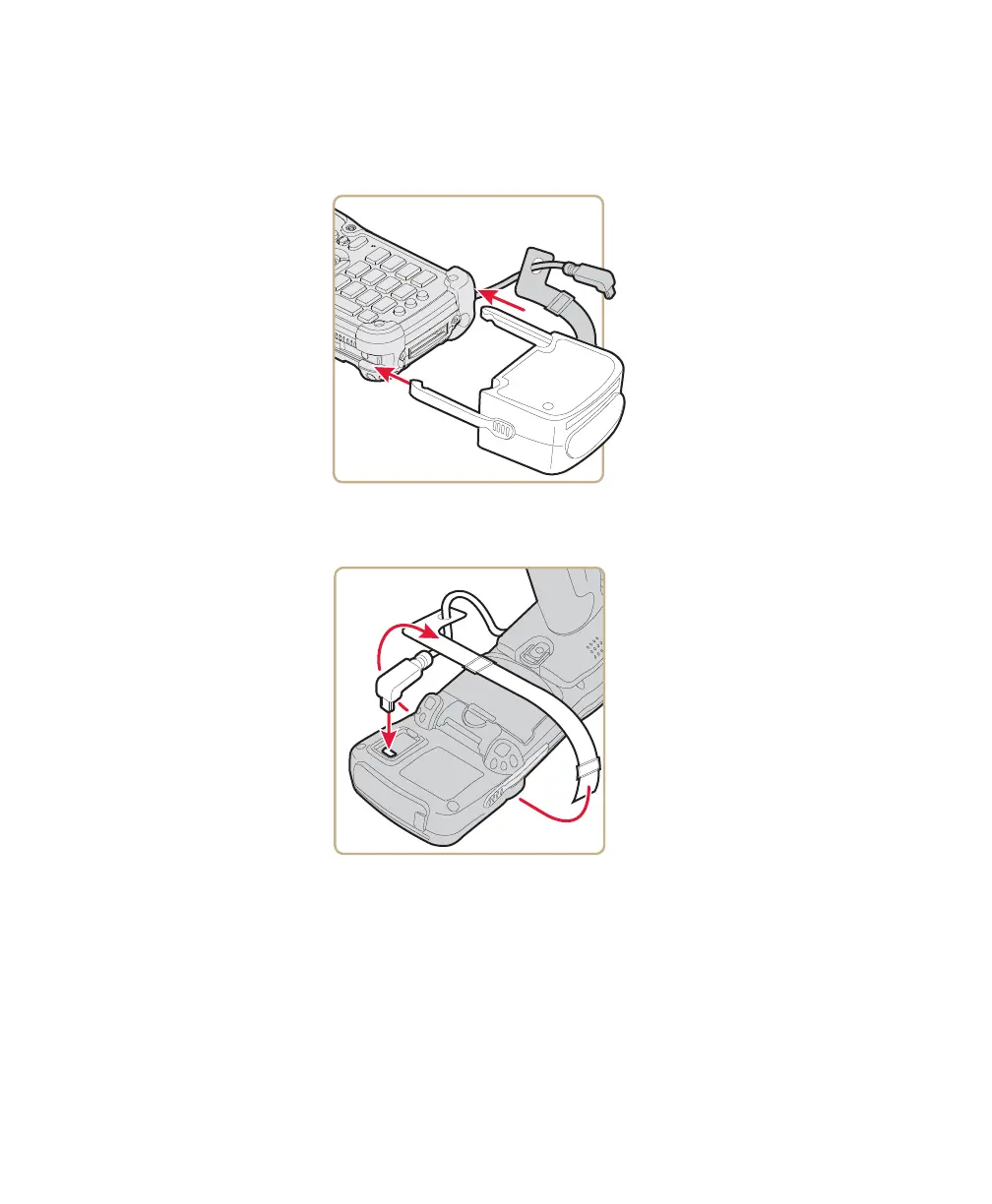
If you are using the Model AR5 Common Access Card Reader:
a Insert the AR5 into the docking connector until it snaps into
place.
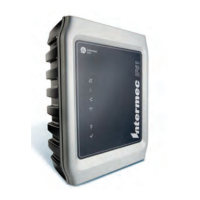
b Insert the right-angle USB cable into the USB port located on
the bottom of the AR5.
c Wrap the Velcro
TM
strap around the AR5 to secure the USB
cable.
6 Configure the IP30. For help, see “Configure RFID Settings” on
page 23.



 To Next Page