Chapter 4 — Troubleshooting and Maintaining the Printer
114 PF2i and PF4i Mid-Range Printer User’s Manual
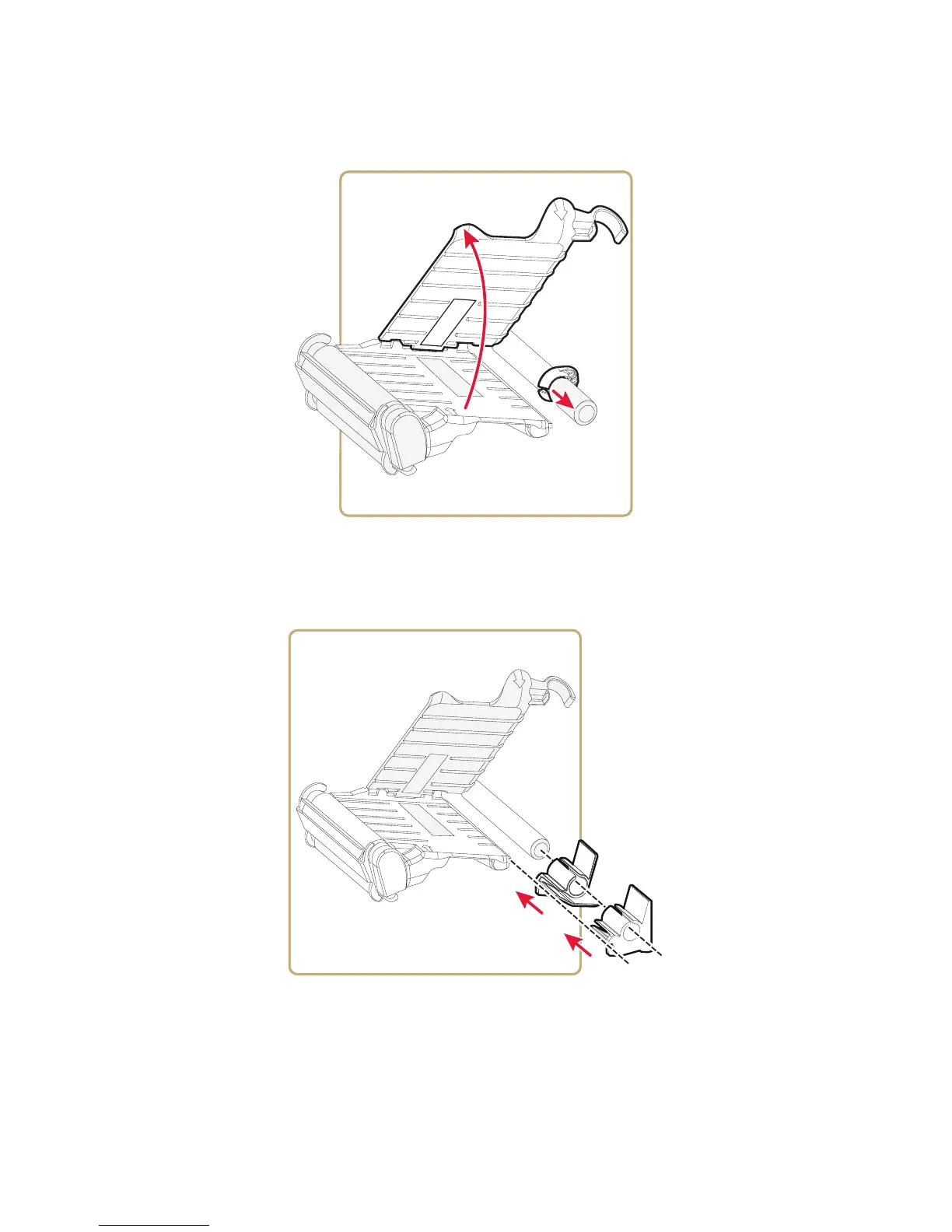
4 Lift the upper guide.
5 Remove the standard green edge guide.
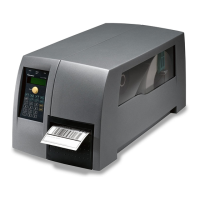
6 Slide the quick-load guides onto the shaft, making sure that the
lower media guide rail slides through the notches.
7 Slide the inner guide as far as possible down the shaft so that it is
flush with the center section.



 To Next Page