Chapter 3 — Configuring the Printer
PF2i and PF4i Mid-Range Printer User’s Manual 73
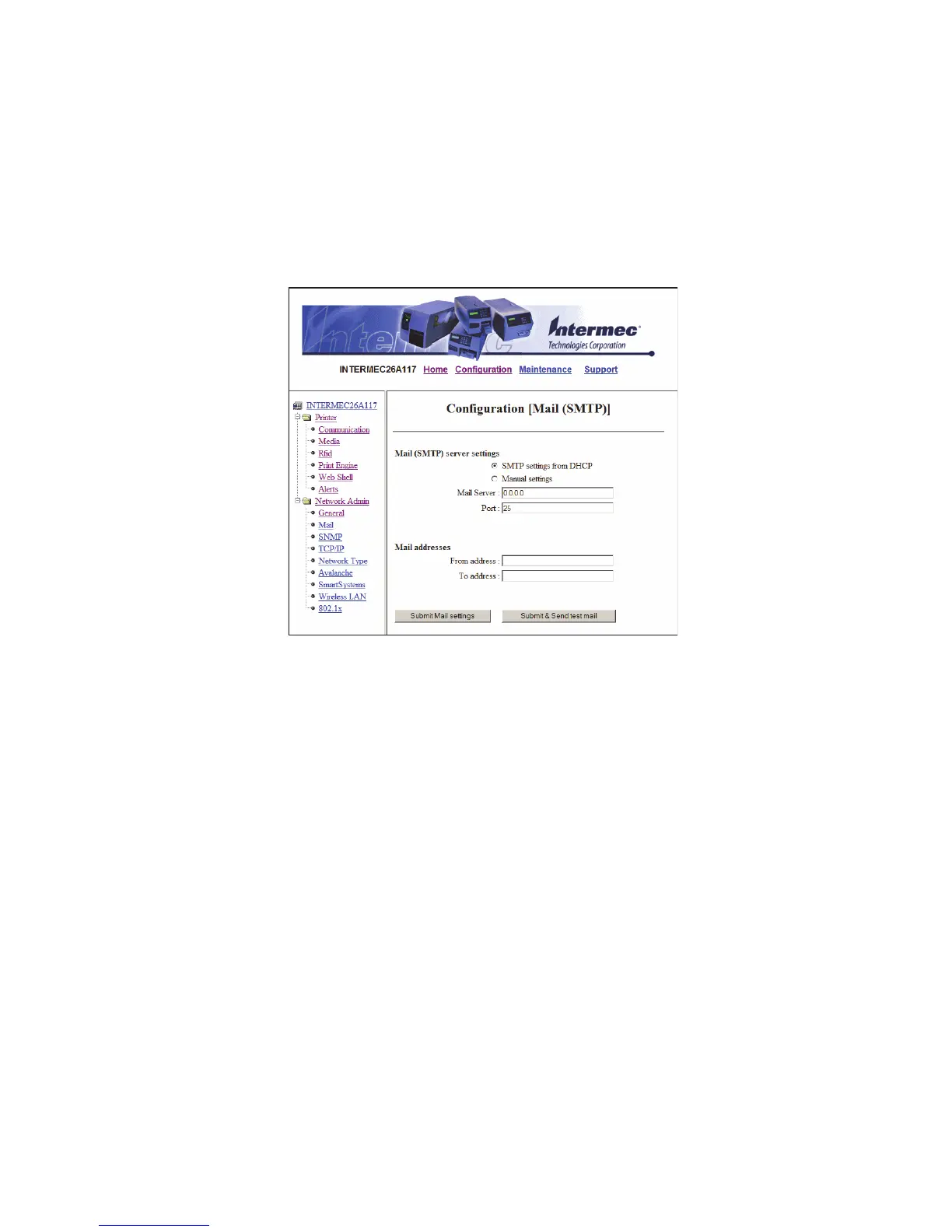
Configuring Mail Settings
Use the mail settings page to view and change e-mail (SMTP) server
settings.
To configure mail settings
1 Click Network Admin > Mail.
2 Select the mail server settings and enter mail addresses.
3 Click:
• Submit Mail Settings to send the changes to the printer.
• Submit & Send test mail to send the changes to the printer
and test your new settings.



 To Next Page