Chapter 3 — Configuring the Printer
PF2i and PF4i Mid-Range Printer User’s Manual 81
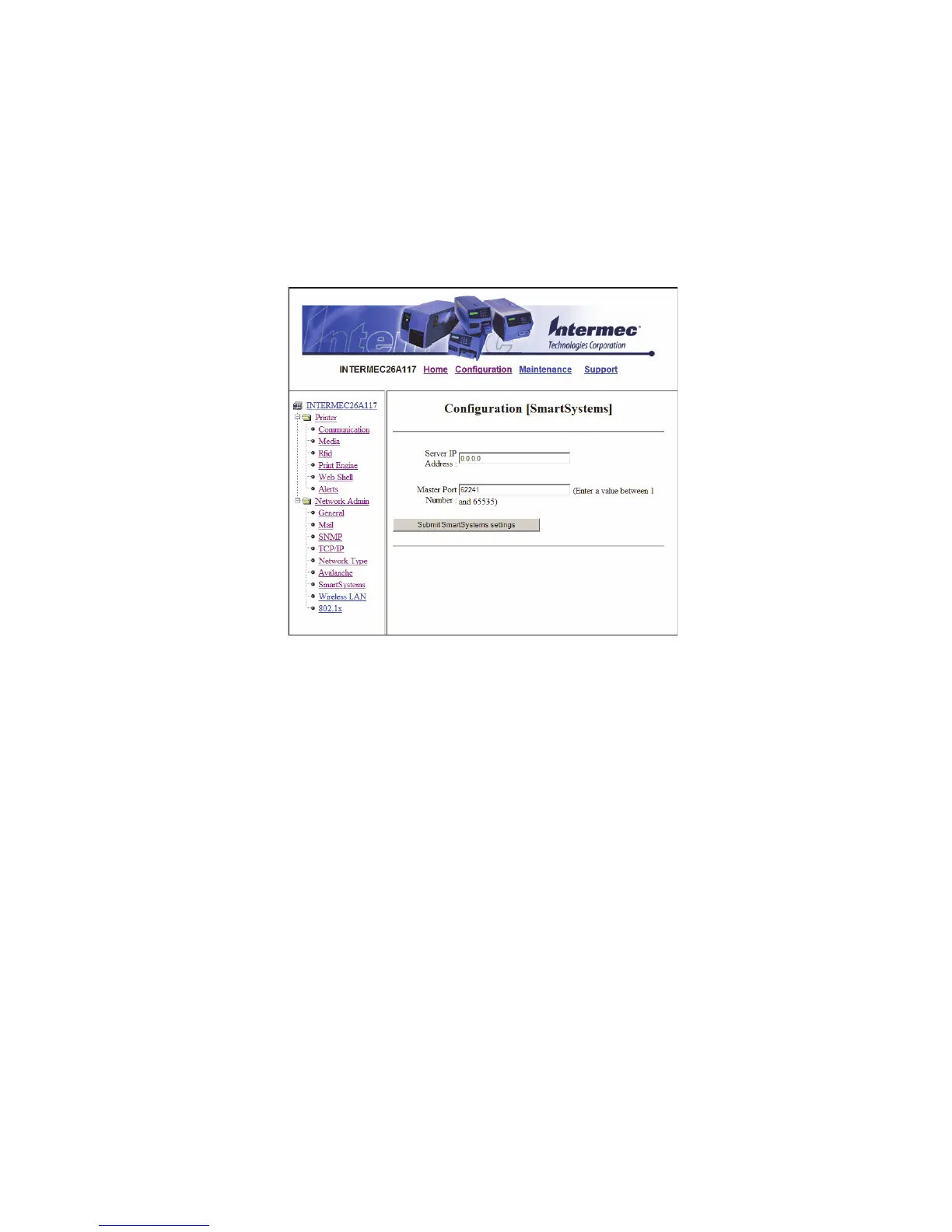
Configuring SmartSystems Settings
Use the SmartSystems page to view or change the SmartSystems
server IP address and the master port number.
To configure the SmartSystems settings
1 Click Network Admin > SmartSystems.
2 View or change the settings.
3 Click Submit SmartSystems settings.



 To Next Page