Chapter 1 — Using the Printer
14 PF2i and PF4i Mid-Range Printer User’s Manual
Loading Tear-Off Media With Quick-Load Guides
You can use a set of optional quick-load guides to make loading
media for tear-off printing easier. To order quick-load guides, contact
your Intermec representative. For help installing the Quick-Load
guides, see “Installing Quick-Load Guides” on page 112.
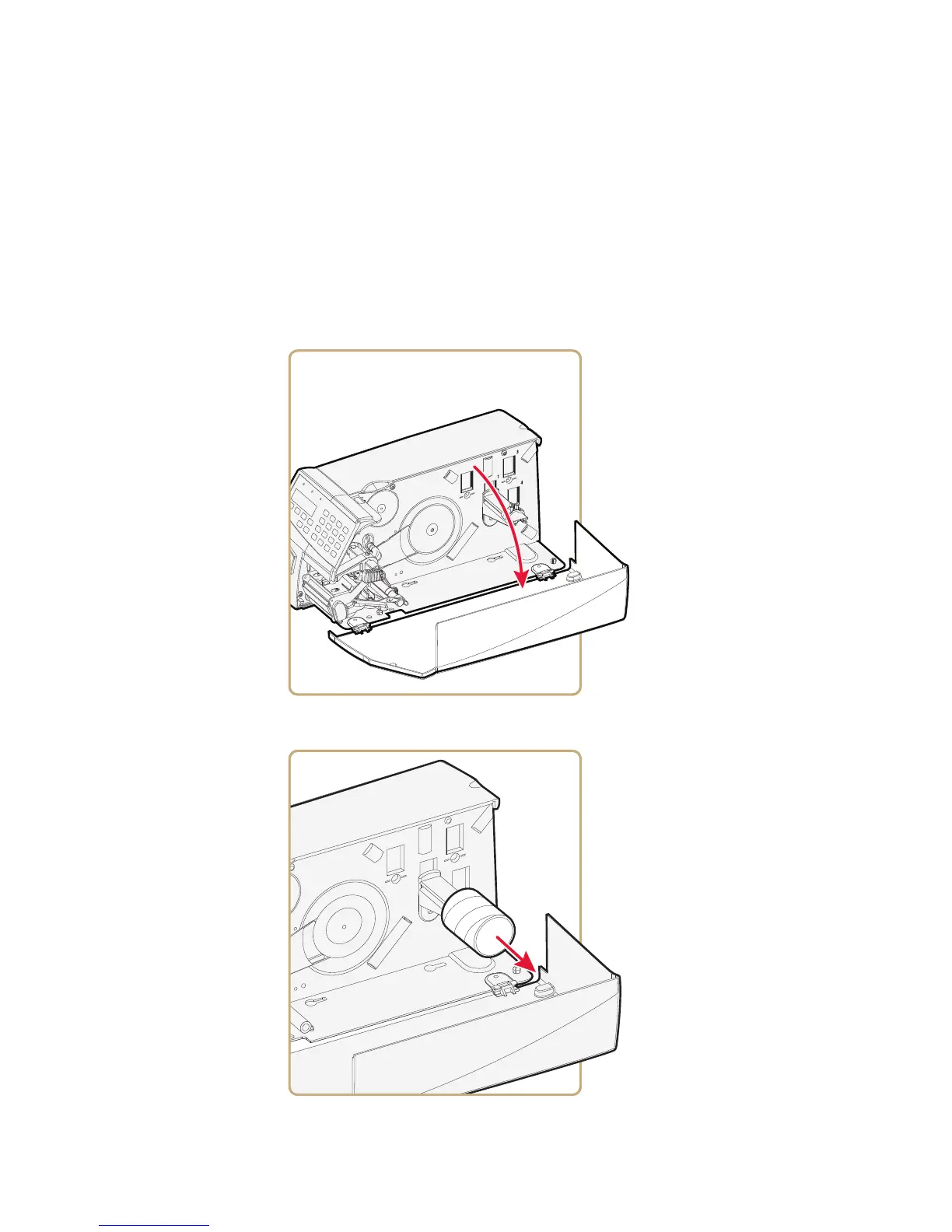
To load tear-off media with quick-load guides
1 Open the media cover.
2 Remove any empty core from the media supply roll post.



 To Next Page