Chapter 3 — Configuring the Printer
66 PF2i and PF4i Mid-Range Printer User’s Manual
2 Enter the correct information for the media you are using.
3 Click Submit Setup.
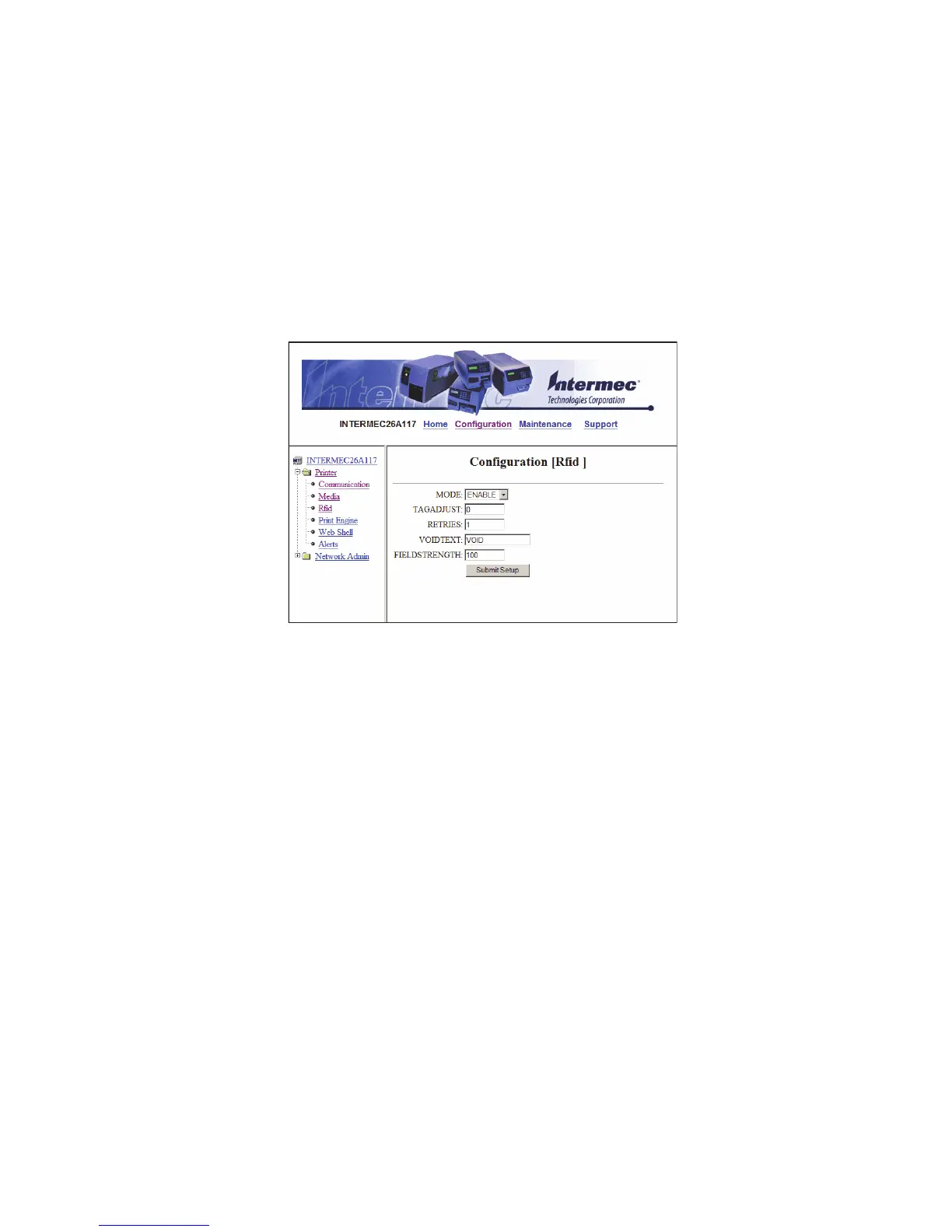
Configuring RFID Settings (PF2i With RFID Option)
Use the RFID page to configure settings for printing on RFID media.
To configure media settings
1 Click Printer > Rfid.
2 Enter the correct information for the RFID media you are using.
3 Click Submit Setup.



 To Next Page