Chapter 1 — Using the Printer
36 PF2i and PF4i Mid-Range Printer User’s Manual
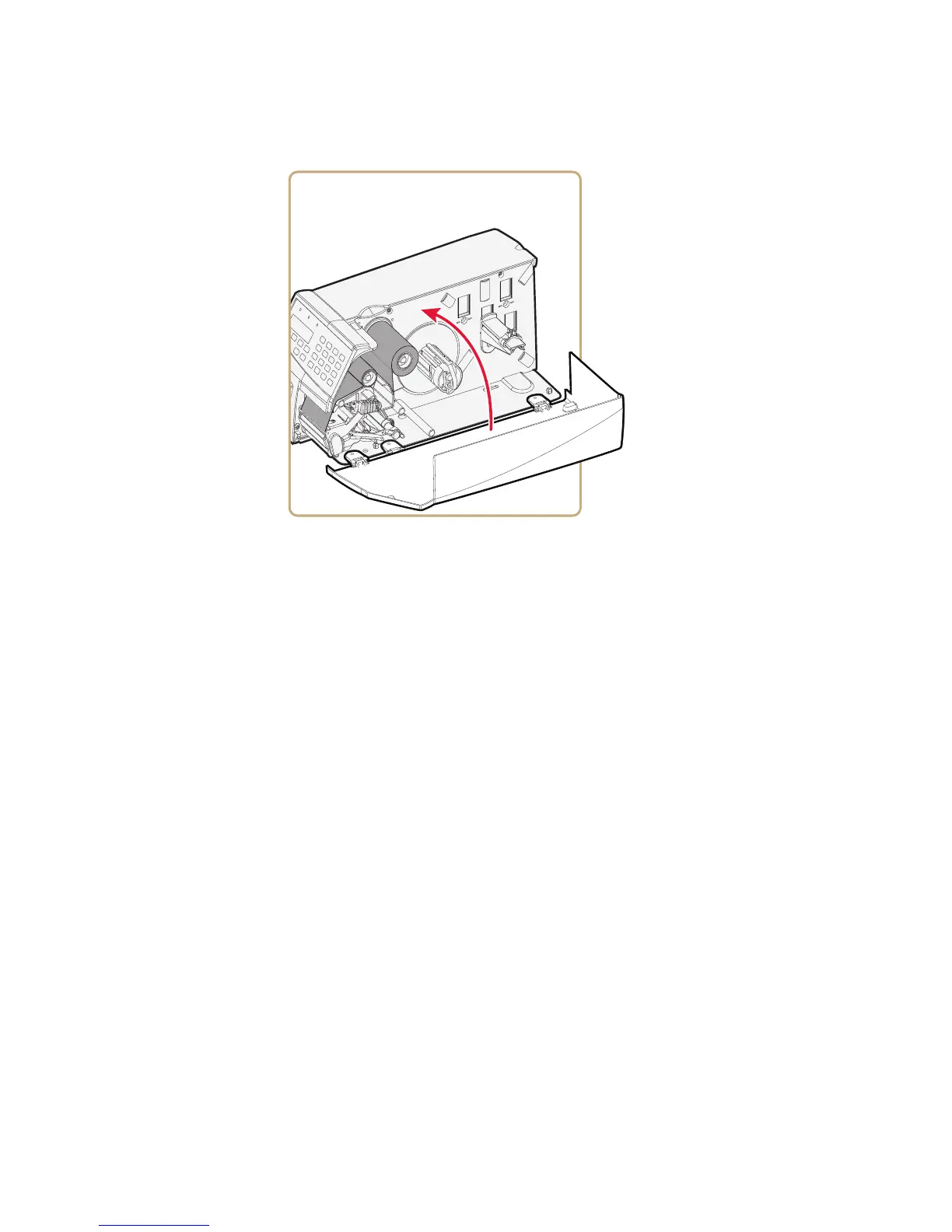
11 Close the media cover.
12 Set the Paper Type to Thermal Transfer Ribbon (TTR).
a On your printer’s keypad, press T to enter the Setup menu.
b If you are using Fingerprint, go to Media > Paper Type >
Transfer.
If you are using IPL, go to Media > Paper Type > TTR.
c Press E.
d Press T to exit the Setup menu.
Printing a Test Label
You can print a test label (perform a testprint) to:
• make sure that your printer is working properly.
• get your printer’s setup, hardware, and network information.
• get RFID tag information.
• check print quality and determine which adjustments to make.



 To Next Page