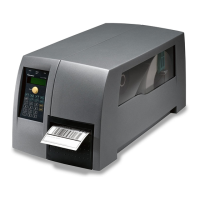
Before You Begin
PF2i and PF4i Mid-Range Printer User’s Manual xiii
This manual provides you with information about the features of the
PF2i and PF4i, and how to install, configure, operate, maintain, and
troubleshoot it.
Before you work with the PF2i and PF4i, you should be familiar with
your network and general networking terms, such as IP address.
Related Documents
Here are some related Intermec documents you may find useful:
•
Intermec Fingerprint Developer’s Guide
• Intermec Fingerprint Command Reference Manual
• Intermec Printer Language (IPL) Developer’s Guide
• Intermec Printer Language (IPL) Command Reference Manual
• DSim Programmer’s Guide
• ZSim Programmer’s Guide
The Intermec website at www.intermec.com contains our documents
that you can download for free.
To download documents
1 Visit the Intermec website at www.intermec.com.
2 Click the Products tab.
3 Using the Products menu, navigate to your product page. For
example, to find the PF2i printer product page, click Printers and
Media > Industrial Printers > PF2i.
4 Click the Manuals tab.
5 If your product does not have its own product page, click Support
> Manuals. Use the Product Category field, the Product Family
field, and the Product field to help you locate the documentation
for your product.



 To Next Page