Chapter 4 — Troubleshooting and Maintaining the Printer
122 PF2i and PF4i Mid-Range Printer User’s Manual
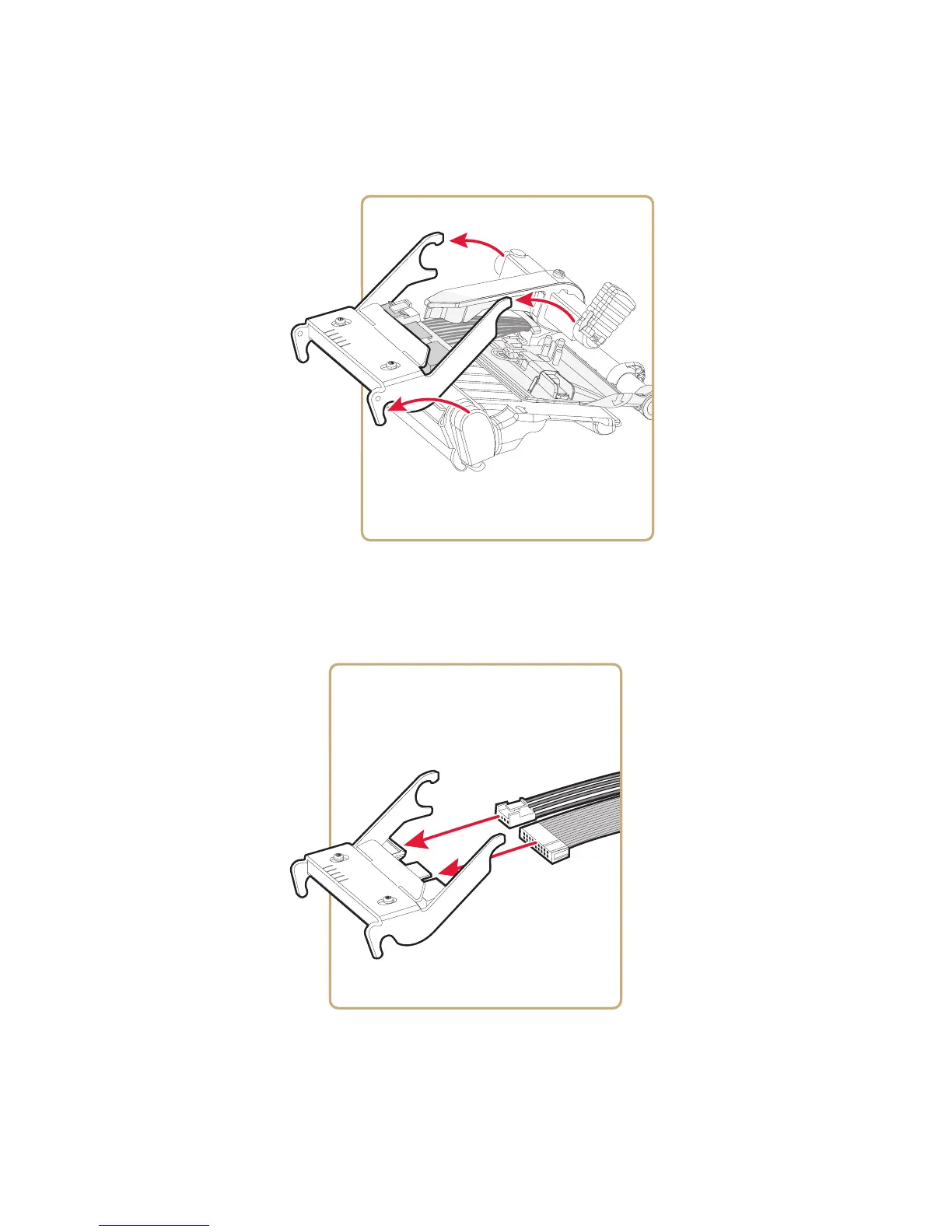
6 Disconnect the printhead bracket from the print mechanism, and
pull out the printhead as far as the cables allow.
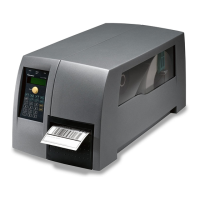
7 Disconnect the cables from the printhead:
• Note the snap-lock on the inner connector.
• Be sure to pull at the connectors, not at the cables.



 To Next Page