Version 0.4 Page | 15
4 Handset MMI - Operations
The handset can be in three main states seen from the user:
1.
Active call
2.
Idle
3.
Menu
In active call the Umber handset call MMI will be used to guide the user.
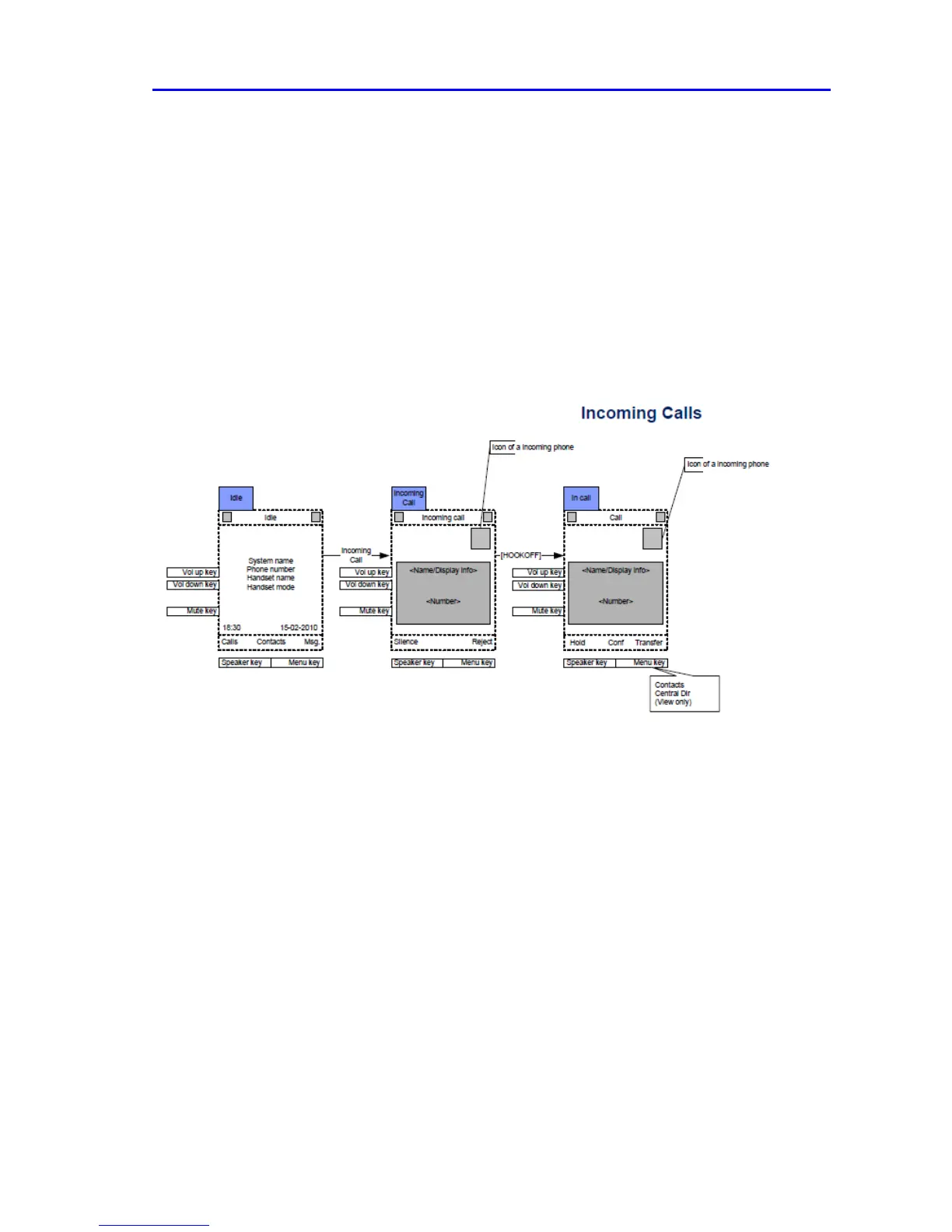
Incoming call
The handset will start alerting and display the “incoming call screen” when receiving an incoming call.
The caller ID of the caller will be displayed. The user answers the call by pressing “Green-key” (Off-
hook).
If the feature “Auto answer” is enabled on the handset, then the incoming call is answered no matter
if the handset is placed or removed from the cradle/charger. If “Auto answer” is disabled, then the
user has to press “Green-key” no matter if the handset is placed or removed from the cradle/charger.
The received phone number is stored in the call log.



 To Next Page