Version 0.4 Page | 24
5 Handset - Service Menu Management
This section describes how to use the feature “Service Menu” available only to vendors and developers
of the handset.
The document will also describe some options available in the Service Menu.
Service Menu
This menu is normally used to reveal features not used/seen by the end-user. By means of a special
key sequence a special service menu can be accessed. This service menu enables some special features
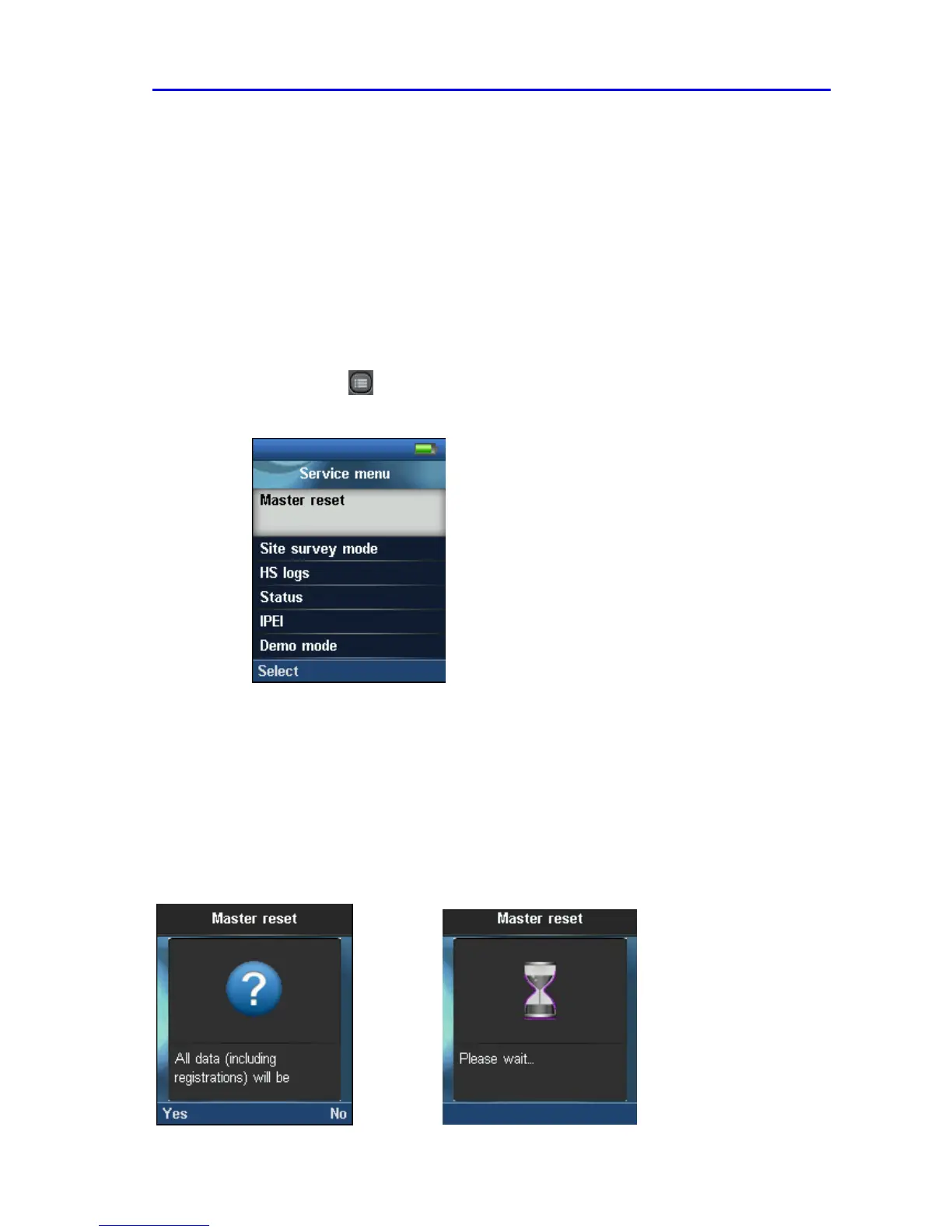
like Master reset, Site survey mode, Handset logs, Status, IPEI, Demo mode, Wideband and Test Tone.
To access the service menu, do as following step:
STEP 1
Click on Menu in idle mode > Type *SERVICE* or *7378423* from the keypad to
display the Service Menu
Service Menu Parameter Definitions
The Service Menu is not for end users – only installers and suppliers.
Master Reset
This feature allows the user to clear all settings to default, including registration and bring Handset the to
normal condition and initial state.
Valid inputs: Yes or No
Screen shots



 To Next Page