Version 0.4 Page | 8
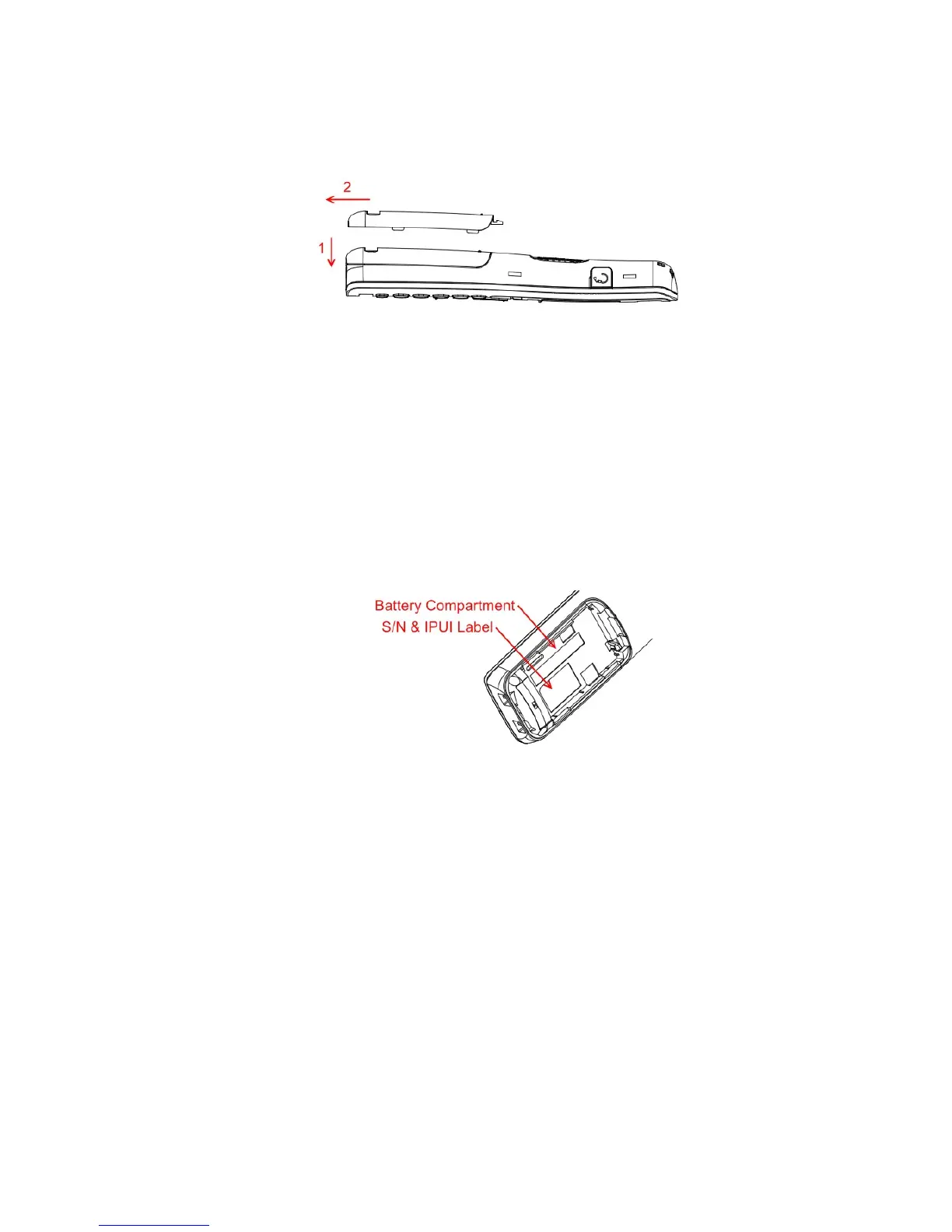
Open Back Cover
1.
Press down the back cover and slide it towards the bottom of the handset.
2.
Remove Back Cover from Handset
Handset Serial Number
The serial number (IPEI/IPUI number) of each handset is found either on a label, which is placed
behind the battery, or on the packaging label. First, lift off handset back cover and lift the battery and
read the serial number.
The serial number is usually needed to enable service to the handset. It must be programmed into the
system database via the SME VoIP Configuration interface.
Replace Battery
Remove Back Cover from Handset. Remove the old battery and replace with a new one.



 To Next Page