Version 0.4 Page | 16
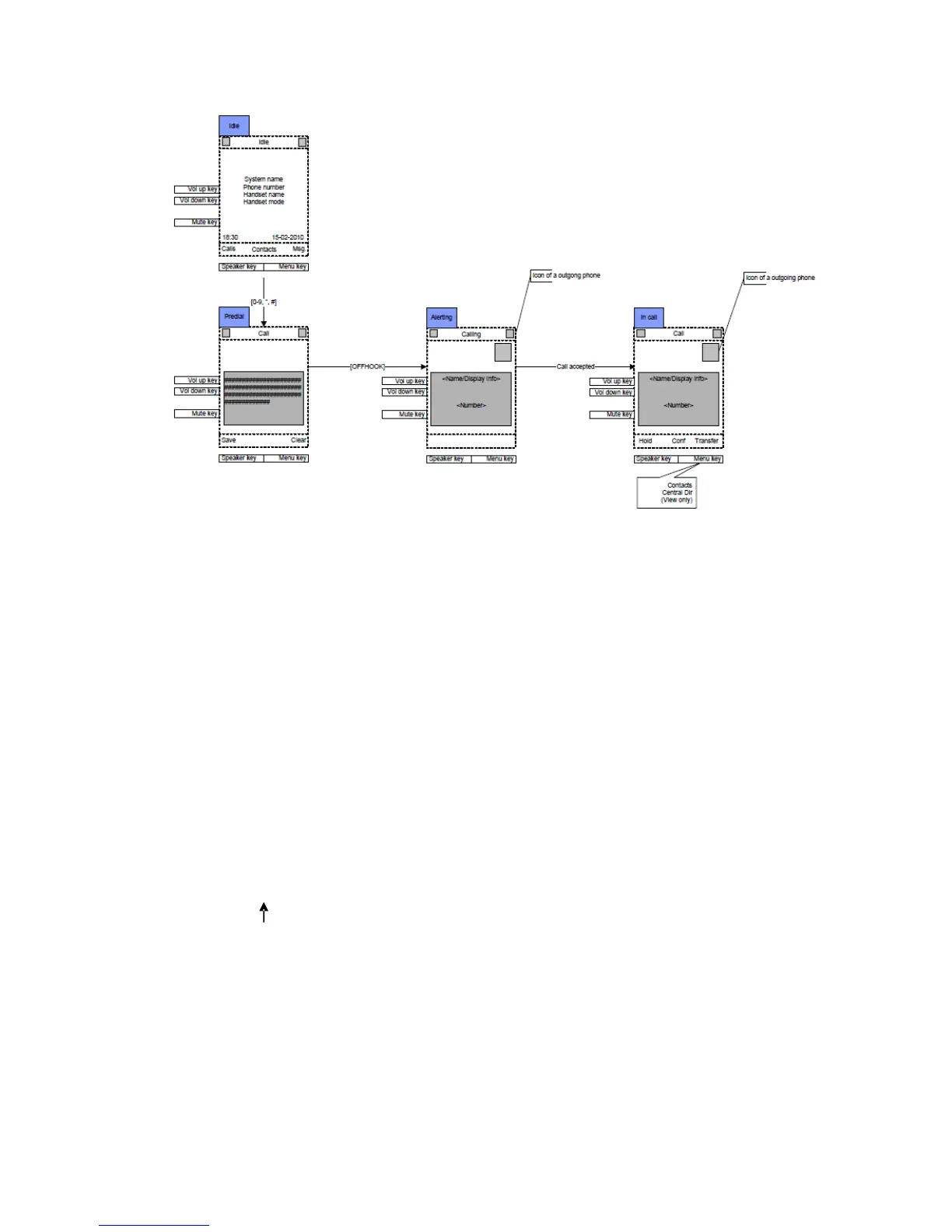
Outgoing Call by Pre-dial
Simply pre-dial the phone number. It is also possible to select call an entry in the private phone book
or the central phone book.
To make a call to the outside line, simple type in the phone number and press “Green-key” (Off-hook),
Depending on the setup of the PBX, it may be necessary to add a prefix in front of the phone number.
Finish Talk Mode
To end a call, simply press “Red-key” (On-hook) to terminate any call. If one call is active and another
call is on hold, then the active call will be terminated when pressing “Red-Key” and the handset
automatically returns to the call on hold, i.e. the call on hold is now active, and the user has to press
the “Red-key” again to terminate this call.



 To Next Page