15
Getting Started Interwrite
TM
Board
Installing the Interwrite Workspace
Software on the Mac
The Interwrite Workspace software must be installed on the Mac by
a user with Admin privileges. Interwrite Workspace is compatible
with Mac OS X version 10.4 or higher.
1 Insert the Interwrite Learning CD into the CD-ROM drive on your
Mac. An Interwrite Workspace CD icon will appear on your
desktop.
2 Double-click on the Interwrite icon on the desktop to display the
CD’s contents. Double-click on the Install Interwrite icon.
3 Follow the onscreen instructions for the software installation.
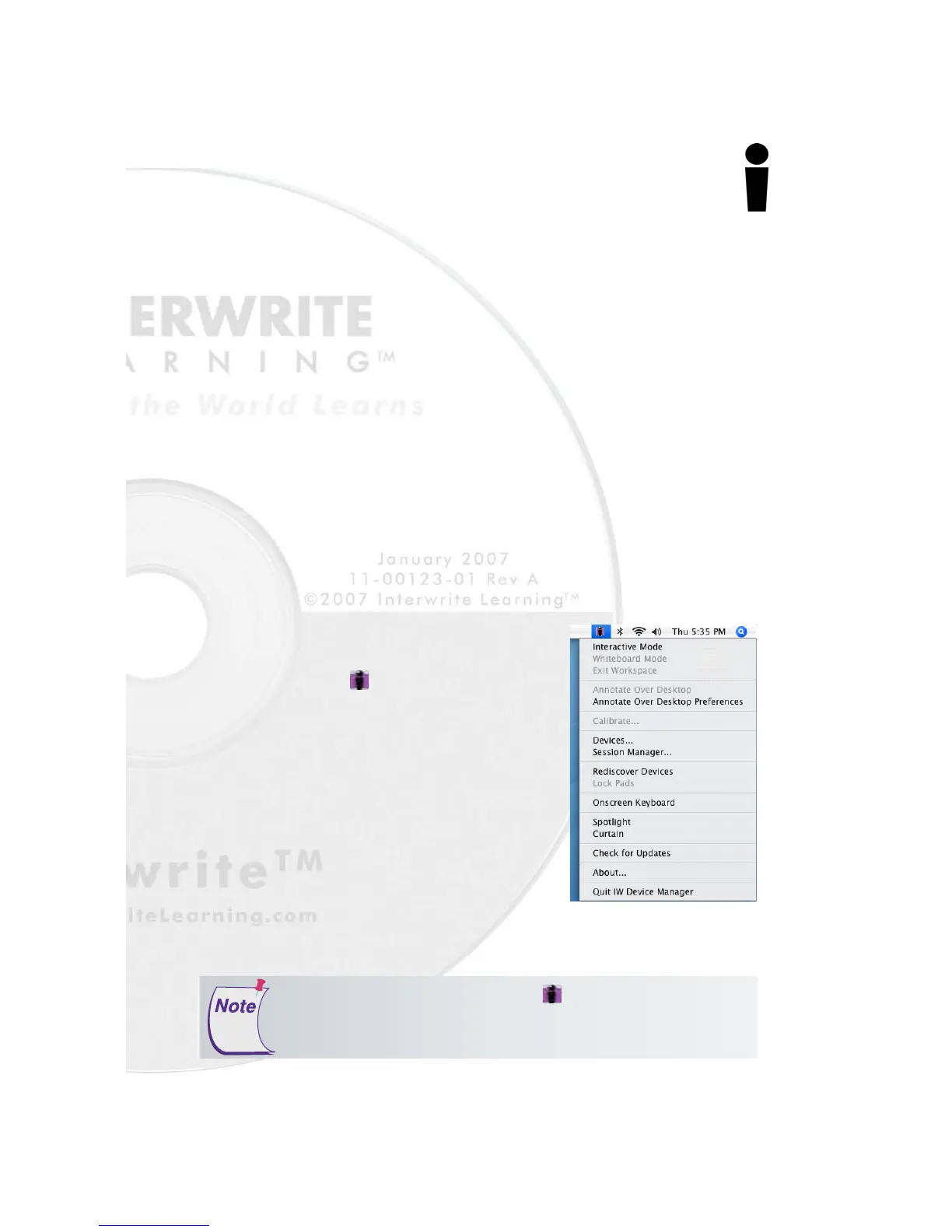
The appearance of the Interwrite
Workspace icon on the Menubar
indicates that the Device Manager is
now running on your Mac. It will load
and run in the background every time
you start up your Mac. Click on the
Interwrite Workspace icon to display
the options on the Device Manager
Menu, shown here. Device Manager,
in addition to managing the Interwrite
hardware devices, provides direct
access to the two operational modes of
Interwrite Workspace on the Mac.
Click the Interwrite Workspace icon on the Menubar to display
the Device Manager Menu. Select the
Check for Updates
option. If a
new version of Interwrite Workspace is available, download it now.
You should periodically check for updates.



 To Next Page