24
Interwrite
TM
Board Getting Started
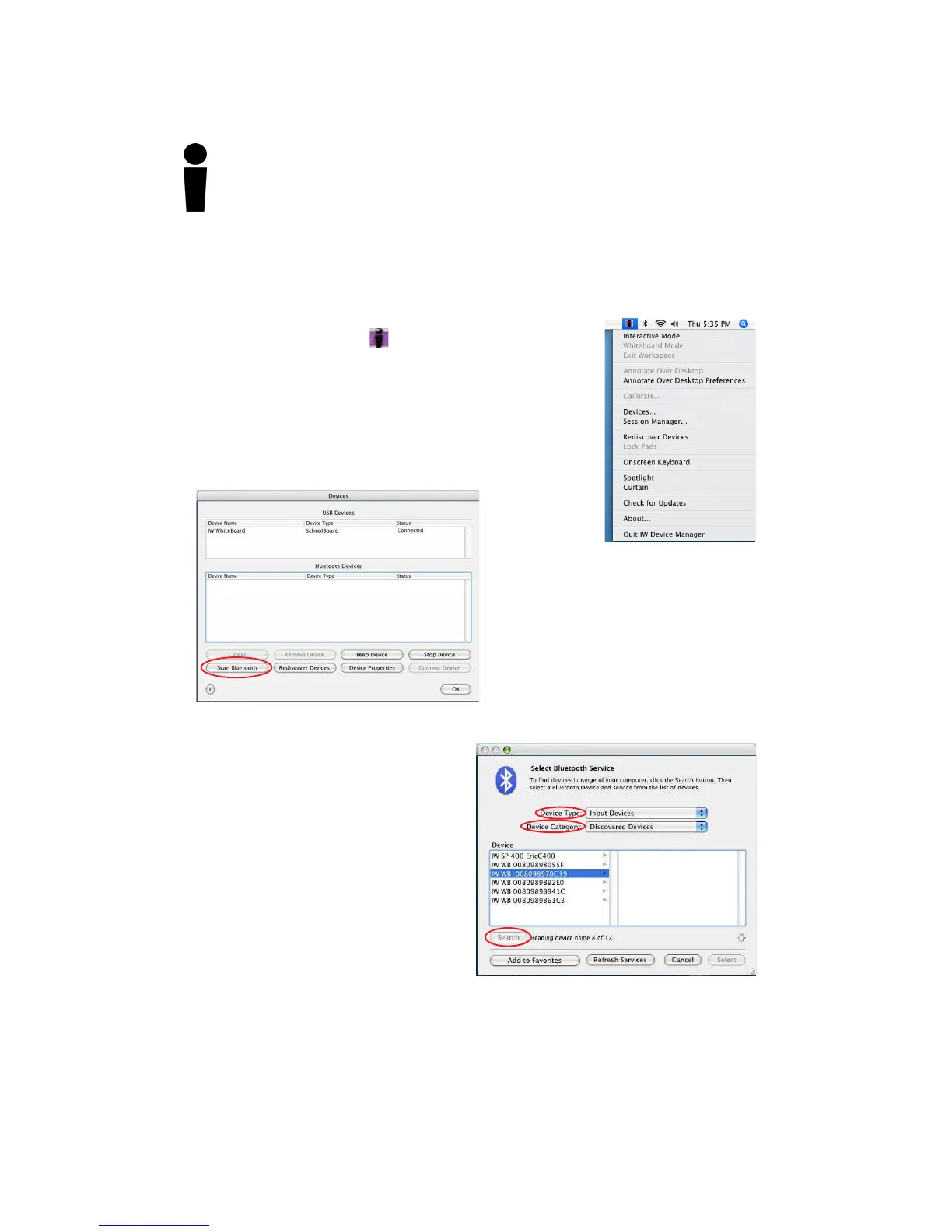
2 Select the Devices... menu option.
The Devices dialog box is displayed.
Connecting a Wireless Device on the Mac
The last step in setting up wireless communications between your Blue-
tooth Interwrite Devices is performed by Device Manager. Make sure
your Interwrite Board is powered on.
3 Click on the Scan Bluetooth
button.
The Select Bluetooth Service dialog
box is displayed.
4 Make sure the Device Type is set
to Input Devices and the Device
Category is set to Discovered
Devices.
5 Click on the Search button.
1 Click on the Interwrite Workspace
icon on the Mac Menubar to
display the Device Manager Menu.
Every active Interwrite Board and Interwrite Pad running Bluetooth should be
discovered and listed in the left column of the Select Bluetooth Service dialog
box.



 To Next Page